
Student with a small desk
Wants to leave room for a laptop, paperwork and other belongings. So, compare the monitor’s dimensions with the stand attached.


Start by measuring the space on your desk and deciding how many rows or documents you want to see at once. A compact Full HD monitor may be enough for a bill or spreadsheet. Consider a 16:10 screen if extra vertical workspace matters, or an adjustable stand if you want to change the screen height. For every model, check that its ports and cable are compatible with your laptop.
Wants to leave room for a laptop, paperwork and other belongings. So, compare the monitor’s dimensions with the stand attached.
Often views expense rows or documents alongside other windows and wants to weigh up whether extra vertical screen space is more useful than a standard Full HD screen.
Connects a laptop and wants a suitable video input and a screen position that works for their desk. Check the laptop’s video output, the monitor’s port and the cable separately.
First, measure the space on your desk and decide how many rows you want to view at once. Then check that the connection and screen position work with your laptop and workspace.
| What to consider | What to look for | For which shoppers |
|---|---|---|
| Desk space | Measure the width and depth of your desk and compare them with the dimensions of the monitor and stand. | If I need to keep my laptop and papers on the desk too, I want to avoid the monitor taking over my workspace; around 25% of shoppers put available desk space first. |
| Viewing space | Compare the resolution and aspect ratio of the exact models, and check that text remains comfortable to read from your viewing distance. | When working through long lists of expenses, I want to see more rows at once; around 25% of shoppers give the amount of visible reading space top priority. |
| Total cost | Compare the current price of the exact model and check which cables and other essentials are included with that version. | If I want to keep the full set-up within my budget, I want to know what I need in advance; around 20% of shoppers prioritise the total purchase cost. |
| Laptop connection | Check your laptop’s video output, the monitor model’s video input and whether the required cable is included. | When I want to connect my laptop without extra adaptors, I want to make sure both devices support the same connection; around 15% of shoppers make connectivity their main consideration. |
| Adjustability | Check the height adjustment and tilt, and allow for the space taken up by the stand. | If I want to adjust the screen position to suit my workspace, an adjustable stand matters to me; around 15% of shoppers prioritise adjustability. |
Dell lists a resolution of 1920 × 1200 for the P2425 and 1920 × 1080 for the P2425H. This difference affects how many vertical pixels are available.
Check the full model number and the resolution of the version you’re considering.
Dell specifies that the P2425’s USB-C downstream port is for data at up to 15 W. This specification does not mean the port supports video transmission or full laptop charging.
Compare the exact monitor port with your laptop’s video output, and check which cable you’ll need.
According to ACM ConsuWijzer, the statutory guarantee applies alongside a manufacturer’s or retailer’s guarantee.
Check exactly what an extended warranty package adds before choosing one.
Compare the P2425 if extra vertical screen space and an adjustable stand are important to you.
The 24E1N1100A/00 is a 23.8-inch Full HD option to compare for everyday documents.
The 24BA450-B is a Full HD model to compare if an adjustable stand matters to you.
The 24B3HA2 is a 23.8-inch Full HD model to compare with other compact monitors.
The L24i-4A is a Full HD model to compare if you want to check which ports and cables come with that version.
This Joybuy selection features monitors for viewing bills and spreadsheets at a desk. Compare each model’s ports and screen position with your laptop and the space available.
 No image available
A 24-inch Full HD monitor for viewing bills or spreadsheets at a desk.
The product title lists 100 Hz, 1 ms, HDMI and VGA.
 No image available
A 24-inch Full HD model for everyday documents; check that the screen size suits your desk.
The product details list 1920 × 1080 pixels, a VA panel and 100 Hz.
 No image available
A 23.8-inch monitor for managing household finances if you want to adjust the screen position.
The product details list Full HD, an IPS panel and a stand with height and tilt adjustment.
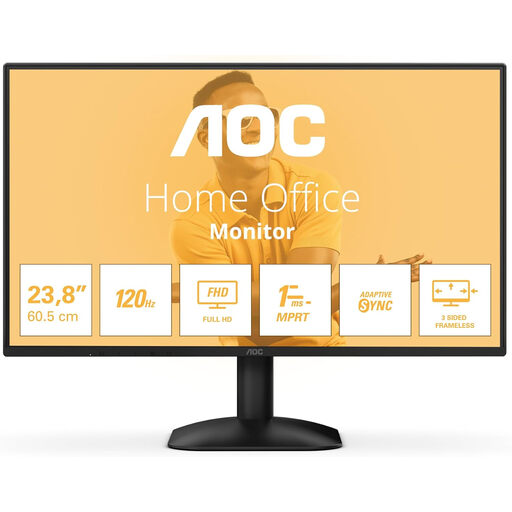 No image available
A 24-inch monitor for viewing bills or spreadsheets, provided the ports are compatible with your computer.
The product title lists 1920 × 1080 pixels, HDMI and DisplayPort.
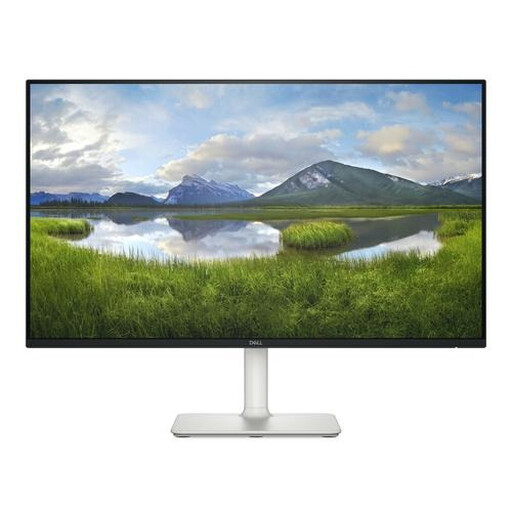 No image available
A 23.8-inch Full HD IPS monitor for managing household finances at a desk.
The product details list 1920 × 1080 pixels, two HDMI ports and built-in speakers.
Not necessarily. First, decide how many rows you want to see at once with text at a comfortable size. Dell lists 1920 × 1200 pixels for the P2425 and 1920 × 1080 for the separate P2425H. This difference provides extra vertical pixels, but it doesn’t determine which screen layout you’ll find comfortable.
No, it depends on the features of the specific port. Dell describes the P2425’s USB-C downstream port as data-only, with a maximum of 15 W. Compare the monitor’s port with your laptop’s video output, then check which cable you need.
Choose a position that makes documents comfortable to read, and build breaks into your routine when using a screen for long periods. Arboportaal describes rules for employees covered by the relevant regulations; these are not automatically legal requirements for private use.
For an applicable online consumer purchase, you generally have a 14-day cooling-off period from delivery. You also have a statutory guarantee if the product doesn’t perform as you could reasonably expect under normal use; the retailer is responsible for this. An extended warranty package does not replace these statutory rights.
Yes. If power consumption matters to you, compare the energy label for the exact version. The European Commission states that energy labelling rules also apply to computer monitors; don’t estimate consumption based on screen size alone.