
Reading-list editor with limited desk space
Wants to edit a reading list comfortably without the screen or stand making the desk impractical.


First, measure the available width and depth, then decide how much text and how many windows you want to see at once. A 24-inch 16:10 screen gives you more vertical space than Full HD 16:9; QHD offers more pixels, but you may want to increase the text size. A USB-C dock is most useful when both the monitor and your laptop support video and sufficient power delivery over that connection.
Wants to edit a reading list comfortably without the screen or stand making the desk impractical.
Switches between a reading list, notes and source windows, and weighs up extra pixels against text size on a compact screen.
Wants fewer cables to connect and checks whether the laptop and monitor support video, peripherals and, where applicable, charging together.
First measure the available space, then compare how much text you want to see at once, how adjustable the monitor is and which connections your laptop actually needs.
| What to consider | What to look for | Who is this most important for? |
|---|---|---|
| Will the whole setup fit? | Measure the available width and depth and compare them with the dimensions of the screen with its stand. | When space is limited, I also want room for input devices and a comfortable screen position. Around 36% of consumers cite desk space as their main concern. |
| How much needs to be readable at once? | Compare 1920 × 1080, 1920 × 1200 and 2560 × 1440 with your own list and window layout; check that the text remains comfortable to read after any scaling. | I want to view my list and sources side by side without the text becoming too small. For around 29% of consumers, a clear, readable overview is the top priority. |
| Can you adjust the screen position? | Check whether the stand is height-adjustable, tiltable or swivel-compatible, and whether it can move freely on your desk. | When reading for long periods, I want to set the screen at a comfortable height and position. An estimated 21% of consumers consider adjustability their main concern. |
| Which connection does your laptop need? | Check whether USB-C carries video on both devices and whether the power delivery is suitable for your laptop. | If I use my laptop in one place, I want to know whether a single cable can provide video and charging. Around 14% of consumers prioritise the laptop connection. |
The stand takes up space too and affects where you can position the screen on your desk.
Measure the available width and depth, then compare them with the dimensions of the exact model, including its stand.
You may need to reposition the monitor or find a suitable mount if the stand does not fit your workspace well.
According to Dell, the Dell P2425’s USB-C downstream port is for data only and delivers a maximum of 15 W; it is not the same as a dock for laptop video and charging.
Check the exact model and your laptop for video connectivity, port functionality and the power delivery required.
If a connection does not support all the functions you need, you may need a separate video or power connection.
The 23.8-inch Dell we looked at offers more pixels at QHD than at Full HD, but text scaling and viewing distance also affect how comfortable the text is to read.
View your usual list and source windows at a readable text size before deciding how much extra workspace you need.
The Pro Plus P2425 and P2425DE models offer two different 24-inch options: 16:10 and QHD with a USB-C hub.
The 24B2G5301/00 is a 23.8-inch Full HD monitor with a USB-C dock.
The Series 5 Pro 524pu is a 23.8-inch Full HD docking monitor for a compatible laptop setup.
These Joybuy products are 24-inch Full HD monitors to compare if you mainly work with a list or one main window. For each model, check that the stand, connections and any adjustment options suit your desk and computer.
 No image available
A 24-inch Full HD model to consider if you mainly use a list or one main window.
The product name lists 100 Hz and 1 ms. According to the product information, a charger is not included as standard, so bear this in mind when choosing your connection.
 No image available
A 24-inch Full HD model to compare if you mainly use one window.
The product name lists 100 Hz and a VA panel.
 No image available
A 24-inch Full HD model to compare if you want to adjust the screen position as well as choose the right size.
The product information lists an IPS panel and a height-adjustable, tiltable stand.
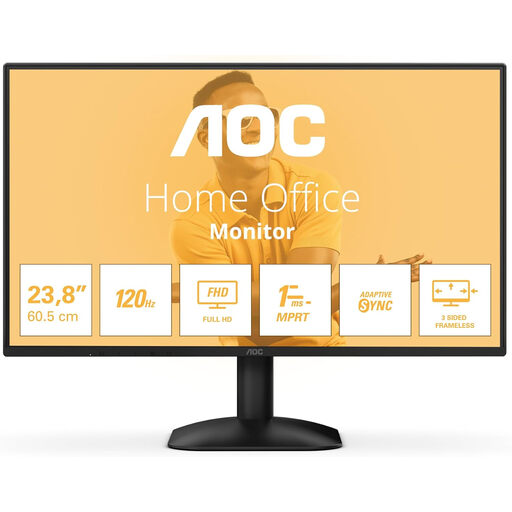 No image available
A 24-inch Full HD model to consider if you’re looking for a monitor with an HDMI or DisplayPort connection.
The product name lists a resolution of 1920 × 1080, along with HDMI, DisplayPort and a headphone connection.
 No image available
A 24-inch Full HD model to compare if a tiltable screen suits your workspace.
The product name lists 144 Hz, an IPS panel and a tiltable screen.
Position the screen you’re using directly in front of you and adjust it so you can read comfortably. TNO advises keeping the top of the screen below eye level; 50–70 cm is a common viewing distance, not a fixed minimum distance for modern screens. Vary your posture and tasks.
No, features vary by model. Dell describes the P2425’s USB-C downstream port as a data port with a maximum output of 15 W. Philips describes the 24B2G5301/00 as having a USB-C dock for video, data and power; HP lists power delivery of up to 100 W for the 524pu. Also check whether your laptop supports video over USB-C and how much power it needs for charging.
For a distance purchase made by a consumer, you generally have a 14-day cooling-off period, although the conditions and exceptions depend on the circumstances. The Dutch government also outlines your right to a product that works properly. If there’s a fault, contact the retailer; a manufacturer’s warranty does not replace your statutory rights.
The European Commission states that energy labelling and ecodesign rules also apply to electronic displays such as computer monitors, with certain exceptions. The energy label uses a scale from A to G. As a private buyer, you don’t have to choose a particular energy class.
Employees are covered by rules on screen work and workplace setup. Arboportaal states that if you work at a screen for more than 2 hours a day, the screen and keyboard must be usable separately. These employer rules do not automatically apply to everyone who edits a reading list at home.