
If you have limited desk space
You want to keep members’ records while leaving room for your keyboard, mouse and paperwork. So measure the whole setup, not just the screen diagonal.


First, measure the available width and depth, including space for the stand, keyboard and paperwork. Then choose a screen on which you can read members’ lists clearly. An adjustable monitor can help you tailor your setup, while USB-C can reduce cable clutter only if both the monitor and your laptop support the necessary features.
You want to keep members’ records while leaving room for your keyboard, mouse and paperwork. So measure the whole setup, not just the screen diagonal.
If you often view lots of rows or forms, compare the available vertical screen space and check that the text is comfortable to read from where you sit.
If you regularly connect your laptop or clear the desk after use, check that the monitor’s ports and stand suit the way you work.
First, measure the space left once you’ve arranged your keyboard, mouse and paperwork. Then decide whether your priority is seeing more rows at once, adjusting the monitor or connecting your laptop more easily.
| What to consider | What to look for | Who is this important for? |
|---|---|---|
| Desk space | Measure the available width and depth, then compare them with the dimensions of both the screen and the stand. | I want to leave enough room for input devices and documents. Around 31% of consumers focus mainly on the space taken up by the complete setup. |
| Reading space for records | Compare the screen size and resolution with the software you use, and check the text scaling on your computer. | When I’m looking at lots of rows in a members’ list, I want to be able to read enough information without making the text uncomfortably small. Around 25% of consumers put this reading space first. |
| Adjustable setup | Check whether the stand offers height adjustment, tilt or swivel, and whether its footprint fits on your desk. | I want to adjust the screen to suit my workspace without the stand taking up too much room. Around 25% of consumers prioritise an adjustable setup. |
| Connections | Compare your computer’s video output with the inputs on the exact monitor model. For USB-C, check video support and the required charging power separately. | If I want to connect my existing computer easily, the ports and cables need to be compatible. Around 19% of consumers focus mainly on the connection to their computer. |
The stand and available desk depth both affect how much room you’ll have left for input devices and documents.
Measure the whole workspace and compare it with the dimensions of the monitor and stand for the exact model.
According to Dell, the Dell P2425 has a USB-C downstream port for data. Philips, by contrast, describes the 243B9/00 as supporting laptop video and power through a single USB-C cable.
Check which USB-C features are available on the exact monitor and laptop, and make sure the charging power is suitable. You may still need a separate video cable, charger or compatible dock.
Dell lists a resolution of 1920 × 1200 pixels for the P2425 and 1920 × 1080 pixels for the P2425H. This difference may matter if you view lots of rows at once.
Before buying, check the full model number and the resolution of the specific version.
A screen accessory is no substitute for assessing the security of members’ data. The Dutch Data Protection Authority says that organisations must take appropriate measures to protect personal data.
Ask the responsible organisation to assess the security of the entire data processing operation, then decide whether screening the display would be useful.
The Dell P2425 and P2425H show how similar models can have different resolutions.
The Philips Business Monitor 243B9/00 combines a 23.8-inch Full HD screen with an adjustable stand.
The ThinkVision T24v-30 is a 23.8-inch Full HD model with built-in conferencing features.
The 21.5-inch 22P2Q is an example of a more compact Full HD category, with an adjustable stand.
These Joybuy products are portable monitors for anyone looking for a compact or movable screen setup. Measure the available space beforehand and check which connections are compatible with your computer.
 No image available
A portable option if you want an extra screen in a compact workspace; check that you have room for the complete setup.
16-inch screen; 16:10; Full HD; 144 Hz; two USB-C ports and Mini HDMI; built-in stand.
 No image available
A portable screen for a compact setup; compare the screen and stand dimensions with the space available on your desk.
16-inch screen; 2560 × 1600 pixels; 16:10; two USB-C ports and HDMI; built-in stand.
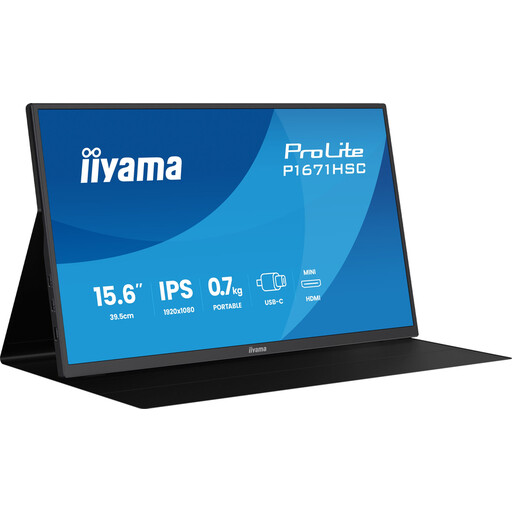 No image available
A portable Full HD monitor if you’re looking for a smaller screen; check that the available resolution suits the lists and forms you view.
15.6-inch screen; Full HD, 1920 × 1080 pixels; 60 Hz; IPS panel; USB-C connection.
 No image available
A portable touchscreen option for a compact workspace; check that the connections are compatible with the computer you use.
15.6-inch screen; 1920 × 1080 pixels; touchscreen; USB-C; smart cover that doubles as a stand.
 No image available
A portable monitor if you’re looking for a smaller screen; check the resolution and connections against the way you plan to use it.
15.6-inch screen; 1080P, 1920 × 1080 pixels; IPS panel; USB-C.
Measure the available width and depth after setting aside space for your keyboard, mouse and paperwork. Compare those measurements with the full dimensions of the monitor and stand. The screen diagonal alone doesn’t tell you how much desk space you’ll need.
Adjust the screen and lighting to suit you, and break up screen work with other tasks or a rest break. Arboportaal outlines requirements for screen-based workstations; which rules apply depends on the working situation. This doesn’t mean there’s one specific monitor model that’s right for every home user.
If a product is faulty under a consumer purchase in the Netherlands, the seller is your point of contact for the statutory guarantee; there is no fixed statutory guarantee period. For distance purchases, you generally have a 14-day cooling-off period in many cases. Check whether your purchase qualifies, as not every online transaction is a distance consumer purchase.
No. According to the Dutch Data Protection Authority, an organisation that processes personal data must choose appropriate security measures based on the risks of that processing. The choice and positioning of a monitor may be relevant, but they don’t replace that assessment.
The European Commission says that computer monitors carry an energy label on a scale from A to G. Compare the label for the exact model; on its own, it doesn’t tell you how much energy another model uses.