
Student with a narrow desk
You want to leave room for your keyboard and study materials. So measure your whole setup, including the monitor stand, rather than just the screen’s diagonal measurement.


Measure the width and depth of your desk before choosing a monitor; the screen’s diagonal measurement won’t tell you how much room the stand takes up. Full HD may be enough for one main window, while 16:10 gives you more vertical pixels and QHD offers more pixels at a similar screen size. A USB-C dock is particularly relevant if your laptop supports the video and charging features you need.
You want to leave room for your keyboard and study materials. So measure your whole setup, including the monitor stand, rather than just the screen’s diagonal measurement.
Logistics models can include long tables and diagrams, so it’s worth thinking carefully about whether Full HD, 16:10 or QHD is right for you. The stated resolution is a product specification, not a guarantee of better learning outcomes.
If you want to keep cables to a minimum, check that both the monitor and your laptop support USB-C video and the charging power you need.
First, measure the space available for the monitor and stand. Then compare the screen space, connections and adjustment options with what your laptop and study setup require.
| What to consider | What should you check? | Who should give this more weight? |
|---|---|---|
| Desk space | Measure the available width and depth, then compare them with the dimensions of the screen with its stand. | I want enough room left for my keyboard and study materials; around 33% of consumers prioritise desk space when making this choice. |
| Space for reading models | Compare the stated resolution and try a text size that works for you when reading tables and diagrams. | If I want to assess columns and diagrams side by side, I look at the visible workspace; around 27% of consumers prioritise space for reading models. |
| Laptop connection | Check the video input, what your laptop port supports and the charging power required. | I want to know whether my laptop will receive a video signal and, if needed, power through the connection I choose; around 20% of consumers prioritise the laptop connection. |
| Viewing position | Check whether the stand offers the height adjustment and tilt that suit your workspace. | For longer study sessions, I want to be able to adjust the screen to my viewing position; around 20% of consumers place particular importance on adjustability. |
A 23.8-inch screen can still take up a lot of desk depth because of its stand. LG lists the dimensions of the 24MR400-B as 540 × 414 × 200 mm with the stand.
Measure the space for your monitor, keyboard and study materials, then compare it with the dimensions of the complete setup.
If the stand doesn’t fit, you may need a different stand or mounting option.
Features vary by monitor. Dell describes the P2425’s USB-C port as a downstream data port of up to 15 W, while Philips describes the 243S1/00 as having a dock for a compatible laptop.
Check the features of the exact model and compare them with your laptop’s video output and power requirements.
The resolution tells you how many pixels the screen has, but not what text size or screen position will feel comfortable for you.
Try your usual tables and diagrams at a readable size, and check that the stand lets you set your preferred viewing position.
The Dell models mentioned here illustrate Full HD, 16:10 and QHD in screen sizes of around 24 inches.
According to AOC, the AOC 24P2QM is a 23.8-inch Full HD model with a VA panel.
According to Philips, the Philips 243S1/00 is a 23.8-inch Full HD monitor with a USB-C dock.
The LG 24MR400-B is an example of a 23.8-inch IPS monitor with Full HD resolution.
This selection includes monitors for reading logistics models on a small desk, from compact portable screens to monitors of around 24 inches, with a range of resolutions and connection options.
 No image available
An option for studying diagrams and viewing several windows on a screen of around 24 inches.
The product name lists 2560 × 1440 pixels. Dell describes the P2425DE as having a USB-C hub; check that its video and charging features suit your laptop.
 No image available
A QHD option for viewing logistics diagrams on a screen of around 24 inches.
The product name lists 2560 × 1440 pixels.
 No image available
A smaller screen option if desk space is limited and you’re looking for a portable monitor.
The product name lists 2560 × 1600 pixels, 16:10 and a QLED screen. The 16-inch screen offers less physical viewing area than a monitor of around 24 inches.
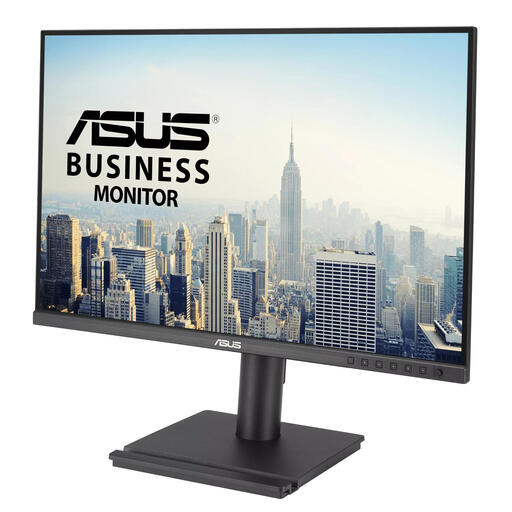 No image available
A screen of around 24 inches for viewing long tables and model data.
The product name lists 24.1 inches and 1920 × 1200 pixels.
 No image available
An option for viewing long tables and matching the connections to your laptop.
The product name lists 1920 × 1200 pixels. Check that the USB-C features suit your laptop’s capabilities and charging requirements.
Position the screen directly in front of you and try placing the top just below eye level. Arboportaal recommends this setup; also vary your posture and check that the stand allows you to make the adjustments you want.
No, it depends on the monitor and laptop. Philips links the docking and charging features of the 243S1/00 to a compatible laptop, while Dell specifies a USB-C downstream data port of up to 15 W for the P2425. Check the features of both devices and the cable.
According to the Dutch government, when you buy online from a business, you generally have a 14-day cooling-off period in many cases. European consumer information also explains that you have at least two years of legal protection against faults from the date you receive the item; check which rules and terms apply to your purchase.
The European Commission includes computer monitors among the electronic displays covered by EU energy labelling rules. Check the label and product information for the specific model; screen size or resolution alone won’t tell you how much energy it uses.
No, the obligations cited apply to employers and employees. Under certain conditions, Arboportaal lists requirements for employees who work with display screens for more than two hours a day. Its setup advice may also be useful for a study space, but that doesn’t make it a general purchasing requirement for students.