
Website builder with limited desk space
Wants to edit pages and text without the monitor stand and screen taking over the workspace. Pay particular attention to the available depth and width.


First, measure the available width and depth of your desk, allowing room for your keyboard and a comfortable viewing position. A monitor of around 24 inches may suit a compact workspace. Choose extra vertical screen space, an adjustable stand or USB-C only if that feature fits the way you work and your computer. Check the dimensions with the stand, the connections and which cables are included for the exact model.
Wants to edit pages and text without the monitor stand and screen taking over the workspace. Pay particular attention to the available depth and width.
Benefits from a screen that can be positioned comfortably for their workspace. The rules that apply to screen work depend on the working situation.
Wants a tidy connection, but should first check whether their laptop supports USB-C video and whether the monitor can supply enough power.
First, measure the space taken up by the screen and stand. Then compare the screen space, adjustability and connections you need with your workspace and computer.
| What to consider | What should you check? | Who is this important for? |
|---|---|---|
| Available desk space | Measure the available width and depth and compare them with the dimensions of the exact model, including its stand. If you’re considering VESA mounting, check that you can use a suitable mount. | If I want to avoid the stand and screen taking up my small desk, I’ll measure the setup beforehand. Around 33% of consumers say available desk space is the deciding factor. |
| Workspace | Compare the resolution and aspect ratio, for example 1920 × 1080 and 1920 × 1200. Also check that text and applications can be scaled comfortably on your computer. | When editing and checking web pages, I want enough space to view my work clearly. Around 27% of consumers prioritise usable workspace. |
| Screen positioning | Check whether the stand is height-adjustable or whether the model supports VESA mounting. A separate mount needs a suitable place to attach it. | For longer working sessions, I want to be able to position the screen comfortably for my workspace. Around 20% of consumers place the greatest importance on adjustability. |
| Connections | Check your computer’s video output, the monitor’s video input and whether USB-C provides enough power. Also check which cables are included. | If I want to reduce cables, the connection to my computer needs to support both video and, if required, power. Around 20% of consumers choose connection convenience as their main consideration. |
The diagonal measurement doesn’t tell you how much desk depth the stand takes up. A screen may seem like the right size, yet leave too little room for your keyboard and workspace.
Compare the dimensions with the stand against the available space on your desk. Assess separately whether a VESA mount is suitable for your workspace.
If the stand doesn’t fit, you may need to buy a suitable monitor mount separately.
According to Dell, the USB-C port on the Dell P2425H is a downstream port rated at up to 15 W, for data only. Philips describes the 24E1N1300AE/01 as supporting video, data and power through a single USB-C connection.
Check the port features on both the monitor and laptop, and compare the power requirements.
Depending on the connection, you may need a different cable, an adapter or a separate laptop power supply.
Dell specifies a resolution of 1920 × 1200 pixels for the P2425 and 1920 × 1080 pixels for the P2425H. This difference affects the available vertical workspace.
Before buying, check the full model name and resolution, and compare them with the space you need for website work.
The P2425H reviewed is an adjustable 23.8-inch Full HD model; the P2425 is a separate 24.07-inch 16:10 model with a resolution of 1920 × 1200 pixels.
The 24E1N1300AE/01 reviewed combines a 23.8-inch Full HD screen with USB-C for a compatible laptop.
The GW2490 reviewed is a 23.8-inch Full HD model with two HDMI inputs and a DisplayPort input.
The VA24EHF reviewed is a 23.8-inch Full HD model with one HDMI input and VESA 100 × 100 mm.
These Joybuy product picks cover compact screen sizes, portable screens and Full HD options for editing and checking web pages. Check the space and connections required for your setup for each model.
 No image available
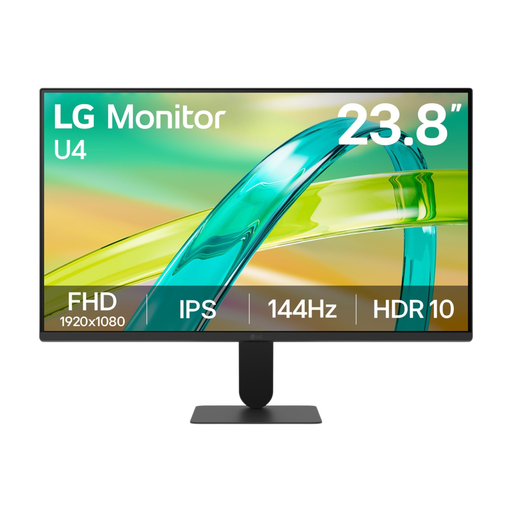
A 23.8-inch screen to consider for a compact desk setup.
 No image available
A portable 16-inch screen to consider if your workspace could also accommodate a laptop setup.
The product name lists FHD, IPS, 16:10 and 144 Hz.
 No image available
A portable 16-inch monitor with a 16:10 aspect ratio to compare if extra vertical screen space is important to you.
The product name lists 2.5K, IPS and 144 Hz.
 No image available
A 24-inch Full HD model to include in your comparison for editing and checking web pages.
The product name lists a VA panel and a 100 Hz refresh rate.
 No image available
A 24-inch screen to compare if you’re considering a Full HD size for website work.
The product name lists 1080P, IPS, 200 Hz and 1 ms.
Not necessarily. First compare the screen space you need with what’s comfortable to read on your computer. The compact models reviewed offer Full HD, while the Dell P2425 has a resolution of 1920 × 1200 pixels, giving you more vertical pixels than 1920 × 1080.
Only if both the laptop and monitor support video over that USB-C connection and the power supply is suitable for the laptop. Philips describes this combination for the 24E1N1300AE/01; Dell, by contrast, lists a USB-C downstream port on the P2425H rated at up to 15 W, for data only.
First measure the space needed for the monitor stand, keyboard and cables, then decide on a suitable screen position. Arboportaal states that for employees who spend more than two hours a day working with a screen, the screen and keyboard must not be attached to each other. Whether this rule applies depends on the working situation.
To compare energy use, check the EU energy label for the exact model. ACM ConsuWijzer states that for a standard online purchase by a consumer, the statutory cooling-off period is generally up to 14 days after delivery, with some possible exceptions. You’re also covered by the statutory warranty if, under normal use, a product doesn’t do what you could reasonably expect; the seller is responsible for this. If the club is placing the order itself, check who the buyer and seller are.