
Budget planner with a small desk
Wants to view a chart at a permanent workspace without the monitor stand taking up too much room. Samsung Netherlands describes available desk space as an important factor when choosing a screen.


For viewing a single budget overview in one place, a compact Full HD monitor is a sensible starting point. If you want to see more rows of a table at once, consider a 16:10 or QHD screen. A portable monitor is a better fit if you need to clear your desk after use, but it offers less viewing area than a fixed monitor of around 24 inches. Before choosing, compare the footprint, preferred text size and connections with your workspace and computer.
Wants to view a chart at a permanent workspace without the monitor stand taking up too much room. Samsung Netherlands describes available desk space as an important factor when choosing a screen.
Wants to see more table rows or windows at once, so pays attention to aspect ratio, resolution and text scaling. Dell and Philips model specifications show a range of fixed-monitor options.
Wants to put the screen away after use, so also checks the video connection and power requirements. Philips lists DP Alt Mode as a requirement for video over USB-C on the portable 16B1P3302D/00.
First, measure the available space, including the stand. Then decide how much information you want to see at once and check that the monitor’s connection is compatible with your computer.
| What to consider | What should you check? | Who is this relevant for? |
|---|---|---|
| Desk space | Measure the available width and depth, including the monitor stand and space for cables. | If I want to view a budget overview in one place, the screen and stand need to fit on my desk; around 29% of consumers put desk space first. |
| Table overview | Compare the resolution and aspect ratio of the exact model, and check the text scaling on your computer. | When I want to see figures, table rows and charts at once, I look for usable screen space and legible text; around 24% of consumers prioritise this overview. |
| Screen position | Check which adjustment options the monitor offers and whether you can position it directly in front of you. | For longer work sessions, I want to be able to adjust the monitor to suit my sitting position; around 18% of consumers place particular importance on screen position. |
| Overall setup | Check which cables or mounting hardware you need and compare the total cost of a complete working setup. | If I’m choosing a screen for my existing workspace, I want to know in advance what else I’ll need besides the monitor; around 17% of consumers focus on the cost of the complete setup. |
| Connection | Compare your computer’s video output with the monitor’s inputs; for USB-C, check video and power support too. | When I want to connect my existing computer, I check that the port supports the required video signal; around 12% of consumers make connectivity their top priority. |
The diagonal doesn’t tell you how much space the stand takes up. For example, LG lists a stand depth of 200 mm for the 24MR400-B.
Compare the dimensions of the exact version with its stand against the available space on your desk.
You may need a different position or mounting option.
According to Dell, the USB-C port on the P2425 is a data downstream port, not a USB-C video input. Philips says that the source device needs to support DP Alt Mode for video over USB-C on the portable 16B1P3302D/00.
Check video, data and power separately on both the monitor and computer.
Resolution indicates the number of pixels; readability also depends on text scaling and how windows are arranged on your computer.
Decide on your preferred text size and layout before choosing a higher pixel count.
The range includes fixed Full HD models and portable monitors for a setup you can put away.
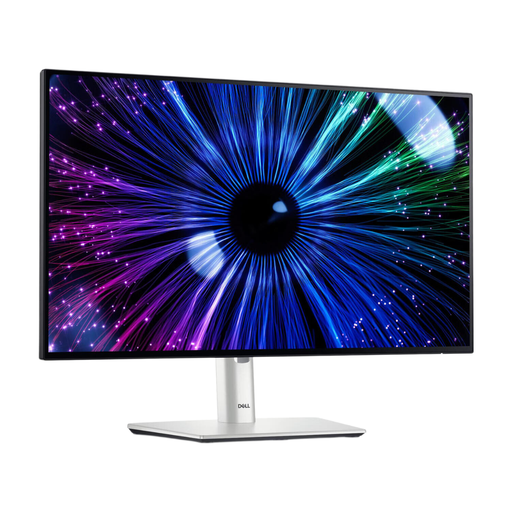
The P2425 and P2425DE represent different fixed-screen options; their connections and specifications are not interchangeable.
The PRO MP165 E6 is a portable option, while the PRO MP243X is a fixed Full HD desktop model.
The 24MR400-B is an example of a fixed Full HD monitor where the stand and adjustment options need separate consideration.
These products include fixed Full HD and QHD monitors, as well as portable options for a desk that needs to be cleared after use.
 No image available
A fixed option for a budget overview; check that the stand fits within the available desk depth.
 No image available
A fixed Full HD option for budget tables; check that the adjustable screen position suits your desk.
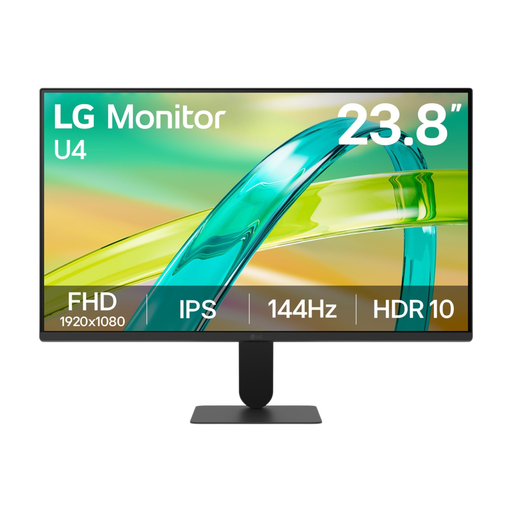
23.8 inches; 1920 × 1080 pixels.
 No image available
A fixed Full HD option for viewing a single budget overview or chart in one place.
Full HD; IPS.
 No image available
A fixed option for anyone who wants more pixels for tables or multiple windows within a 23.8-inch screen diagonal.
23.8 inches; 2560 × 1440 pixels.
 No image available
This portable 16:10 option suits anyone who wants to put their screen away after use and have more vertical space for tables. Bear in mind that it offers less physical viewing area than fixed screens of around 24 inches.
16:10 aspect ratio.
No, QHD isn’t essential for viewing household spending in charts. First, decide how many figures and charts you want to see at once, and whether the text scaling on your computer is comfortable to read.
Measure the space for the screen and stand, and position the monitor directly in front of you. Arboportaal recommends placing the top of the screen slightly below eye level and tilting it so you can look straight at it.
No, it depends on the monitor and the source device. Philips says that the laptop or other source device must support DP Alt Mode for video over USB-C on the 16B1P3302D/00; also check the power requirements of the monitor you choose.
In many cases, distance purchases come with a 14-day cooling-off period, according to the Dutch government. It also states that the seller must provide a solution if there’s a problem with the product; check the seller and the terms and conditions for your specific purchase.
The rules described by Arboportaal concern screen work in the relationship between employers and employees. Using a monitor for your own household budget does not automatically make those employment rules applicable to your purchase.