Start by measuring the space available on your desk and how much room your calendar and design tools will take up. Then choose between extra vertical workspace, colour information and connectivity based on the work you do. A screen of around 24 inches may suit light graphic design work, but measure both the screen and its stand, and check text scaling, your colour workflow and laptop compatibility before ordering.
Who is this buying guide for?
Designer with limited desk space
If you want to fit your keyboard and design materials alongside your screen, measure the stand and the space the monitor will occupy too. Lenovo Netherlands discusses a screen of around 24 inches as an option for light design work.
Designer of visual event calendars
If you regularly review images, colours and text, compare the resolution and colour specifications of the exact model. ASUS lists factory calibration among the features of the ProArt PA248QV; this manufacturer specification does not guarantee that screen and print colours will match.
Laptop user looking to reduce cables
If you switch between using your laptop and a fixed workstation, check which features are supported by the ports on both your monitor and laptop. Philips describes single-cable use for compatible devices; check that it works with your laptop and power requirements.
What should you look for when choosing?
First measure the available space, then decide whether colour assessment, visible calendar workspace or a straightforward laptop connection matters most for your work.
| What to consider |
What to look for when buying |
Who is more likely to value this |
| Will the entire monitor fit? |
Measure the available width and depth, then compare them with the dimensions of the exact screen and stand. |
If I want to keep room for my keyboard and materials on a small desk, I measure the whole setup. Around 36% of consumers prioritise the desk space available. |
| Assessing colour and image quality |
Compare the stated colour specifications and calibration for the exact model; assess any important print separately. |
If I assess images and colours for a digital calendar, I want to know which colour specifications suit my workflow. Around 29% of consumers make colour assessment their top priority. |
| Viewing the calendar and tools at the same time |
Compare the resolution and aspect ratio, and check that text and windows remain legible with your scaling settings. |
If I want to see calendar entries and design tools at the same time, I look at the usable workspace. Around 21% of consumers prioritise visible calendar workspace. |
| Connecting a laptop and monitor |
Check that your laptop outputs video through the connection you want to use, and that the monitor and cable support the required features and power. |
If I want to connect my laptop with as few separate cables as possible, I first check what both devices support. Around 14% of consumers make a suitable laptop connection their top priority. |
Avoid common buying mistakes
-
Measuring only the screen diagonal
The stand takes up space too, and one that swivels may need extra room. So a screen that seems to fit based on its diagonal measurement may still be awkward to position.
Measure the available width and depth, then compare them with the dimensions of both the screen and the stand for the exact model.
-
Assuming every USB-C port supports video and provides enough power
USB-C ports can have different functions. For example, Dell specifies that the P2425 has a USB-C downstream port for data, with up to 15 W of power; it is not intended for video from a laptop.
Check the functions of the ports on your laptop and monitor, as well as the cable, and find out how much power your laptop needs.
-
Assuming screen colours guarantee print colours
A stated colour gamut or factory calibration does not prove that a print will look the same as it does on screen.
Use colour specifications to compare models, and assess any important print separately.
Brands to compare as a reference
ASUS
The ProArt PA248QV is a useful reference if you want to compare a compact screen with colour specifications for visual design.
- ASUS lists a 24.1-inch screen, 1920 × 1200 resolution, 100% sRGB and factory calibration for this model.
- These are specifications and manufacturer claims, not independent measurements or a guarantee of print colours.
Dell
The P2425 is a 16:10 option to compare if extra vertical workspace matters. The P2425DE is a separate QHD model with USB-C hub features.
- Dell lists 1920 × 1200 resolution and an adjustable stand for the P2425.
- Dell says the P2425's USB-C downstream port is for data and provides up to 15 W; don't confuse it with the hub feature on the P2425DE.
LG
The 24BA450-B is a Full HD reference if adjustability matters for light design work.
- LG lists a 23.8-inch IPS screen with height adjustment and pivot for this model.
- The stated resolution is 1920 × 1080; this model specification does not in itself say anything about the colour accuracy of other LG monitors.
Philips
The 24E1N1300AE/01 is a useful reference for laptop users looking to reduce cables.
- Philips describes video, data and charging over a single USB-C cable for compatible devices; the model is Full HD.
- Check that your laptop supports video over USB-C, how much charging power it needs and whether the cable is suitable.
Monitors for calendar design
These Joybuy monitors are options to compare for compact calendar design, with differences in resolution, screen size and connectivity.
 No image available
ASUS ProArt PA248CNV, 24.1 inches, 1920 × 1200
An option to compare if you want more vertical calendar workspace on a compact desk.
The product name lists a 24.1-inch screen and 1920 × 1200 resolution.
Joybuy
 No image available
ASUS ProArt Display PA24ACRV, 23.8 inches, 2560 × 1440
An option to consider if you want to compare a higher resolution with a compact screen size for calendar design.
The product name lists a 23.8-inch screen and 2560 × 1440 (Quad HD) resolution.
Joybuy
 No image available
Acer SA242YH1, 24 inches, Full HD
A compact Full HD option to compare for calendar and design work on a small desk.
The product name lists a 24-inch screen, Full HD, 100 Hz and 1 ms. The product description says that the charger is not included as standard.
Joybuy
 No image available
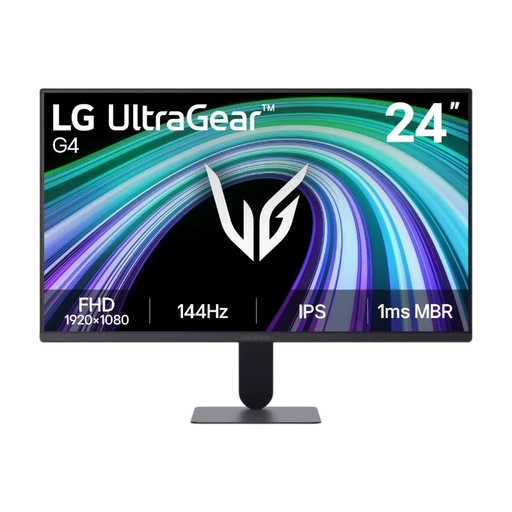
LG UltraGear 24G411B-B, 23.8-inch gaming monitor
An option to compare if you're looking for a compact screen and want to assess images for a digital calendar.
The product name lists a screen size of 23.8 inches.
Joybuy
 No image available
iiyama ProLite XB2497HSN-B1, 24 inches, Full HD
An option for a laptop workstation if you want to reduce cables; check that your laptop is compatible and that up to 65 W meets your power requirements.
The product name lists a 24-inch screen, Full HD, 100 Hz and IPS.
Joybuy
Frequently asked questions
Is a 24-inch monitor large enough for an event calendar?
A screen of around 24 inches may suit light graphic design work, according to Lenovo Netherlands. Check that the calendar, tools and text remain easy to see with your scaling settings, and measure the space needed for the stand too.
Can I connect any USB-C monitor to my laptop with a single cable?
No. A USB-C connector alone does not guarantee a video connection or enough power. Check the features supported by your laptop, monitor and cable, and find out how much power your laptop needs. For example, Dell specifies that the P2425 has a USB-C downstream port for data, not laptop video.
How can I position and maintain my monitor comfortably?
Use the height or swivel adjustment if your chosen model has it, and follow the manual for cleaning and safe use. Arboportaal outlines employers' obligations relating to display screen work; these do not automatically apply to every private home shopper.
What information matters when buying online in the Netherlands?
The Dutch government states that a 14-day cooling-off period applies to many online purchases from businesses, although there are exceptions. Electronic displays are covered by EU energy labelling; the European Commission explains the A to G scale. Compare the label for the exact model.


