Joybuy products
This selection from Joybuy ranges from portable 15.6- and 16-inch monitors to fixed 21.5- and 23.8-inch models. Compare their dimensions and connections with your desk and computer.
 Image unavailable
TECLAST V16H 16-inch portable monitor
A portable model to consider if you’re looking for a compact setup and the listed connections are compatible with your laptop.
Full HD IPS screen, 16:10, 144 Hz, two USB-C ports, Mini HDMI and built-in kickstand.
Joybuy
 Image unavailable
UPERFECT 15.6-inch touchscreen monitor
A portable touchscreen to consider if you want to organise recipes on a compact screen; check your device’s connection before buying.
1080p, touchscreen, USB-C and VESA mounting.
Joybuy
 Image unavailable
ASUS ZenScreen MB166CR 15.6-inch Full HD monitor
A portable 15.6-inch option for a compact workspace; the USB-C connection requires a compatible device.
IPS, 1920 × 1080 pixels and Full HD.
Joybuy
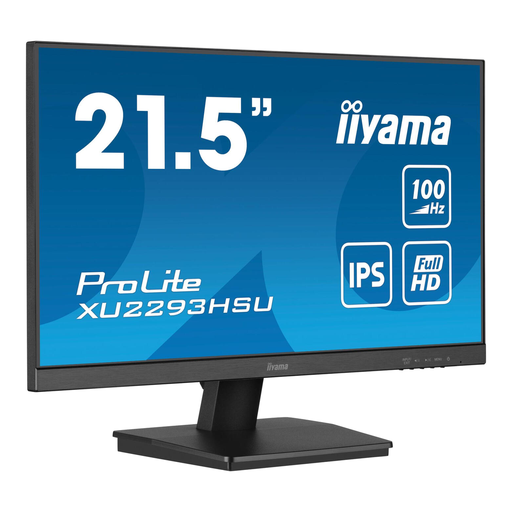 Image unavailable
iiyama ProLite 21.5-inch IPS Full HD monitor with USB hub
A 21.5-inch model to compare if you’re looking for a compact fixed monitor setup; check that its connections are compatible with your computer.
IPS, Full HD, USB hub, HDMI, DisplayPort, 100 Hz and 1 ms MPRT.
Joybuy
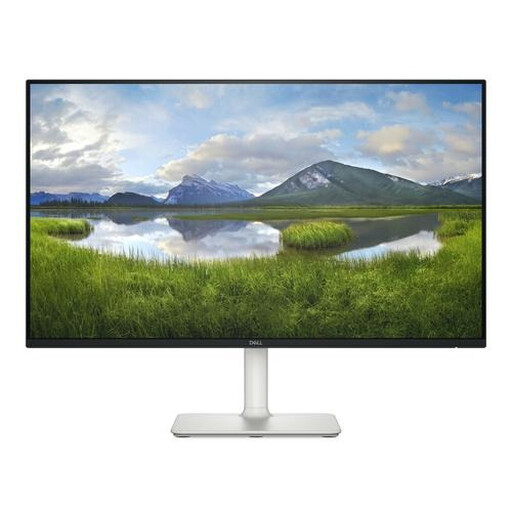 Image unavailable
Dell S Series S2425H 23.8-inch Full HD monitor
A larger screen to consider if your desk has room for it and you’d prefer more screen space.
IPS, Full HD, 100 Hz, built-in speakers and two HDMI ports.
Joybuy
Frequently asked questions
How should I position my screen if I work on my recipe index for long periods?
Place the screen directly in front of you, with the top just below eye level, as TNO recommends. Also consider your chair, keyboard and lighting; an adjustable monitor alone doesn’t make a complete workstation.
Is a USB-C port on my laptop all I need for a monitor with a USB-C hub?
Not always. Check whether your laptop’s port can output video to a monitor and what charging power you need if you want to charge through the screen. Dell lists 90 W power delivery for the U2424HE; the shape of the port alone doesn’t confirm compatibility.
How can I compare monitors’ energy consumption?
Compare the EU energy label and product information for the exact models. According to the European Commission, computer monitors use the A to G energy label scale; EPREL provides additional model information. Compare consumption only on the same measurement basis and for the same length of time.
What are my rights when buying a monitor online in the Netherlands?
For a standard online consumer purchase, you generally have a statutory 14-day cooling-off period from the date of delivery; check whether an exception applies. Your statutory warranty rights are separate from a manufacturer’s warranty or an extended warranty. If the product doesn’t do what you could reasonably expect during normal use, contact the seller.
Are there specific workplace requirements if I create the recipe index as an employee?
There may be, depending on your working arrangements. Arboportaal outlines employers’ obligations for working with display screens; if you work with a screen for more than two hours a day, there are requirements for setting up the workstation, among other things. These are not general product specifications or requirements for every private buyer.


