Who is this guide for?

Sheet music worksheet creator

You edit notes, text and page layouts, and want to review them at a comfortable zoom level. Check the final printout separately; the MuseScore Studio Handbook explains, among other things, how to adjust note size and page layout.

Switching between sitting and standing

You regularly change the height of your desk and want to position the screen comfortably in both postures. Arboportaal recommends alternating between sitting and standing, and adjusting your workstation to suit your posture.

Laptop user with a busy workspace

You want space for the score and tool panels, and perhaps to connect your display and power through a single suitable USB-C connection. The MuseScore Studio Handbook describes the additional tool panels; check that the ports on your laptop and monitor meet your needs.

What should you look for?

Adjustable 27-inch QHD monitor

A good fit if: you’re looking for a standard screen size for notation software with a page and tool panels. Dell lists QHD resolution, height adjustment and USB-C power delivery for the P2725DE; Philips offers a 27-inch QHD model with USB-C.

Bear in mind: the QHD models mentioned have a lower resolution than the 4K and 3:2 options. Check that the USB-C port, cable and power delivery are compatible with your laptop.

Adjustable 27-inch 4K monitor

A good fit if: you want more pixels for viewing notes, text and formatting. LG lists a resolution of 3840 × 2160 pixels and an adjustable stand for the 27UP850K-W.

Bear in mind: higher resolution won’t automatically make notes larger or easier to read on a printout. Assess zoom, viewing distance and print layout separately.

Taller 3:2 screen

A good fit if: you mainly want to see more of a music page vertically at once. According to BenQ, the RD280U has a 28.2-inch 3:2 panel with 3840 × 2560 pixels.

Bear in mind: BenQ positions this model for programming, not specifically for music notation. Check that the aspect ratio and stand suit your page view and desk.

What to consider What should you check? Who is this important for?
Readability View a sample page at your usual zoom level and check a test printout too. If I want to assess notes and text clearly, I look at both the screen view and the printout. Around 30% of consumers put readability first.
Screen position Check the height range and tilt in both sitting and standing positions. When I change my desk height during the day, I want to position the screen comfortably in both postures. Around 30% of consumers prioritise adjustability.
Space for the page Compare 16:9 and 3:2 using the same worksheet page and the panels you keep open. If I want to see more of a page at once, I compare the screen’s aspect ratio with my own software layout. Around 20% of consumers prioritise page space.
Ports Check USB-C display support, the power required and whether the cable is suitable. I want to know whether my laptop can receive a display signal and enough power through a single suitable connection, without unnecessary extras for my workspace. Around 20% of consumers give ports and workspace costs top priority.

Common pitfalls

  • Choosing based only on 4K or screen size

    Resolution, software zoom and page layout each affect different aspects of what you see on screen. Higher resolution won’t automatically determine the size of the notes on your finished worksheet.

    Compare the same sample page at the zoom level you plan to use, and check the printout. Arboportaal also recommends positioning the screen appropriately.

  • Assuming every USB-C port supports video and provides enough power

    Video support and power delivery vary between ports and devices. A monitor listing USB-C doesn’t, by itself, mean that every laptop will work with a single cable.

    Before buying, compare the ports and power specifications of the monitor, laptop and cable. If they aren’t compatible, you may need a separate adapter or a different cable.

  • Planning to stand all day just because you have a sit-stand desk

    An adjustable desk is no substitute for changing posture. Arboportaal recommends alternating between sitting and standing, and adapting your workstation to suit different postures.

    Set up the screen for both sitting and standing, and change posture throughout the day.

Brands to consider

Dell

The P2725DE is a 27-inch QHD monitor with a USB-C hub, combining screen adjustability with laptop connectivity.

  • Dell lists height adjustment and USB-C power delivery of up to 90 W for this model.
  • QHD has fewer pixels than the 4K and 3:2 models mentioned here. Check that your laptop and cable support the USB-C features you need.

Philips

The 27E1N1600AE/00 is a 27-inch QHD option with USB-C for a workspace running notation software.

  • Philips lists a resolution of 2560 × 1440 pixels and USB-C with power delivery.
  • Check the USB-C power delivery and adjustability of the specific version; don’t assume it has the same specifications as other models.

BenQ

The RD280U is a 28.2-inch 3:2 monitor worth comparing if vertical screen space matters to you.

  • BenQ lists 3840 × 2560 pixels and 110 mm of height adjustment for this model.
  • BenQ positions the RD280U for programming. Using it for sheet music worksheets is a possible application, not a separately demonstrated performance test.

LG

The 27UP850K-W is an adjustable 27-inch 4K option for anyone who values display resolution.

  • LG lists 3840 × 2160 pixels and an adjustable stand.
  • Whether the resolution benefits your worksheet also depends on zoom, viewing distance and print layout.

EIZO

The FlexScan EV2740X is a 27-inch 4K office monitor with USB-C docking for anyone looking for extra connectivity at their workstation.

  • EIZO lists USB-C with up to 94 W power delivery and a network port.
  • These ports are most relevant if you use them in your workspace; a specific benefit for music notation hasn’t been tested separately.

Joybuy products

These Joybuy products are 27-inch QHD or 4K monitors to compare for viewing and laying out sheet music worksheets digitally. Check that each model has the adjustability and connections you need.

INNOCN CB27U1 27-inch 4K UHD monitor

INNOCN CB27U1 27-inch 4K UHD monitor

An option to compare if you want to view music notation and page layouts in more detail on screen.

The product name lists an IPS panel, 3840 × 2160 pixels, USB-C with 90 W Power Delivery and a height-adjustable stand.

View at Joybuy

INNOCN 2751S PLUS 27-inch QHD Mini LED monitor

INNOCN 2751S PLUS 27-inch QHD Mini LED monitor

A QHD option to compare with 4K if you’re looking for a 27-inch screen for viewing and laying out worksheets.

The product name lists a Mini LED screen and 275 Hz. Also compare how the page looks at your own zoom level.

View at Joybuy
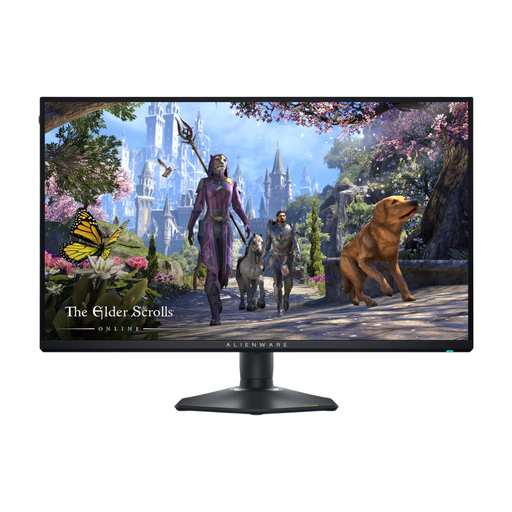
Alienware AW2725QF 27-inch 4K monitor

Alienware AW2725QF 27-inch 4K monitor

A 4K model to compare if detail in the digital display of notes and page layouts is your priority.

The product name lists 3840 × 2160 pixels and an IPS panel. Check the screen position and your notation software settings separately.

View at Joybuy

Dell Pro Plus P2725DE 27-inch QHD monitor

Dell Pro Plus P2725DE 27-inch QHD monitor

A QHD option for anyone using notation software with a page and tool panels, and looking to adjust the screen position.

Dell lists 2560 × 1440 pixels, height adjustment and USB-C power delivery of up to 90 W for the P2725DE. Check that the connection is compatible with your laptop.

View at Joybuy

Dell Plus S2725QC 27-inch 4K monitor

Dell Plus S2725QC 27-inch 4K monitor

A 4K option to compare if you want to view digital sheet music and page layouts on a 27-inch screen.

The product name lists 3840 × 2160 pixels. Also assess the zoom and page display in your own software.

View at Joybuy

Frequently asked questions

How should you position your screen when switching between sitting and standing?

Adjust the screen for each posture so that you’re looking straight at it. Arboportaal recommends positioning the top of the screen slightly below eye level and looking slightly downwards. Alternate between sitting and standing rather than standing for long periods.

Can a larger screen replace a test printout?

No, check the final printout separately. In MuseScore, staff size, the spacing between staves and the number of bars per page are separate layout choices. So check the output alongside the on-screen view at the intended paper size.

What should you check before using USB-C with your laptop?

Check whether your laptop’s USB-C port supports video output, how much power your laptop needs and whether the cable is suitable. Dell lists 90 W USB-C power delivery for the P2725DE; that doesn’t mean every laptop will work with a single cable.

What Dutch rules apply to working with screens?

Arboportaal outlines employers’ obligations and states that, for more than two hours of screen work a day, laptop users should, among other things, have a separate monitor or keyboard and a height-adjustable screen. Exceptions may apply under the safety conditions described. These workplace rules aren’t automatically product specifications for every private buyer.

How can you check energy use and the warranty?

Compare the energy label for the specific monitor; EU energy labelling rules apply to electronic displays. According to the Dutch government, there’s no fixed statutory warranty period in the Netherlands: what you can expect from a product depends, among other things, on the product and the sales information.
