Start by considering your workspace layout and any window blinds: an anti-glare monitor won’t automatically eliminate intrusive daylight. Then choose QHD or 4K based on the detail you want to see, and check that the stand and any USB-C connection are right for your desk and laptop.
Who is this guide for?
Score editor working beside a window
You edit notation and text somewhere daylight can fall on the screen. Screen position, blinds and reflections are important considerations. Arboportaal also advises taking the direction you face in relation to the window into account when working at a screen.
Editor of detailed scores
You want to view small notes and text, or have several windows open. Your computer’s resolution and display scaling will affect how easily you can arrange this information on screen.
Score editor using a laptop
You want to adjust the monitor to suit your working posture and may want to connect both the display and power through a single compatible USB-C connection. Check the capabilities of your laptop, monitor and cable.
What should you look for?
27-inch QHD
A good fit if: you mainly edit one score and want an adjustable monitor. Dell specifies that the P2725DE is a 27-inch QHD model with an anti-glare finish and height adjustment.
Trade-off: at the same screen size, QHD has fewer pixels than 4K, and the finish is no substitute for positioning your screen properly or using blinds.
27-inch 4K
A good fit if: you want to view lots of small notes, text or multiple windows, and can adjust your computer’s display scaling accordingly. BenQ and EIZO both offer 27-inch 4K models.
Trade-off: more pixels don’t automatically mean a comfortable text size or fewer reflections. Check the brightness rating and the measurement mode it refers to as well.
| Consideration |
What should you check? |
Who is this important for? |
| Readability in daylight |
Check the screen finish and adjustability. Also consider the positions of the window, your line of sight and the screen in relation to one another. |
When daylight falls on my screen, I want to be able to read notes and text without reflections getting in the way. That’s why around 42% of consumers give daylight from windows top priority. |
| Detail in sheet music |
View your score at the intended screen size and with suitable display scaling. Decide whether you want to see one page or multiple windows. |
When I’m looking at small notes, lines and accompanying text, I want them to remain readable at my chosen scaling. Around 33% of consumers prioritise clear notation and scores. |
| Adjustable working position |
Check the exact model’s height adjustment and any pivot function, as well as how much desk space the stand takes up. |
If my desk or window limits where I can position the screen, I want to be able to adjust the monitor to suit. Around 17% of consumers give workspace adjustability top priority. |
| Connecting a laptop |
Before assuming you can transmit video and charge through one cable, check the video capabilities of the laptop port, monitor and cable, as well as the required charging power. |
If I want to connect my laptop through the monitor, I want to know whether the connection will work with my devices. Around 8% of consumers prioritise connecting their work laptop. |
Common buying mistakes
-
Assuming an anti-glare finish can replace blinds
The screen finish and the position of your workspace in relation to the windows are two different factors. An anti-glare screen doesn’t guarantee that reflections will disappear from your room.
First, assess the light and the position of your workspace. Arboportaal advises facing parallel to the window and using suitable blinds to reduce intrusive daylight.
You may also need to change your room layout or use blinds.
-
Comparing HDR peak brightness with typical brightness
These figures refer to different measurement modes. BenQ lists the PD2705U as having a typical brightness of 250 nits and an HDR peak of 350 nits, so the peak figure is not its typical brightness.
Compare brightness figures using the same definition, and don’t expect a brightness specification alone to resolve reflections from a window.
-
Assuming every USB-C port supports video and provides enough power
USB-C features and charging power vary by model. A port on your laptop doesn’t necessarily support video output and provide enough power.
Check the laptop port, monitor features, cable and power specifications for the exact models before relying on a single cable.
Depending on your devices, you may need a different compatible connection, cable or separate laptop power supply.
Brands to compare
Dell
The Pro Plus P2725DE is a 27-inch QHD office monitor for anyone looking for adjustability and USB-C hub features.
- Dell specifies an anti-glare finish, height adjustment and USB-C power delivery of up to 90 W for this model.
- This model is QHD rather than 4K. An anti-glare finish doesn’t tell you whether reflections will disappear in a particular room.
BenQ
The DesignVue PD2705U is a 27-inch 4K monitor for detailed document and design work.
- BenQ specifies an anti-glare finish, pivot adjustment and USB-C with 65 W Power Delivery for this model.
- The stated typical brightness is 250 nits; 350 nits is the HDR peak, not the typical brightness.
EIZO
The FlexScan EV2740X is a 27-inch 4K office monitor with USB-C docking.
- For this model, EIZO lists 3840 × 2160, 163 ppi, up to 350 cd/m² and 94 W Power Delivery.
- These are manufacturer specifications, not a measurement of readability beside your window.
LG
The 27UP850K-W is a 27-inch 4K monitor with USB-C and an adjustable stand.
- LG lists height, tilt and pivot adjustment for this model.
- Check the full model number and your laptop’s connections before choosing this version.
Philips
The 27E1N5600HE/01 is a 27-inch QHD monitor that may suit you if you need to connect a laptop or use a built-in webcam.
- Philips describes USB-C with power delivery for a compatible device.
- Check which laptop features and power delivery the connection supports. A webcam won’t help you decide whether the monitor is readable beside a window.
Joybuy monitors for working on scores
These monitors are suited to detailed music scores. Check the screen size, adjustability and connections of each model to make sure they work for your workspace.
 No image available
MSI Pro MAX 271UPX12G 27-inch 4K UHD 120Hz QD-OLED monitor
The listed 4K UHD resolution may suit scores with fine notes or text. The product name specifies a 27-inch screen, 120 Hz and QD-OLED.
View at Joybuy
 No image available
INNOCN CB27U1 27-inch 4K UHD monitor
The stated 4K resolution may be useful for viewing fine notes and text on a 27-inch screen. The description lists 3840 × 2160, IPS, USB-C with 90 W Power Delivery and an adjustable stand with height, tilt, swivel and pivot adjustment. The matte finish doesn’t guarantee that reflections will disappear from your room.
View at Joybuy
 No image available
KTC M27P6 27-inch 4K MiniLED monitor
The listed 4K resolution may suit detailed scores. The product name specifies 4K 160 Hz and FHD 320 Hz, USB-C with 65 W Power Delivery and height adjustment. Check that the stated features suit the way you plan to use it.
View at Joybuy
 No image available
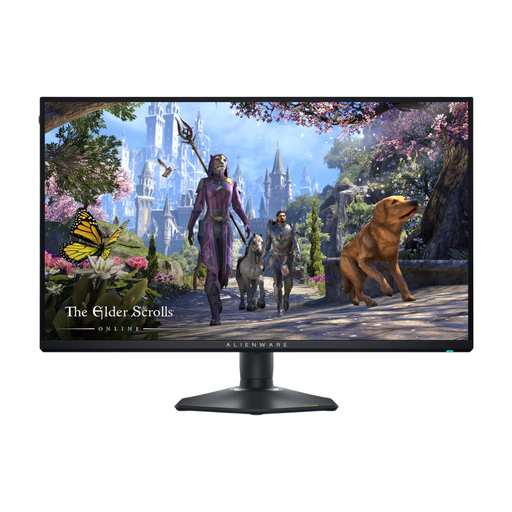
Alienware AW2725QF 27-inch 4K monitor
The listed 4K resolution may be useful when viewing detailed scores on a 27-inch screen. The description lists 3840 × 2160, 163 ppi and a stand with height and pivot adjustment.
View at Joybuy
 No image available
BenQ PD3225U 32-inch 4K monitor
The listed 4K resolution may suit detailed document work. The product specifications include a matte finish, height and pivot adjustment, and Thunderbolt 3 with 85 W Power Delivery. Check that the connection is compatible with your laptop.
View at Joybuy
Frequently asked questions
Should you mainly buy a brighter screen for working beside a window?
Not as your first step: assess the light and the position of your workspace first. Arboportaal advises considering your line of sight in relation to the window and using suitable blinds. Then compare the typical brightness and screen finish of the exact model.
How should you position a monitor beside a window?
For screen-based work, Arboportaal advises facing parallel to the window and using suitable blinds to reduce intrusive daylight. This is guidance on positioning, not a guarantee that every reflection will disappear.
How do you compare the energy consumption of two monitors?
Compare the European energy label and the specifications of the exact models. The European Commission describes the energy label for electronic displays on a scale from A to G. Your annual cost will also depend on how many hours you use the monitor and your electricity tariff.
What are your rights when buying a monitor online in the Netherlands?
For online consumer purchases, you generally have a 14-day cooling-off period after delivery, subject to statutory exceptions. ACM ConsuWijzer explains how this cooling-off period works. This is separate from your statutory rights if a product doesn’t meet reasonable expectations.
Are there specific rules for a screen-based workstation in paid employment?
For employees’ workstations, Arboportaal describes requirements for screen-based work, including having a non-reflective, height-adjustable screen and appropriate lighting and blinds. Whether these rules apply to you depends on your working situation.


