
Comparing sources and notes
You want to view text and notes side by side, and can leave a fixed monitor on the shared desk. So, look beyond the diagonal measurement and compare the aspect ratio and how easily the screen can be adjusted.


If the monitor will stay on the shared desk, first compare the usable screen space and how easily the setup can be adjusted. A 16:10 screen or QHD model could be a suitable option. If users often switch laptops, check that both the laptop and monitor support video over USB-C, and that the charging power is sufficient. If the desk needs to be cleared after studying, consider a portable monitor, bearing in mind that this may mean less screen space.
You want to view text and notes side by side, and can leave a fixed monitor on the shared desk. So, look beyond the diagonal measurement and compare the aspect ratio and how easily the screen can be adjusted.
Several people connect their own laptops. Check that each laptop’s video output works with the monitor, and that a USB-C connection, if you want to use one, also provides enough power for charging.
You clear away your study space after use or take the second screen with you. Weigh the smaller screen area of a portable monitor against the desk space you’ll have free after studying.
| What to consider | What should you check? | Who is this important for? |
|---|---|---|
| Space for text | Compare the resolution and aspect ratio with your own documents, and check that text remains readable at your preferred display scaling. | If you want to view sources and notes side by side, usable space matters more than screen diagonal alone. Around 31% of consumers say reading space is their top priority. |
| Connecting laptops | For each laptop, check the video output, monitor connection, cable and, if needed, the required charging power. | If you share the desk with people using different laptops, you don’t want to find out each time you switch that a port doesn’t transmit video. Around 31% of consumers prioritise laptop compatibility. |
| Adjusting the setup | Check the height and tilt adjustments available on the specific monitor, and consider text size, reflections and light sources in the room. | If people with different sitting positions share the monitor, you’ll want to adjust the setup to suit each person. Adjustability is a top priority for around 23% of consumers. |
| Clearing the desk | Weigh up storage space against the screen area while in use. Also check which connection your laptop needs for the portable screen. | If you want to use the table for other activities after each study session, easy storage matters more. Around 15% of consumers say clearing the desk is their top priority. |
A USB-C connector alone doesn’t confirm that the port transmits video or charges a laptop. For example, Dell states that the P2425’s USB-C downstream port is for data only; according to Dell, the P2425DE has a USB-C hub with 90 W power delivery.
Check the full model code and the function of the port on both the monitor and each laptop before relying on a single cable.
The diagonal measurement doesn’t tell you how much text will fit on screen or how large it will appear at your chosen display scaling. The aspect ratio and the space available on the shared desk also matter.
Compare the screen layout with your own sources and notes, and measure the available space beforehand.
A product page may state a warranty period, but that doesn’t automatically provide a complete description of Dutch consumer rights. The Government of the Netherlands states that there is no fixed statutory warranty period in the Netherlands and that, if a product is faulty, you should contact the seller.
Distinguish between your statutory rights and any manufacturer’s or seller’s warranty, and check what solution applies to your situation if something goes wrong.
The models mentioned offer different fixed-monitor options for documents or connecting laptops.
The 24-inch models mentioned are fixed Full HD options; one model reviewed lists USB-C.
The ThinkVision M14t Gen 2 is a portable option for a desk that needs to be cleared after use.
The GW2790QT is a fixed 27-inch QHD option with USB-C, for a desk with enough space.
This selection includes fixed monitors for comparing study texts and a portable second screen for clearing the shared desk after use.
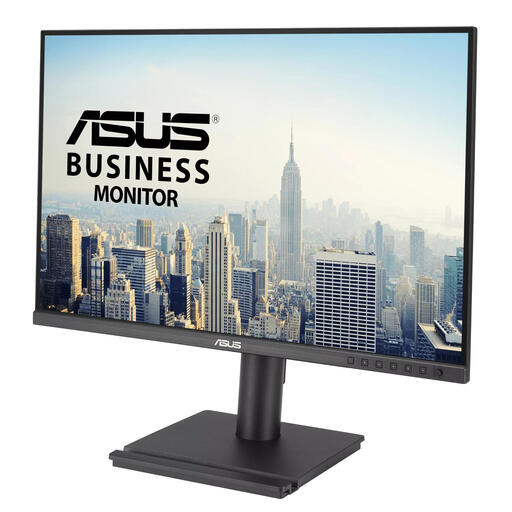 No image available
A fixed monitor for viewing sources and notes side by side.
61,2 cm (24,1 inch); 1920 × 1200 pixels; WUXGA; 16:10.
 No image available
A fixed QHD monitor for viewing sources and notes on a screen of around 24 inches.
23,8 inches; 2560 × 1440 pixels. Dell lists USB-C with 90 W power delivery; check that the connections and power output suit your laptop.
 No image available
A fixed QHD monitor for viewing study texts and notes side by side.
24 inches; 2560 × 1440 pixels.
 No image available
A fixed 24-inch monitor for a study space where you view notes at a desk.
IPS; Full HD; energy class B.
 No image available
A portable second screen for a shared desk that you want to clear after studying.
15,6 inches; Full HD; USB-C; built-in speakers. The smaller screen area may be a drawback if you want to view lots of text at once.
Check whether your laptop’s USB-C port supports DisplayPort Alt Mode or Thunderbolt, and compare this with the monitor’s connection. Dell warns that a USB-C port which supports data or power only won’t transmit video. Also check the required cable and charging power.
Position the screen directly in front of the user and adjust the setup when someone else takes their place. Arboportaal advises positioning the top of the screen slightly below eye level and paying attention to readable text, reflections and lighting. Advice for a home study space is not automatically a legal product requirement for private use.
Compare the EU energy label for the specific models: the scale runs from A to G, and consumption is shown in kWh per 1,000 hours. To calculate running costs, you’ll also need your own usage hours and electricity tariff.
According to the Government of the Netherlands, when you buy online from a business, you will often have a 14-day cooling-off period. You are also entitled to a product that is fit for purpose; according to the Government of the Netherlands, there is no fixed statutory warranty period in the Netherlands. Contact the seller if the product is faulty.
The obligations described by Arboportaal apply to employers and employees and are not automatically legal product requirements for a private study space. Advice on screen setup, readability and taking breaks can also be useful at home.