Which factors matter?
Decide which everyday challenge matters most to you: readability, readjusting the monitor, laptop connections or desk space.
| Factor |
What to look for |
Who should prioritise this? |
| Readability |
Compare the resolution with the screen size, look for adjustable text size and an anti-glare finish, and consider how light falls on the shared workspace. |
If I write and proofread for long periods, I want to adjust the text to a comfortable size and reduce distracting reflections. Around 33% of consumers put readability first. |
| Screen position |
Check the height, tilt and swivel adjustments, and measure how much space the stand takes up. Consider a monitor arm and mounting points separately. |
When several people use the desk, I want to quickly set the monitor to suit my own viewing position. Around 25% of consumers prioritise adjustability for different users. |
| Switching laptops |
Check that every laptop supports video over USB-C, confirm the charging power required, and check which cables and peripherals are compatible with the monitor. |
If I switch between laptops, I don’t want to keep figuring out why the display or charging isn’t working. Around 25% of consumers prioritise easy connection for different laptops. |
| Space and running costs |
Measure the available width and depth, compare these with the monitor dimensions including the stand, and check the cables supplied and the energy label for the exact model. |
At a small shared desk, I don’t want to lose workspace to a setup I don’t need. Around 17% of consumers put available space and costs first. |
Monitors at Joybuy
These monitors are suited to compact writing and proofreading setups, adjusting the screen position or connecting a laptop. Check which features and connections suit your desk and computer for each model.
 No image available
Philips 1000 Series 24E2N1100LB/00
Could suit you if you’re looking for a monitor of around 24 inches for writing and proofreading.
The product title lists Full HD, a VA panel and 100 Hz.
View at Joybuy
 No image available
HP Series 5 Pro 524pu
Could suit you if you’re looking for a 23.8-inch Full HD screen with USB-C for a shared desk.
The product information states that a charger isn’t included as standard. Check which functions the USB-C connection supports with your laptop.
View at Joybuy
 No image available
Dell Pro Plus P2425DE
Could suit you if you want a higher resolution on a compact screen and regularly connect a laptop.
The product title lists 24 inches and 2560 × 1440 pixels. Dell specifies USB-C hub features for the P2425DE; check that video support and charging power suit your laptop.
View at Joybuy
 No image available
ASUS ProArt Display PA24ACRV
Could suit you if you want to display text and interface elements at QHD resolution on a compact screen.
The product title lists 23.8 inches and 2560 × 1440 pixels. Check that the connections and adjustment options you want suit your workspace.
View at Joybuy
 No image available
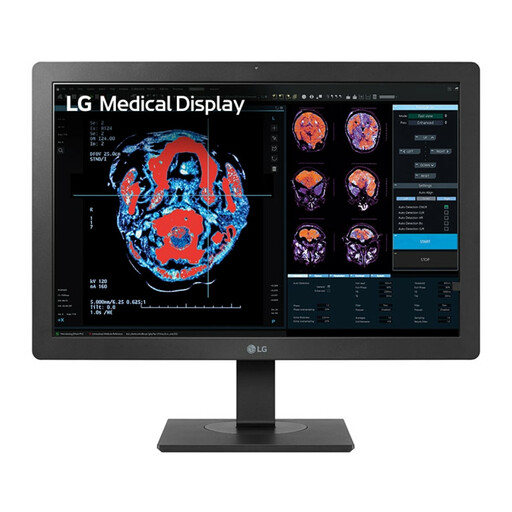
LG 24HR513C-B
Could suit you if you’re looking for a monitor of around 24 inches for a shared writing space.
The product title lists Full HD and 1920 × 1080 pixels. Check the adjustment options on the exact version and which connection your laptop needs.
View at Joybuy
Frequently asked questions
Can every laptop display video and charge through a single USB-C cable?
No. The presence of a USB-C port alone doesn’t guarantee this. Philips describes a dock for video, data and power delivery on the 24B2G5301/00; according to Dell, the USB-C port on the P2425 supports data only. Check both the laptop and the exact monitor model.
Which setting can help if the text looks too small when proofreading?
First, increase the text size or display scaling, then adjust the contrast and lighting to suit you. Arboportaal identifies small text, glare and poor ambient lighting as factors that can affect readability, so don’t choose based on resolution alone.
How should you adjust a monitor when several people share the same workspace?
Let each user adjust the screen height and viewing angle, and watch out for reflections from windows or lamps. Arboportaal discusses workplace setup for employees; this doesn’t automatically make adjustability a legal purchase requirement for someone writing a short story at home in their own time.
What should you look for if a monitor needs to take up little desk space?
Measure not only the screen width, but also the width and depth of the stand. Compare these measurements with the free desk space and, if you’re considering a monitor arm, check that the mounting points on the version you choose are compatible.
Which Dutch rules apply to online purchases and warranties?
For consumers buying online from a business, the Dutch government generally allows a 14-day cooling-off period. The statutory guarantee is separate: ACM ConsuWijzer explains that a product must meet the expectations you could reasonably have of it under normal use. Arboportaal also outlines employers’ obligations relating to screen work; a private writing scenario alone doesn’t mean those employment rules apply.


