Joybuy monitors for a shared desk
This Joybuy selection includes monitors for reviewing pupils’ work at a shared desk. Compare screen space and adjustability, and if you’ll be using a laptop, check the connections and available charging power.
 No image available
Philips 6000 series 34B2U6603CH/00, 34 inches
An option for viewing pupils’ work and feedback on a wide screen. Before buying, consider whether its size suits your desk and viewing distance.
3440 × 1440 pixels. The product information lists Thunderbolt 4, Smart KVM, RJ-45 and height adjustment of up to 18 cm.
The product information lists USB Power Delivery of up to 100 W. Check that your laptop supports this connection and needs this level of charging power.
View at Joybuy
 No image available
HP Series 5 Pro 524pu, 23.8 inches
A Full HD option for reviewing feedback. Check that the screen size and text display are comfortable for you.
The product information lists USB-C for video and data, with power delivery of up to 100 W, as well as RJ-45. According to the description, the stand offers height, tilt and swivel adjustment.
The description states that the power adapter or charger isn’t included and must be purchased separately.
View at Joybuy
 No image available
Iiyama ProLite 34-inch UWQHD monitor
A large screen for viewing feedback documents alongside other work. Check that its curved design and size suit your shared workstation.
The product information lists a resolution of 3440 × 1440 pixels, a USB-C dock with power delivery of up to 95 W, RJ-45 and a KVM switch.
According to the description, the stand offers 15 cm of height adjustment.
View at Joybuy
 No image available
ASUS ProArt PA278CV, 27 inches
A QHD model for anyone looking for extra pixel detail. Check that the screen size and text scaling suit your viewing distance.
2560 × 1440 pixels and an anti-glare finish. The product information lists USB-C power delivery of up to 65 W, four USB downstream ports, HDMI and DisplayPort.
According to the description, the stand offers height and tilt adjustment.
View at Joybuy
 No image available
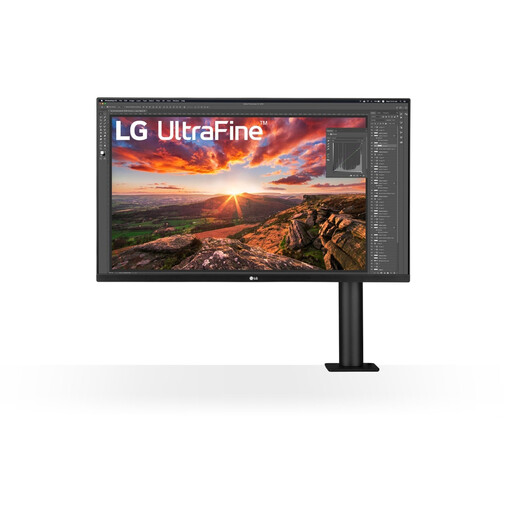
LG 32UN880K, 32 inches
A 4K screen for viewing feedback alongside other work. Consider whether its size suits the space available on your desk.
3840 × 2160 pixels. The product information lists USB-C power delivery of up to 60 W and HDMI.
According to the description, the arm can be adjusted for height, tilted, swivelled and moved forwards or backwards.
View at Joybuy
Frequently asked questions
Is an adjustable monitor a legal requirement at a shared desk?
Not necessarily for every buyer or workstation. Arboportaal outlines requirements for employees who work with screens for more than two hours a day, including that the screen and keyboard must not be attached to each other. Talk to your employer about how the workstation is set up.
Can I write feedback for long periods using only my laptop?
If you work with a screen for long periods, check whether your laptop setup meets the applicable workstation requirements. Arboportaal states that if you work with a screen for more than two hours a day, it must not be attached to the keyboard. You may therefore need a separate screen or keyboard.
How should I adjust the monitor when users change?
Readjust the workstation each time users change, and check that the text is easy to read and the screen isn’t reflecting light uncomfortably. Arboportaal recommends adapting the workstation to the user and alternating screen work with other tasks.
Who pays if a monitor I bought myself breaks sooner than expected?
For a consumer purchase, ACM ConsuWijzer says the seller is responsible for providing a suitable solution free of charge if a product breaks sooner than you could reasonably expect with normal use. This is separate from any commercial warranty. Different arrangements may apply if the school bought the monitor.
How can I stop others from seeing pupil feedback on screen?
Position the screen and workstation so that anyone who shouldn’t see the information can’t look at it, and follow your school’s policies. The Dutch Data Protection Authority points out that pupil data, including academic performance, can be sensitive. A monitor alone can’t guarantee privacy.


