
Concert programme editor
Primarily writes and checks text, running order and page layout. Readability and a clear workspace come first; colour assessment features aren’t necessarily needed.


For working on a concert programme at a shared desk, choose a monitor that lets you read text and page layouts comfortably from your viewing distance and can be readjusted for each user. USB-C hub features are particularly useful if compatible laptops are swapped frequently; a 4K monitor with colour features is most relevant when visuals and colour assessment are a significant part of the work. Before buying, check the available desk space, the laptop connections and the power delivery required.
Primarily writes and checks text, running order and page layout. Readability and a clear workspace come first; colour assessment features aren’t necessarily needed.
Shares a workspace with others and wants to be able to adjust the screen position. If laptops are swapped, connections that work with the laptops in use are especially relevant. Arboportaal advises placing the screen directly in front of you, with the top just below eye level.
Also creates visually focused pages and wants to take resolution and documented colour features into account. Screen specifications alone don’t prove that colours will match a proof print.
Start with readability and the space available on your desk. Then check whether the monitor can be adjusted for different users and whether its connections suit the laptops; colour features are most relevant if visually focused layout is part of the work.
| Point to consider | What to look for | Who is this important for? |
|---|---|---|
| Readability and layout | Compare the screen size and resolution with the depth of your desk and the text size you use. | I want to review concert programme text and page layouts without constantly switching between windows. Around 36% of consumers give readability and clarity when working with text and layouts their top priority. |
| Screen position | Check the height, tilt and swivel adjustments, and whether the stand fits on your desk. | If other people use the same workspace, I want to be able to readjust the screen position easily. Around 28% of consumers prioritise adjustability for different users. |
| Connections | Check for video over USB-C, the power delivery required and the connections you want for peripherals. | When laptops are swapped, I don’t want to have to reconnect peripherals every time. Around 22% of consumers give convenient connections when swapping laptops their top priority. |
| Image and colour | Check the specifications for the exact model and consider whether you need a physical proof print to assess colour. | If my programme contains lots of visuals, I want to take colour features into account without treating a screen specification as equivalent to the printed result. Around 14% of consumers prioritise visually focused layouts. |
A USB-C connection alone doesn’t tell you whether the laptop can output video or receive enough power. The laptop and cable must also support the features you want.
Compare your laptop’s requirements with the video and charging features of the exact monitor version, and check which connections you need.
The colour specifications BenQ gives for the PD2705U don’t prove that a print will show the same colours.
Use a physical proof print for decisions that depend on the printed result, and check the specifications for the exact model.
If colour assessment is important, a physical proof print may become part of your workflow.
According to ACM ConsuWijzer, your statutory rights can continue to apply alongside a seller’s warranty.
Keep your purchase and model details, and report any fault to the seller. Consider any additional warranty package separately from your statutory rights.
The Dell Pro Plus P2725DE is a QHD hub monitor for a workspace where connectivity matters.
The Philips 27E1N1600AE/00 is a 27-inch QHD option with USB-C for text and layout work.
The PD2705U is a 27-inch 4K monitor with manufacturer-specified colour and adjustment features for visually focused layouts.
The LG 27UP850K-W is a 27-inch 4K IPS monitor for anyone looking for a higher resolution and an adjustable stand.
EIZO describes its docking monitor range as designed for shared workspaces, with connections built in.
This Joybuy selection includes monitors for text and page layouts, shared laptop workspaces and visually focused layouts. Compare the screen size with the space available, and check that the adjustments and connections suit your workspace.
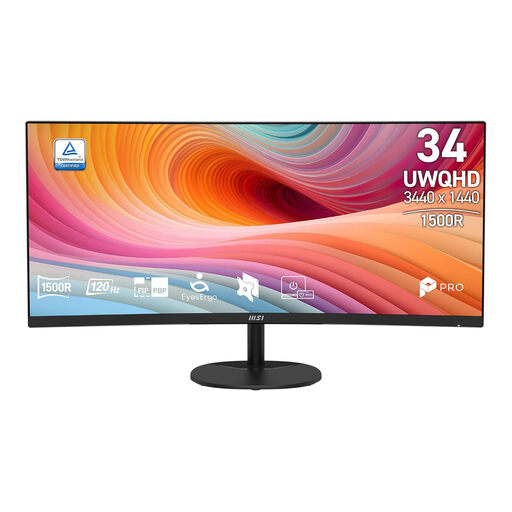 Image unavailable
The wide aspect ratio may suit work where you want to view concert programme text and page layouts side by side; bear in mind how much space it needs on a shared desk.
34 inches, UWQHD with 3440 × 1440 pixels, a 21:9 aspect ratio and a curved VA panel.
The curved 34-inch screen needs plenty of desk space.
 Image unavailable
An option for viewing text and page layouts on a 27-inch 4K screen; check that the resolution and text size are comfortable at your viewing distance.
Product information lists 27 inches, 3840 × 2160 pixels, an IPS panel and HDR10.
 Image unavailable
The USB-C hub and KVM switch described are useful if several compatible laptops or peripherals are used at the shared workspace.
34.1 inches, 3440 × 1440 pixels, curved WQHD IPS screen, USB-C Power Delivery up to 90 W and RJ45.
Product information lists a stand with height, tilt and swivel adjustment. The large screen needs plenty of desk space.
 Image unavailable
The adjustable stand may be useful when different people need to adapt the monitor position to their workspace.
27 inches, 2560 × 1440 pixels and a Fast IPS panel; the title lists 200 Hz and Overdrive up to 210 Hz.
Product information lists 130 mm of height adjustment, as well as tilt, swivel and pivot adjustment.
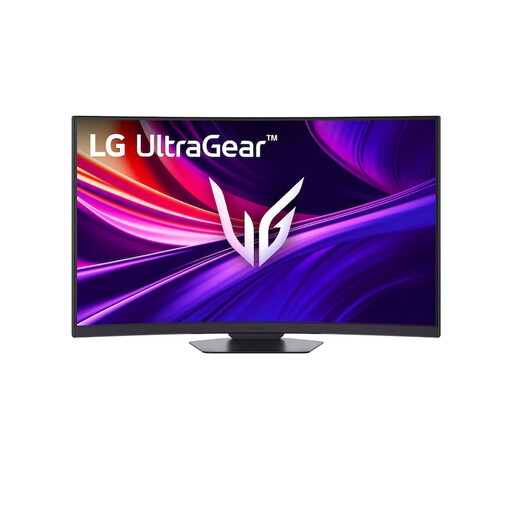 Image unavailable
This monitor may be relevant if visually focused layouts are a significant part of the work; bear in mind the space needed for the curved 37-inch screen.
Product information lists 3840 × 2160 pixels, 95% DCI-P3, USB-C Power Delivery up to 65 W and a stand with height, tilt and swivel adjustment.
The stated colour specification doesn’t prove that the screen colours will match a proof print.
Position the screen directly in front of you, with the top just below eye level, and tilt it so you’re looking straight at it. Readjust the workspace when another user takes a seat; this is ergonomic advice from Arboportaal, not a guarantee that a monitor will prevent discomfort.
No, the presence of a USB-C port alone doesn’t guarantee this. Check whether the laptop supports video through that connection, how much power it needs and which features the cable supports. The stated maximum power delivery differs between the Dell P3426WEV and LG UltraGear 37G800A-B: 90 W and 65 W respectively.
No, a colour specification alone doesn’t prove that the print will match. If the printed result is what matters, assess it using a physical proof print and check the specifications for the exact monitor model.
Compare the energy label and product information sheet for the exact models on the same basis of use. The European Commission places computer monitors in the energy labelling category for electronic displays, with classes from A to G. Actual consumption also depends on how the monitor is used.
Employers are responsible for obligations relating to safe screen-based work and the way the workspace is set up for employees. Arboportaal explains this responsibility; discuss the setup of a workplace with your employer.