
Form designer working with multiple windows
You want to view the form alongside a preview or other work windows. Compare the screen size and resolution with how much needs to be visible and readable at once.


Start by choosing a screen that lets you read the form and your reference windows clearly. Then check that you can adjust the viewing position and connect the laptops used at the shared desk. A compact Full HD monitor may suit you if desk space is at a premium; QHD gives you more pixels for multiple windows, while a USB-C hub is only useful if the laptops support the video and charging features you need.
You want to view the form alongside a preview or other work windows. Compare the screen size and resolution with how much needs to be visible and readable at once.
You move between desks or laptops and don’t want to keep connecting several peripherals. Check whether each laptop supports video over USB-C, and whether the charging and hub features suit the way you work.
You have limited space or need to readjust the screen after a colleague has used it. Check the dimensions of the screen and stand, as well as the options for adjusting the viewing position.
First, compare the usable workspace with the space available on your desk. Then check the connections for each laptop and make sure the screen can be readjusted for different users.
| What to consider | What should you check? | Who is this important for? |
|---|---|---|
| Readability and space for windows | Compare the screen size and resolution. Also check that text remains easy to read at your preferred scaling. | If I want to check the form alongside a preview, there needs to be enough room without making the text uncomfortably small. Around 29% of consumers prioritise readability and space for windows above all else. |
| Connecting different laptops | Check USB-C video, the charging power required and the hub ports you need for each laptop. | If I switch laptops often, I want to know whether the display, charging and peripherals will work through the connection I choose. Around 29% of consumers prioritise a suitable, straightforward connection. |
| Adjustable viewing position | Check the height and tilt adjustments, and whether there is enough room for the stand or monitor arm. | If several people use the desk, I want to adjust the screen’s height and angle when I take over. Around 24% of consumers say being able to personalise the setup is their main reason for buying. |
| Size on the desk | Measure the space available, including the area taken up by the stand. | At a small desk, I want to leave room for my laptop and other work essentials. Around 18% of consumers prioritise a compact setup above all else. |
A USB-C connection on its own doesn’t tell you whether a laptop can output video, receive enough power to charge or connect to the peripherals you need through the monitor.
For every device used at the desk, check video support, the laptop’s charging requirements, the hub features and the cable you’ll need.
Screen size and resolution work together to determine how much workspace you have. A larger screen doesn’t automatically mean that text will be comfortable to read at your settings.
Compare the size and resolution, then check readability at the scaling you use. Also measure the stand and the space available on your desk.
People sharing a workspace may need the screen in different positions. Arboportaal advises adapting the workstation to the user and recommends an adjustable monitor in its guidance on screen-based work.
Check the adjustment options on the exact model and make sure there’s enough room to use its stand or a monitor arm.
The AOC 24P3CV is an example of a compact 23.8-inch Full HD monitor with USB-C and hub features.
The LG 27BA65QB-B is a 27-inch QHD model with USB-C and an adjustable stand.
The ASUS VA27ACFSN is a 27-inch QHD monitor with docking features and an adjustable stand.
The Dell P2725QE is a 27-inch 4K USB-C hub monitor for anyone specifically looking for a higher resolution.
According to Lenovo, the ThinkVision T27h-30 combines a 27-inch QHD screen with USB-C, a USB hub and Ethernet.
This selection includes compact Full HD monitors, 24- and 27-inch QHD models, and 27-inch 4K screens for form-filling at a shared desk.
 No image available
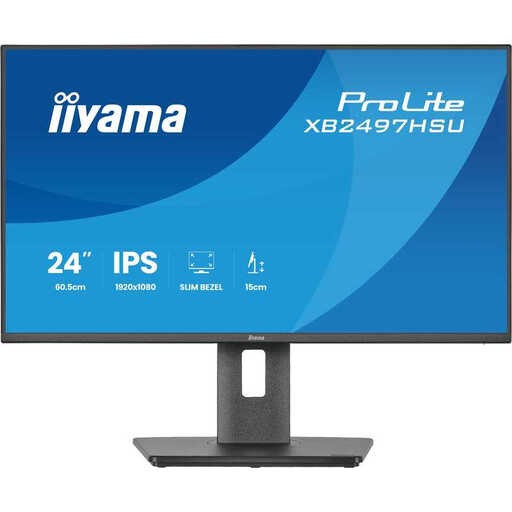
A compact option if desk space is a priority.
24-inch Full HD IPS, 120Hz.
 No image available
A 27-inch 4K option if you’re specifically looking for a higher resolution for your work windows.
27-inch 4K UHD.
Check that your preferred text scaling and connection suit the laptop you use.
 No image available
A 27-inch QHD screen for viewing a form alongside other work windows.
27-inch, 2560 × 1440, Quad HD.
 No image available
A 24-inch QHD option if you want to arrange several windows on a more compact screen.
24-inch, 2560 × 1440, Quad HD.
Check that USB-C video and up to 90 W charging suit the laptop you use.
 No image available
A 24-inch QHD option for viewing multiple work windows on a relatively compact screen.
24-inch, 2560 × 1440, Quad HD.
Adjust the workstation and screen position for each user, and check that the text is readable and the screen is free from glare. Arboportaal includes these points in its workstation guidance; employers’ obligations also depend on the working situation.
No. Don’t assume this just because the laptop has a USB-C port. Check whether the connection on each laptop supports video, and compare its charging requirements with the power the monitor provides.
According to ACM ConsuWijzer, online consumer purchases are generally covered by a statutory cooling-off period of up to 14 days after delivery. Check the applicable terms and exceptions. This is separate from your rights if a product doesn’t meet the standard you were entitled to expect.
Arboportaal doesn’t specify a standard screen size in inches or pixel resolution in its guidance on screen-based work. It does set out requirements for employees’ workstations, including an adjustable monitor. For more than 2 hours of screen-based work per day, it also says the screen and keyboard must not be attached to one another. The employer remains responsible for providing a safe workplace.
No. ACM ConsuWijzer distinguishes between a guarantee from the seller or manufacturer and the statutory guarantee. With normal use, a purchase should work properly for as long as you could reasonably expect; this doesn’t mean that every monitor has a fixed statutory guarantee lasting exactly two years.