
Inspector working beside a bright window
Checks seams at a fixed, well-lit workstation and needs to tackle reflections and glare first. Arboportaal recommends positioning your viewing direction parallel to the window.


Start with your workspace: Arboportaal recommends positioning your viewing direction parallel to the window; you may also need blinds or other shading. An anti-glare screen alone does not guarantee a usable image in direct sunlight. Then choose a monitor to suit your task: resolution for fine detail, colour management for colour-critical checks and the right connections for your computer.
Checks seams at a fixed, well-lit workstation and needs to tackle reflections and glare first. Arboportaal recommends positioning your viewing direction parallel to the window.
Compares small transitions and wants a sharp image with enough room for materials and tools. RTINGS.com describes high resolution as useful for displaying image pixels and detail.
Assesses colour differences as well as seams, so uses a suitable colour profile. EIZO lists textile and fashion work as an application for the ColorEdge CG2700X.
Tackle incoming light first, then assess the screen finish, detail, colour features and connections. Arboportaal recommends positioning your viewing direction parallel to the window. Check your setup at the time of day when the light is strongest, too.
| What to consider | What should you check? | Who is this important for? |
|---|---|---|
| Window reflections | Check the screen finish and assess your setup in the light that reaches your workspace. | If I work beside a bright window, I want to reduce distracting reflections before inspecting seams. Around 29% of consumers prioritise window reflections. |
| Fine seams | Compare the resolution and screen size of the exact model; if possible, test your own materials at your usual viewing distance. | When I need to compare small transitions, I want enough detail to inspect without losing sight of my materials and tools. Around 29% of consumers prioritise detail. |
| Colour differences | First determine the target profile, then check the model-specific colour gamut and calibration options. | If colour differences matter to the assessment, I want my screen and colour management process to match the target profile. Around 24% of consumers prioritise colour consistency. |
| Connections and positioning | Check that your computer outputs a picture through the port you plan to use and that USB-C supplies the required power; also check the monitor’s adjustability. | When I connect a laptop, I want to know whether the chosen connection supports video and, if needed, charging, and whether I can position the screen properly. Around 18% of consumers prioritise compatibility and setup. |
Light from a window can still make it difficult to assess your work. Typical brightness and peak HDR brightness are also different values.
Tackle reflections first, then compare the typical brightness and screen finish of the exact model.
A suitable calibration and colour management process may require extra time or equipment.
A connection on the monitor does not automatically confirm what your computer and cable support.
Check video output, the power required for charging and the connection specifications separately.
If the connection is unsuitable, you may need a different cable, port or power solution.
The Dutch specifications for the PD2706U list features for 4K detail work, an anti-glare screen and connecting a USB-C laptop.
According to ASUS Netherlands, the ProArt PA279CRV is a 27-inch 4K IPS monitor with an anti-glare finish and colour settings.
The ColorEdge CG2700X is designed for imaging and graphic work. EIZO also lists textile and fashion work with colour management as potential uses.
The UltraFine 27UQ850V-W is a 27-inch 4K option where contrast and laptop connectivity may be worth considering.
The UltraSharp U2725QE is a 27-inch 4K hub monitor for anyone who needs multiple connections as well as a screen for visual checks.
These 4K monitors are selected for checking fine seams in textured fabric. For each model, consider the screen finish, size and adjustability, and check how the screen performs in your workspace.
 Image unavailable
The 31.5-inch 4K screen may suit inspections of texture details across a larger display area; assess reflections in your intended workspace.
The product information lists 3840 × 2160, 165 Hz and USB-C. For this OLED model, it recommends using the OLED protection features and avoiding static images at high brightness for long periods.
 Image unavailable
The stated 4K resolution on a 27-inch screen is useful if you need to assess fine seams; also check how the anti-glare finish performs in the light from your window.
The product information lists 3840 × 2160, IPS, 350 cd/m² typical brightness and a height-adjustable stand.
 Image unavailable
This 27-inch 4K model may suit comparisons of fine seams in textured fabric; the stated non-glare finish is no guarantee against reflections in every room.
The product information lists 3840 × 2160, IPS, 120 Hz and USB-C with 90 W Power Delivery. The stand can be adjusted for height, tilt, swivel and pivot.
 Image unavailable
The stated 4K resolution on a 27-inch screen is useful for checking detail; the product information also lists a matte anti-glare screen.
The product information lists 3840 × 2160, IPS, 350 cd/m² typical brightness and height adjustment.
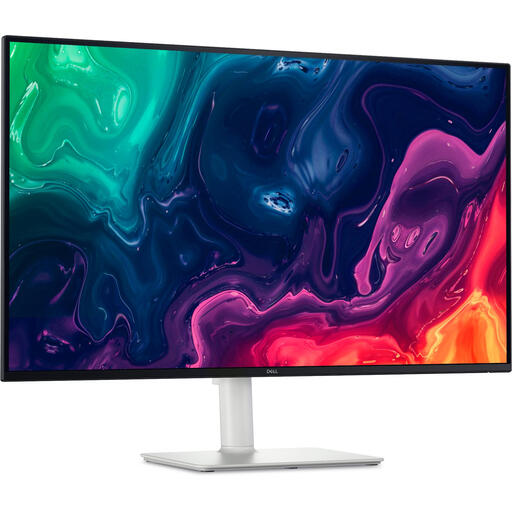 Image unavailable
The 31.5-inch 4K screen gives you a larger display area for examining texture details; consider the space it needs and assess reflections in your own setup.
The product information lists 3840 × 2160 and a matte anti-glare finish. The stand is height-adjustable.
No, don’t assume it is. Arboportaal recommends positioning your workspace in relation to the window so that your viewing direction is parallel to it. You may also need window shading; an anti-glare description refers to the screen finish, not how it will perform in your room.
Check that your computer outputs a picture through the port you plan to use and, if you want to charge via USB-C, how much power your laptop needs. Then adjust the screen height and position in relation to the window, and assess fine seams using representative materials of your own.
If colour differences are part of the assessment, first determine the target profile and use a suitable colour management process. EIZO lists hardware calibration with an integrated sensor for the CG2700X; this feature does not guarantee that files or other screens will match.
For an online consumer purchase, there is generally a statutory cooling-off period that ends 14 days after delivery; check which exceptions apply. You are also entitled to a product that meets legal requirements. A manufacturer’s warranty or an additional warranty comes on top of your statutory rights; if there is a problem, contact the seller.
For employees, Arboportaal describes requirements for display screen workstations, including a screen that must not reflect light and must be height-adjustable. These requirements apply in an employment context; they are not general product specifications that every private monitor buyer must meet individually.