Start by checking the space on your desk and the ports on your laptop. Then decide how much text and how many notes you want to see at once. An adjustable monitor around 24 inches could suit a compact workspace, while a 16:10 or QHD screen gives you more pixels to work with. Just check that text remains comfortable to read at your preferred scaling. USB-C is only useful for video and charging if the monitor, laptop and cable all support the required features.
Who should consider this?
Writer with a small desk
You want a separate screen for long writing sessions, but need to leave room for a laptop, keyboard or notes. Measure the monitor stand too, and check how adjustable it is. Dell Netherlands describes the P2425H as offering height, swivel and tilt adjustment.
Writer with lots of notes
You want to view a script and research side by side, or see more lines of text at once. Compare the resolution and aspect ratio, and check that text remains readable at your preferred scaling. LG Netherlands lists a resolution of 2560 × 1440 for the 24QP750P-B.
Laptop user with limited space for cables
You want to connect your laptop easily and perhaps charge it through the same connection. Check whether your laptop can output video over USB-C and whether the charging power is sufficient; a USB-C port alone doesn’t guarantee this. AOC specifies DP Alt Mode and Power Delivery up to 65 W for the 24P3CV.
What should you look for?
Compact Full HD with an adjustable stand
Best for: a small desk and mainly writing in one document. Compare the stand’s footprint and check the height and tilt adjustments available on the exact model.
Trade-off: Full HD offers fewer vertical pixels than the 16:10 and QHD screens considered here. Dell says the USB-C port on the P2425H is a downstream data port, not a video connection for a laptop.
16:10 or QHD for more text on screen
Best for: anyone who often wants to view a script and notes side by side, or needs to see more lines at once. Compare, for example, the Dell P2425 with the LG 24QP750P-B, and try the text scaling that works for you.
Trade-off: more pixels don’t automatically determine how large or comfortable to read text will be on your screen.
USB-C for a laptop workspace
Best for: anyone who wants fewer separate cables and has a laptop that can output video over USB-C.
Trade-off: check video support, charging power and the cable. AOC specifies Power Delivery up to 65 W for the 24P3CV; this will only be suitable if your laptop supports that connection and power level.
| What to consider |
What should you check? |
Who is this most relevant to? |
| Desk space |
Measure the available width and depth, then compare them with the monitor and stand. |
I want to leave room for my laptop and notes on a small desk; around 33% of consumers say desk space is their main concern when buying. |
| Viewing a script and notes at once |
Compare the resolution and aspect ratio of the exact model, and check the text scaling. |
If I want to view a script and research at the same time, I look at how much text remains visible; around 27% of consumers say screen space for text is their main concern when buying. |
| Adjustability |
Check the model’s height and tilt adjustments, and how the stand will fit on your desk. |
For long writing sessions, I want to be able to adjust my screen setup; around 20% of consumers say adjustability is their main concern when buying. Arboportaal warns that prolonged screen work can lead to health problems. |
| Connecting and charging a laptop |
Check the laptop’s video output, the monitor connection, the charging power required and the cable. |
If I want fewer cables and to charge my laptop through the monitor, I check that all the features work together; around 20% of consumers say the laptop connection is their main concern when buying. |
Common buying mistakes
-
Assuming every USB-C port works as a complete laptop dock
USB-C connections can support different features. Dell lists a downstream data port for the P2425H, while AOC specifies video over DP Alt Mode and Power Delivery up to 65 W for the 24P3CV.
Before ordering, compare the video and charging features of both devices, the power required and the cable you’ll need.
Depending on the connection, you may also need a video cable, adapter or laptop power supply.
-
Comparing screen size alone
Full HD, 16:10 and QHD screens can offer different amounts of vertical or total pixel space. Text scaling also affects how much you can comfortably read.
Compare the resolution, aspect ratio, dimensions including the stand, and the text scaling you want to use for your writing software.
-
Confusing paid-for extended cover with your legal rights
The Dutch government distinguishes between your legal rights when a product is faulty and an additional guarantee. Paid-for cover is only an extra if it genuinely gives you additional rights.
Read what extra cover the provider offers, and keep your purchase details in case you need to contact the seller.
Brands to consider
Dell
Dell Netherlands describes the P2425H as an adjustable 23.8-inch Full HD monitor, and the P2425 as a 16:10 model with extra vertical workspace.
- For the P2425H, Dell lists height, swivel and tilt adjustment.
- Dell says the P2425H’s USB-C downstream port is for data. Don’t confuse the P2425H with the P2425: they are different models.
LG
LG Netherlands lists a 23.8-inch QHD screen with a resolution of 2560 × 1440 for the 24QP750P-B.
- LG lists height, swivel, tilt and pivot adjustment.
- Check that USB-C provides the video and charging features you need with your laptop. QHD doesn’t automatically mean the text scaling will be comfortable to read.
AOC
AOC describes the 24P3CV as a 23.8-inch Full HD monitor with USB-C, a hub and a network connection.
- AOC specifies DP Alt Mode and Power Delivery up to 65 W.
- Check that the charging power is suitable for your laptop; the resolution is Full HD.
Philips
Philips lists a 23.8-inch Full HD screen with USB-C for the 24E1N1300AE/01.
- Philips describes video, data and power over USB-C.
- Check the connection with your laptop. A manufacturer’s claim about a monitor feature doesn’t prove that the screen will be more comfortable for every long writing session.
Joybuy monitors for your writing space
This selection of Joybuy products includes monitors with Full HD, WUXGA and QHD resolutions for scriptwriting and viewing notes. Before buying, check the connections, adjustability and dimensions that matter for your workspace.
 No image available
ASUS BE248CFN
An option to compare if you want to view your script and notes at the same time.
24.1 inches; 1920 × 1200 pixels; WUXGA.
Joybuy
 No image available
Dell Pro Plus P2425DE
An option to compare if you’re looking for more pixels for your script and notes.
24 inches; 2560 × 1440 pixels; Quad HD.
Joybuy
 No image available
Dell Pro Plus P2425D
An option to compare if you’re looking for more pixels for your script and notes.
24 inches; 2560 × 1440 pixels; Quad HD.
Joybuy
 No image available
ASUS ProArt Display PA24ACRV
An option to compare if you’re looking for more pixels for your script and notes.
23.8 inches; 2560 × 1440 pixels; Quad HD.
Joybuy
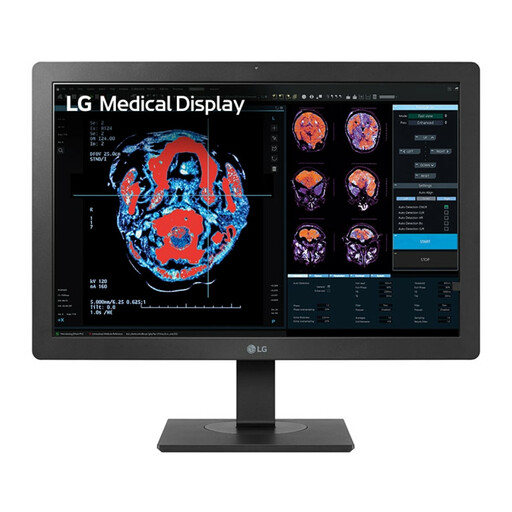 No image available
LG 24HR513C-B
An option to compare if you’re looking for a 24-inch Full HD monitor.
24 inches; 1920 × 1080 pixels; Full HD.
Joybuy
Frequently asked questions
Is 16:10 or QHD more useful for a script?
It depends on the extra screen space you’re looking for: the Dell P2425 has a 16:10 aspect ratio and 1920 × 1200 pixels, while the LG 24QP750P-B considered here offers 2560 × 1440 pixels. Also check how large the text appears at the scaling you want to use.
Can any USB-C monitor connect to and charge my laptop with one cable?
No. Check the features of the specific monitor, laptop and cable. AOC specifies video over DP Alt Mode and Power Delivery up to 65 W for the 24P3CV; Dell lists a USB-C downstream data port for the P2425H.
What should I look for during long writing sessions?
Check that you can position and adjust the monitor to suit you, and don’t treat an eye-comfort feature as a substitute for a suitable workspace setup. Arboportaal warns that prolonged screen work can lead to health problems.
How do I compare monitors’ energy use?
Check the energy label for the exact model and compare it with the labels of other screens you’re considering. The European Commission states that electronic displays, including computer monitors, have an energy label on a scale from A to G.
Do workplace health and safety rules apply to every student writing a script at home?
Not automatically. Arboportaal’s information about students covers work carried out within an educational institution’s framework and facilities, in a way that corresponds to professional practice. It does not establish that writing in your own student room meets those conditions.


