
Scriptwriter with a small desk
You want a document that’s easy to read without the screen dominating your workspace. Compare the dimensions of both the screen and its stand with your desk, and consider the viewing position you need.


Start by measuring your available desk space and choosing a screen you can position comfortably in front of you. An adjustable monitor of around 24 inches is a good option for a small desk. Choose 16:10 or QHD if extra vertical space or more room for detailed documents matters to you, and check that both the monitor and your laptop support the video and charging features you need over USB-C.
You want a document that’s easy to read without the screen dominating your workspace. Compare the dimensions of both the screen and its stand with your desk, and consider the viewing position you need.
You spend long periods working on dialogue and edits, so you want to position the screen comfortably. Arboportaal recommends placing the top of the screen slightly below eye level; a good screen position doesn’t replace taking breaks and changing your posture.
You want to view your script, sources and notes at the same time, and need to weigh up extra pixels or vertical space against the available desk space and your laptop’s ports. Dell lists 1920 × 1200 pixels for the P2425 and 2560 × 1440 pixels for the P2425DE.
First, measure the space available, then decide how much text and research you want to see at once. Finally, check that the ports are compatible with your laptop.
| What to consider | What to look for | Who is this important to? |
|---|---|---|
| Screen position | Check whether the screen can be adjusted for height and tilt, and whether you can position it directly in front of you. Bear in mind incoming light and reflections. | When I spend a long time revising dialogue, I want to set the screen at a comfortable height and vary my posture. Around 25% of consumers rank adjustability and comfort as their top buying priority. |
| Desk space | Measure the available width and depth, then compare them with the dimensions of the screen and stand. | With a narrow or shallow desk, I want to leave enough room for my keyboard and any papers. Around 20% of consumers put a desk-friendly size first. |
| Cost | Compare the exact model, included cables and energy label, including the stated consumption in kWh per 1000 hours. Consider any extended warranty separately. | When I’m keeping an eye on my spending, I don’t want to pay for features I won’t use, and I also want to factor in electricity consumption. Around 20% of consumers rank cost as their top buying priority. |
| Document overview | Compare 1920 × 1080, 1920 × 1200 and 2560 × 1440 at the exact screen size, and check that text remains comfortable to read at your usual scaling. | When I want to view my script, notes and sources side by side, the amount of workspace on screen matters. Around 20% of consumers prioritise being able to see their documents clearly. |
| Laptop connection | Check that your laptop supports video output over USB-C, what the monitor port does, how much power is needed and which cable is included. | If I want to connect my laptop with as few cables as possible, the port I choose must support both video and the power needed. Around 15% of consumers prioritise a simple one-cable connection. |
USB-C ports can have different functions. Dell specifies the P2425 port as a USB-C downstream data port, not a laptop video input.
Before buying, check the function of the port on the exact monitor, your laptop’s video output and the charging capacity required.
Depending on the connection, you may need a different cable, an adapter or a separate laptop power supply.
The stand and viewing position also determine whether a monitor will fit on your desk. A screen of around 24 inches doesn’t, by itself, tell you how much desk space the complete setup will take up.
Measure the available desk depth and compare it with the dimensions of your chosen model, including the stand.
You may need a different stand or desk layout if the stand doesn’t fit.
An additional manufacturer’s warranty doesn’t replace your statutory rights if a product is faulty.
Read the terms of any paid extended warranty, and contact the seller if there’s a fault.
The models discussed differ in aspect ratio and connectivity: the P2425 is a 24.07-inch 16:10 monitor, while the P2425DE is a separate 23.8-inch QHD monitor with a USB-C hub.
The Philips 24E1N1300AE/01 reviewed here is a Full HD model with an adjustable stand and USB-C features.
The 24MR400-B discussed here is a 23.8-inch IPS Full HD model.
According to iiyama, the ProLite XB2491HS-B1 combines a 24-inch Full HD screen with an adjustable stand and built-in speakers.
These compact Full HD monitors are options for a writing space with limited desk room; check the dimensions and connections of each model.
 No image available
A compact Full HD option for a writing space that can accommodate a screen of around 24 inches.
The product information lists HDMI and VGA. According to the product description, a power supply isn’t included as standard; check what you’ll need.
 No image available
A Full HD model for a desk that can accommodate a screen of around 24 inches.
The product information lists a height-adjustable stand and HDMI and VGA connections.
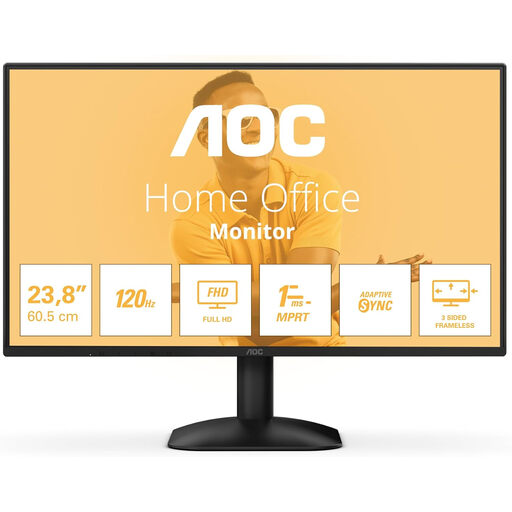 No image available
A Full HD screen for a writing space where you mainly work in one document.
The product title lists a resolution of 1920 × 1080 pixels and HDMI and DisplayPort inputs.
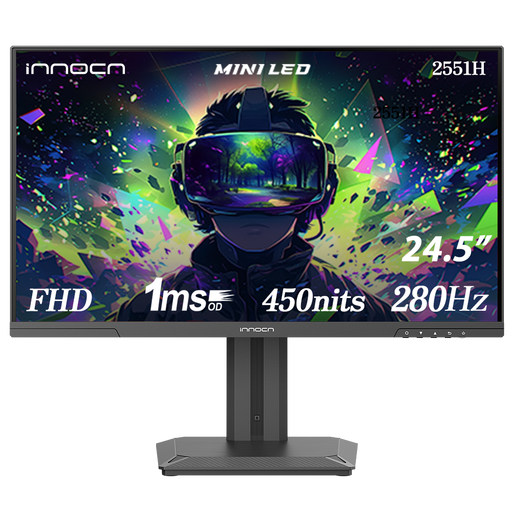 No image available
A Full HD option for a desk that can accommodate a 24.5-inch screen.
The product information lists an adjustable stand with height and tilt adjustment, plus HDMI and DisplayPort connections.
 No image available
A compact Full HD monitor for a writing setup with a screen of around 24 inches.
The product information lists a 23.8-inch IPS screen and HDMI and VGA connections. The title also mentions built-in speakers.
Place the screen directly in front of you and try to position its top slightly below eye level. Arboportaal also recommends changing your posture during prolonged sitting and screen work; good positioning doesn’t guarantee you won’t experience discomfort.
No. Check that your laptop outputs video over USB-C and that the monitor supplies enough power through the correct port. Dell specifies the P2425’s USB-C port as a downstream data port; Philips describes a USB-C connection with power delivery on the separate 24E1N1300AE/01.
Compare the energy labels and stated consumption in kWh per 1000 hours for the exact models. According to the European Commission, computer monitors are covered by the energy labelling rules for electronic displays.
Not simply because it’s being used in a student bedroom. The Arboportaal guidance mentioned here on employers’ legal obligations concerns employees’ workplaces and doesn’t automatically apply to private study.
For online purchases from a business, you’ll often have a 14-day cooling-off period, according to the Rijksoverheid. If a product is faulty, you have statutory rights; the Netherlands has no fixed statutory warranty period, and the seller is your point of contact.