For writing a radio comedy, the right monitor mainly depends on how you arrange your windows and how much desk space you have. If you usually work in a single script window, start with a screen that fits your workspace and lets you set the text to a comfortable size. If you want to see your script and scene outline side by side, compare a 27-inch QHD screen with an ultrawide. If you use a laptop, check that its USB-C port supports video and provides enough power to charge it. Extra resolution or features aren’t automatically necessary for writing.
Who is this buying guide for?
Scriptwriter who uses a scene outline
You want to edit your script while keeping the scene or section outline in view. Compare the usable space for your windows with the width of your desk. Tweakers and Samsung Netherlands both highlight window layouts and available desk space as points to consider.
Writer with long working sessions
You read and revise text for extended periods and want to set up your workspace to suit you, while also considering screen size and text clarity. Arboportaal notes that screen-based work can involve static strain; a monitor alone won’t prevent discomfort.
Writer with a laptop-based workspace
You want to connect your laptop easily and check that the specific monitor’s features and charging power are right for your laptop. ASUS and Dell’s manufacturer specifications describe USB-C power delivery for specific models, not every monitor with USB-C.
What should you look for?
First, decide whether you usually switch between windows or want to see your script and outline at the same time. Then choose a screen size and resolution that suit your preferred text size and the space available on your desk.
| What to consider |
What to look for |
Who should prioritise this? |
| Text readability |
Compare screen size and resolution together. View your script at the text size you want to use; display scaling affects how much you can see at once. |
I want to read dialogue and revisions comfortably for extended periods. Around 36% of consumers say script text readability is their top priority. |
| Script and outline on screen together |
Try both windows side by side at your preferred text size and measure the available desk width. An ultrawide needs more physical space. |
I want to refer to my script and scene outline at the same time rather than keep switching between them. Around 29% of consumers say seeing documents simultaneously is their top priority. |
| Adjustable workspace |
Check the height and tilt adjustments, and make sure the monitor and its stand will fit on your desk. Whether it can be mounted on an arm varies by model. |
I want to adjust the screen position at my workspace during longer writing sessions. Around 21% of consumers say adjusting their workspace is their top priority. |
| Laptop connectivity |
Check the laptop’s video output, the monitor’s input, the power delivery required and the cable supplied, separately. |
I want to connect my laptop easily and, if needed, power it through the monitor. Around 14% of consumers say laptop connectivity is their top priority. |
Common buying pitfalls
-
Choosing based on screen size alone
A bigger screen doesn’t guarantee that you’ll be able to read text at your preferred size or arrange your windows conveniently. Resolution, scaling settings and desk space matter too.
View your script and outline side by side at the text size you want to use, and measure your desk before choosing a wider or larger screen.
-
Assuming every USB-C monitor powers your laptop with a single cable
Both the laptop and the monitor need to support the required video functionality. The monitor’s charging power must also be suitable for your laptop.
Check video support and Power Delivery for the laptop, monitor and cable separately. Depending on the equipment you already have, you may need a separate charger, cable or dock.
-
Confusing an extended manufacturer’s warranty with your statutory rights
If a product is faulty, the seller is responsible for providing a solution. The Dutch government states that the Netherlands has no fixed statutory warranty period.
Before paying, check exactly what additional cover includes and distinguish its terms from your statutory rights.
Relevant brands to consider
Philips
The Philips 27E1N1600AE/00 reviewed here is a 27-inch QHD model with USB-C. Tweakers lists this specific model as an alternative in its all-round selection.
- Philips says the USB-C port can power a connected device. Tweakers lists 65 W Power Delivery for this model.
- Tweakers notes that the hub has slow USB 2.0 ports and that its viewing angles and colour calibration are less impressive than those of the ASUS model mentioned. This applies to this model comparison, not all Philips monitors.
ASUS
According to ASUS, the ProArt PA278CGV reviewed here combines a 27-inch QHD IPS panel with USB-C Power Delivery. Tweakers covers this specific model in its all-round guide.
- ASUS lists colour calibration for this model. It’s a model-specific feature and not essential if you’re only working with script text.
- Tweakers notes that the PA278CGV has a low contrast ratio and a wobbly stand.
Samsung
The 27-inch ViewFinity S8 S80UD reviewed here is a 4K option to weigh up against QHD if text clarity is important to you.
- For model LS27D800UAUXEN, Samsung Netherlands lists a resolution of 3840 × 2160 pixels and USB-C.
- Samsung lists energy label F for this Dutch model. Tweakers rates the colour calibration of the S80UD it reviewed less favourably than that of the ASUS model mentioned. Check the full model code when comparing.
LG
The UltraWide 34BA85QE-B reviewed here is a wider option if you want to display your script, outline and notes at the same time.
- LG lists a 34-inch screen, 3440 × 1440 pixels, USB-C Power Delivery up to 90 W and height adjustment for this model.
- Its larger size means you’ll need enough desk space. These specifications apply to this model, not every LG UltraWide.
Dell
The Pro 27 Plus P2725DE reviewed here is a 27-inch QHD monitor with USB-C hub features for a laptop-based workspace.
- Dell lists USB-C video, Power Delivery up to 90 W and an Ethernet port for this model.
- These connections are useful if your laptop and workspace can make use of them; on their own, they don’t offer an advantage for scriptwriting.
Monitors for writing and side-by-side windows
This selection of Joybuy products includes compact monitors, 27-inch QHD and 4K models, and ultrawide options to consider for script text and side-by-side windows.
 No image available
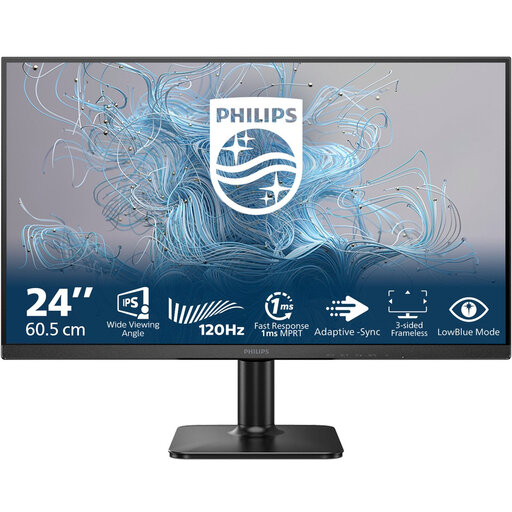
Philips 24E2N1110/00 23.8-inch Full HD monitor
A compact size to consider if you mainly use a single script window or have limited desk space.
23.8 inches; Full HD.
Joybuy
 No image available
INNOCN CB27U1 27-inch 4K UHD monitor
Consider this 4K model if text clarity matters to you. Check the display scaling on your computer to see how much space you’ll have left for windows.
27 inches; 3840 × 2160 pixels; USB-C with 90 W Power Delivery; height-adjustable stand.
Joybuy
 No image available
KTC H27E6S 27-inch QHD monitor
A 27-inch QHD screen to compare if you want to try viewing your script and scene outline side by side. Test the layout at the text size you want to use.
QHD; 2560 × 1440 pixels; height-adjustable stand.
Joybuy
 No image available
Dell Plus S2725QC 27-inch 4K monitor
A 27-inch 4K option to compare with QHD if resolution is important to you. Compare text size and window layouts on your own computer.
27 inches; 3840 × 2160 pixels; 4K Ultra HD.
Joybuy
 No image available
Philips E Line 346E2CUAE/00 34-inch ultrawide monitor
A wide screen to consider if you regularly want to display your script and outline at the same time and have enough desk space.
34 inches; 3440 × 1440 pixels.
An ultrawide screen needs plenty of desk space.
Joybuy
Frequently asked questions
Do I need an ultrawide monitor to put a script and scene outline side by side?
No. Start by trying both windows at the text size you want to use. A 27-inch QHD screen is a useful point of comparison. An ultrawide is worth considering if you regularly want more horizontal space and your desk is wide enough.
Can I connect my laptop with a single USB-C cable?
Only if the laptop can output video through that port, the monitor supports the necessary features and its Power Delivery output is suitable for the laptop. Also check which cable is supplied with the monitor.
How should I clean the screen?
Follow the instructions for your model. For Dell monitors, Dell recommends using a soft, clean cloth lightly dampened with water and warns against spraying liquid directly onto the panel. Check the instructions for other brands separately.
What if a monitor I bought online is faulty or I change my mind?
If a product is faulty, the seller must provide a solution under guidance from the Dutch government; the Netherlands has no fixed statutory warranty period. For an eligible online purchase from a business, you’ll generally have a 14-day cooling-off period. Also check the seller’s returns policy and any exceptions.
Is an adjustable screen a legal requirement for everyone writing a radio comedy at home?
No. The rules on screen-based work don’t create a general requirement for every private individual to buy one. Employers do have obligations to provide safe and healthy screen-based working conditions and a suitable workspace for employees; what applies depends on the working situation.


