What should you consider when choosing?
Start with how you use the portal: screen reading, viewing content on screen and working with multiple windows all call for different considerations.
| What to consider |
What should you check? |
Who is this important for? |
| Readability with residual vision |
Try your usual magnification and text settings; also assess reflections and your own documents. |
If I use magnification to look at scans and text, I want to know whether my settings remain comfortable to read on the screen. Around 36% of consumers give readability with residual vision and magnification their top priority. |
| Screen reader accessibility |
Decide whether you look at the screen yourself or need someone else to view it with you; test the portal software separately with a screen reader and keyboard. |
If I mainly work using speech and a keyboard, I don’t want to pay for sharper images that won’t improve my screen reader. Around 29% of consumers prioritise working with speech. |
| Space for windows |
Try your usual window layout alongside your magnification; also check whether your computer can output a picture through the connection you’ve chosen. |
If I use reference materials and portal windows side by side on screen, I want to know whether they’ll work with my layout. Around 21% of consumers give visible workspace their top priority. |
| Adjustable workspace |
Check that the screen’s adjustment options suit your desk, and assess the lighting and readability at your chosen viewing distance. |
For longer working sessions, I want to be able to position the screen properly in my workspace. Around 14% of consumers prioritise posture and screen positioning. |
Monitors at Joybuy
These Joybuy monitors come in a range of screen sizes and resolutions. Assess them using your own magnification, documents and window layout.
 No image available
LG UltraFine 27U711B-B 27-inch 4K IPS monitor
An option to assess if you use residual vision and view text or images with your own settings.
27 inches; 4K; IPS.
View at Joybuy
 No image available
MSI Pro MP275Q 27-inch QHD monitor
An option to compare if you use reference materials and portal windows side by side on screen.
27 inches; 2560 × 1440 pixels.
View at Joybuy
 No image available
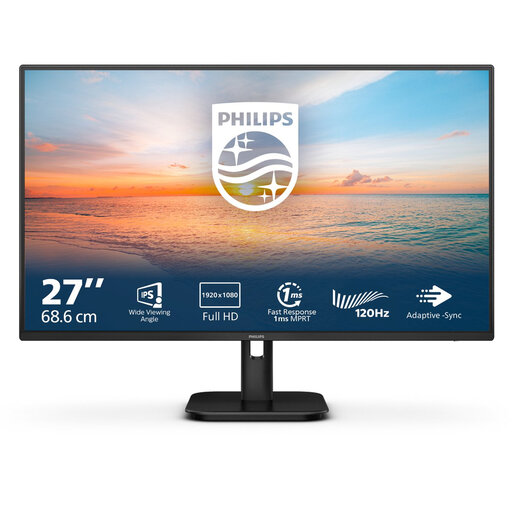
Philips 27E1N1100A/00 27-inch FHD IPS monitor
An option to assess if you view text and portal content using your own settings.
27 inches; FHD; IPS; 75 Hz; VESA.
View at Joybuy
 No image available
Dell Pro Plus P2425D 24-inch QHD monitor
A more compact screen size to compare if you’re looking for QHD on your desk.
24 inches; 2560 × 1440 pixels.
View at Joybuy
 No image available
Dell Pro Plus P3425WE 34.1-inch ultrawide monitor
An ultrawide option to assess if you want to arrange reference materials and portal windows side by side on screen.
34.1 inches; 3440 × 1440 pixels.
When connecting a laptop, check that the connection you choose and any power supply are suitable for your computer.
View at Joybuy
Frequently asked questions
Will a monitor make my local history portal accessible to a screen reader?
No. The monitor itself won’t make a portal accessible to a screen reader. Screen readers use assistive software to read content aloud, so test the website and its controls separately too. W3C describes screen readers as assistive tools that read web pages aloud. A monitor can still be useful if you also need to view images or have someone else look at the screen with you.
How can I tell whether a monitor suits my vision?
Test your own magnification and text settings on the screen, and assess reflections, documents and screen positioning. Koninklijke Visio explains that text size depends in part on resolution and computer settings. For an online consumer purchase, you generally have a statutory 14-day cancellation period after delivery; ACM ConsuWijzer advises checking the terms for trying out and returning the product.
What can I do if my monitor develops a fault sooner than expected?
For a consumer purchase, you have statutory guarantee rights as well as any manufacturer’s warranty. According to ACM ConsuWijzer, a stated manufacturer’s warranty period does not automatically determine how long your statutory rights last. Under the applicable rules, the seller must resolve the issue if a product becomes faulty sooner than expected during normal use.
Does my local history portal have to comply with digital accessibility rules?
That depends on who manages the portal. Websites and apps run by government bodies that fall under the Government Digital Accessibility Decree must meet accessibility requirements and publish an accessibility statement, according to DigiToegankelijk. Check who is responsible and which rules apply to that organisation; this government requirement does not automatically apply to a private initiative.


