
Rulebook writer working with lots of reference images
You switch between running text, page layouts and images, and want to arrange windows effectively without compromising readability.


Choose a monitor based on how you use rule text and reference images together. For writing and layout, readability, screen space and an adjustable setup matter most; for colour-critical images destined for print, colour settings and a controlled proof become more important. Also check that the connections and any USB-C power delivery suit your computer: a high resolution or wide colour gamut alone does not guarantee a comfortable workflow or a match with the printed result.
You switch between running text, page layouts and images, and want to arrange windows effectively without compromising readability.
You assess or edit colours and images for print. In this case, controllable colour settings and a proof are more relevant than a wide colour gamut as a standalone promise.
You want to position the screen at a suitable height and may want to connect your display, peripherals and laptop power through a single connection. What’s possible varies by model.
Start with the task you do most often: placing text and windows side by side, assessing detail and colour in images, or connecting the monitor to a laptop. Then weigh up resolution, adjustability and connections against your workspace.
| What to consider | What should you check? | Who is this important for? |
|---|---|---|
| Readable text and room for windows | Check the screen size, resolution and adjustable text scaling at your usual viewing distance. | If you want to see text and reference images side by side while writing, readability comes first. Around 36% of consumers prioritise readability and room for windows. |
| Colour assessment | Compare the stated colour gamut of the exact model and check which colour profiles and proofing options suit your workflow. | If you edit reference images or prepare a printed rulebook, don’t judge colours solely on the basis of a screen specification. Around 29% of consumers prioritise colour checking. |
| An adjustable workspace | Check the height adjustment, tilt, pivot and stand dimensions, and assess the whole setup. | For long writing sessions at a dedicated workspace, you’ll want to set the screen at a suitable height. Around 21% of consumers place particular importance on an adjustable workspace. |
| Laptop connection and power | Compare your computer’s video output with the monitor’s connections, the power required for charging and the cable supplied. | If you mainly use the monitor with a laptop, check in advance whether it can output a video signal and supply enough power. Around 14% of consumers say a suitable laptop connection is their top priority. |
The output profile depends, among other things, on the printer or press, ink and paper used. A monitor’s colour gamut specification alone therefore doesn’t tell you what the printed result will look like.
Consider the entire colour workflow and use suitable monitor and output profiles. If necessary, check the result with a print proof.
Colour management and a print proof require extra preparation.
The presence of USB-C on a monitor doesn’t, by itself, tell you whether the laptop can send video through that connection or receive enough power. The stated capabilities vary by model.
Compare your laptop’s video and power requirements with the specifications of the exact monitor model.
Depending on your laptop and monitor, you may also need a separate charger or a suitable cable.
In the Netherlands, your statutory guarantee depends on what you could reasonably expect from the product; it isn’t the same as a single fixed manufacturer’s warranty period. ACM ConsuWijzer explains the difference.
Keep your proof of purchase and contact the seller if the product is faulty.
The PD2705Q and PD2705U are two 27-inch models with different resolutions: QHD and 4K.
The Pro P2725QE is a specific example of a 27-inch 4K office monitor with a USB-C hub.
The ProArt PA279CRV is a model to compare if you edit colour-sensitive reference images as well as rule text.
The UltraFine 27UP850K-W is a 27-inch 4K model with an adjustable stand and USB-C.
The 27E1N1900AE/00 is a 27-inch 4K USB-C model worth comparing if you need text and images to fit on screen together.
This selection from Joybuy includes QHD and 4K monitors for viewing rule text and reference images side by side. Compare the resolution and other listed features with your own workspace and connections.
 No image available
A 27-inch QHD setup for viewing rule text and visual references on one monitor.
27 inches; QHD 2560 × 1440; OLED; 180 Hz.
 No image available
A 27-inch QHD monitor for a setup where you want to use text and reference images side by side.
QHD 2560 × 1440; VA panel; 180 Hz; HDMI 2.0 and DisplayPort 1.4.
 No image available
A 27-inch 4K screen to consider if you want to view detailed reference images alongside rule text.
4K; IPS panel.
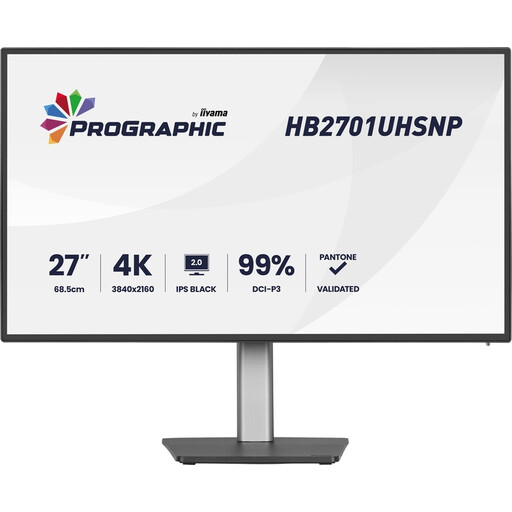 No image available
A 27-inch 4K monitor to consider if you want to assess fine image detail alongside rule text.
4K UHD; IPS-Black panel; 60 Hz.
 No image available
A 27-inch QHD monitor for a workspace where rule text and reference images share the screen.
QHD 2560 × 1440; IPS panel; 144 Hz; DisplayPort 1.4 and HDMI 2.0.
No, a QHD monitor can also suit writing and layout work. The BenQ PD2705Q, for example, is a 27-inch QHD model with 2560 × 1440 pixels. If you often assess fine image detail alongside text, compare how QHD and 4K look at the text scaling you actually use.
For colour-critical work, use suitable monitor and output profiles, and check the result for the intended print method. Adobe explains that an output profile depends, among other things, on the printer or press, ink and paper; a screen specification doesn’t replace that check.
Check whether your laptop can output video through the connection you’ve chosen, how much charging power it needs and whether you have the right cable. BenQ lists 65 W USB-C Power Delivery for the PD2705Q; Dell lists 90 W for the P2725QE. Compare these figures with your own laptop’s requirements.
For an online consumer purchase, you generally have up to 14 days after delivery to change your mind, although exceptions apply; ACM ConsuWijzer explains the conditions. Your statutory guarantee depends on what you could reasonably expect from the product and has no fixed duration. The European Commission lists electronic displays as a product group subject to energy labelling and ecodesign requirements; check the label for the specific model.