Choose a monitor to suit your main task: opt for more screen space for code and browser windows, prioritise colour reproduction if you also assess visual designs, or check your laptop’s ports if you want a dock-based setup. A higher resolution is no substitute for responsive testing: vary the browser viewport and check key mobile interactions on a real device too. Before buying, also make sure the exact model’s video connection, charging power and adjustability suit your workspace.
Who is this choice relevant to?
Frontend developer working with multiple windows
If you use code, a browser and development tools side by side, you can weigh up screen space against the scaling setting and viewport needed for layout checks. MDN Web Docs explains how the viewport is influenced by screen size and browser settings.
Designer who also builds websites
If you assess colours and interface details as well as responsive layouts, you can compare the stated colour specifications of individual models. BenQ and ASUS publish these model specifications, but they are not independent measurements.
Laptop user with a fixed workspace
If you connect a laptop to an external monitor, check that video, charging and any peripherals work through the connection you want to use. The features you need depend on both the laptop and the exact monitor model.
Which buying considerations matter?
| Consideration |
What to look for when buying |
Who is this important for? |
| Space for code and windows |
Compare screen size, resolution and the usable window space at your preferred scaling setting. LG lists a 27-inch screen and 2560 × 1440 pixels for the 27BA65QB-B. Physical screen resolution is not the same as the browser viewport. |
If I want to keep code, the browser and development tools in view at the same time, available workspace is a major consideration. Around 36% of consumers rank workspace as their top buying priority. |
| Colour and image detail |
Compare the stated colour gamut of the exact model and consider whether you do colour-critical work. BenQ lists 99% sRGB for the PD2705U; ASUS lists 100% sRGB for the PA279CRV. These figures are provided by the manufacturers. |
If I assess images and interface colours as well as code, I want to be able to compare models’ colour specifications. Around 29% of consumers give colour accuracy their top priority. |
| Laptop connection and charging |
Check that your laptop supports video through the relevant port and compare the required charging power with the monitor’s output. LG lists 65 W Power Delivery for the 27BA65QB-B; Dell specifies a Thunderbolt 4 hub and 90 W power delivery for the U2724DE. |
If I connect my laptop regularly and want to handle video or charging through the monitor, it needs to work with my laptop. Around 21% of consumers prioritise the laptop connection. |
| Screen position while working |
Check the adjustment range and whether the screen can be positioned at your preferred height and angle. LG lists an adjustable stand for the 27BA65QB-B; BenQ specifies 110 mm of height adjustment for the PD2705U. |
If you want to position the screen comfortably during long periods of use, consider its adjustability along with the rest of your workspace. Around 14% of consumers say posture is their top buying priority. |
Common buying mistakes
-
Assuming a 4K screen is a complete mobile test
More physical pixels do not automatically make a responsive site work well on a phone. Chrome for Developers describes device simulation as a first approximation.
Use browser tools to test different viewport widths, and check key mobile interactions on a real device too.
-
Assuming every USB-C port can do everything
USB-C alone does not guarantee that a laptop can output a video signal or receive enough charging power.
Compare your laptop’s port capabilities with the specifications of the exact monitor model, and check which cable or connection you need.
-
Assuming an adjustable screen solves every workspace issue
Being able to adjust a monitor does not automatically make your whole workspace suitable.
Consider the screen’s position alongside the rest of your workspace. Relevant health and safety regulations may also apply to employees’ workstations.
Brands and example models
LG
The 27BA65QB-B is a 27-inch QHD model for those who want to combine code and browser windows.
- LG lists 2560 × 1440 pixels, USB-C with 65 W Power Delivery and an adjustable stand for this model.
- Whether video and charging both work also depends on the connected laptop.
BenQ
The PD2705U is a 27-inch 4K model for those who assess visual materials as well as websites.
- For its Dutch product page, BenQ lists 99% sRGB and specifies USB-C with DisplayPort Alt Mode and 65 W Power Delivery.
- The colour coverage is a manufacturer’s figure; also check that the connection is suitable for your laptop.
ASUS
The ProArt PA279CRV is a 27-inch 4K model for those who place particular importance on visual design.
- ASUS lists 100% sRGB and USB-C with 96 W Power Delivery for this model.
- The colour and power specifications are provided by the manufacturer; check compatibility with your laptop and your own needs.
Dell
The UltraSharp U2724DE is a 27-inch QHD model for a workspace where a laptop dock is important.
- Dell lists 2560 × 1440 pixels, a Thunderbolt 4 hub and 90 W power delivery for this model.
- The hub’s features depend on the connections and capabilities of your own laptop.
Philips
The 27E1N5600AE/00 is a 27-inch QHD model with USB-C.
- Philips lists 2560 × 1440 pixels and video, data and charging through a compatible USB-C connection.
- Not every laptop supports all these features through a single cable.
Joybuy monitors for coding and browser work
This selection of Joybuy products includes monitors for code, browser windows and development tools, with QHD and ultrawide models.
 No image available
KTC H27E6S 27-inch QHD monitor
A 27-inch QHD screen could suit those who want to combine code, a browser and development tools in one workspace.
The product name lists 2560 × 1440 pixels, 240 Hz (overclocked to 275 Hz), a height-adjustable stand, HDMI 2.0 and DisplayPort 1.4.
View at Joybuy
 No image available
Philips 6000 series 34B2U6603CH/00 34-inch monitor
The ultrawide format could suit those who want to view several work windows side by side.
The product name lists 3440 × 1440 pixels and an LCD screen.
View at Joybuy
 No image available
AOC AGON PRO AG346UCD 34-inch monitor
This ultrawide model could suit a workspace where you want code and browser windows side by side.
The product name lists 3440 × 1440 pixels, DisplayPort up to 175 Hz, HDMI up to 100 Hz, and height, swivel and tilt adjustment.
View at Joybuy
 No image available
AOC AGON PRO AG276QZD2 27-inch QHD monitor
A 27-inch QHD screen could suit those looking for a desktop-sized display for code and browser windows.
The product name lists 2560 × 1440 pixels, DisplayPort up to 240 Hz, HDMI up to 144 Hz, and height, pivot, swivel and tilt adjustment.
View at Joybuy
 No image available
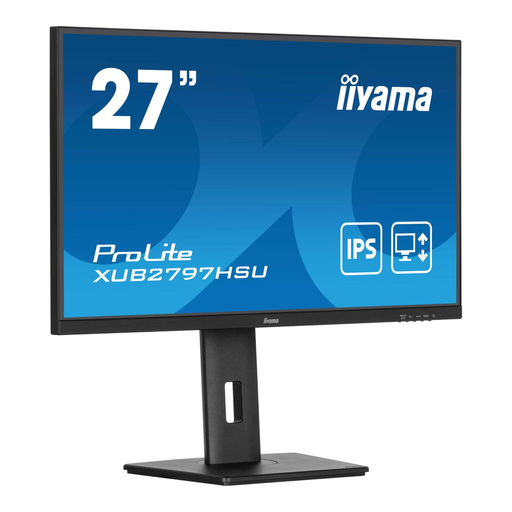
iiyama ProLite 27-inch IPS monitor
A 27-inch monitor could suit those looking for a separate screen for work windows.
The product name lists an IPS panel, 100 Hz, a USB hub and a height-adjustable stand.
View at Joybuy
Frequently asked questions
Can I test responsive mobile layouts using only a large monitor?
No. Test different viewport widths in your browser and check key mobile interactions on a real device too. Chrome DevTools can simulate a mobile device, but Chrome for Developers describes this as a first approximation.
Will video and charging always work through a single USB-C cable?
No. Check that your laptop supports video through the relevant port and that the monitor provides enough charging power. For example, BenQ lists DisplayPort Alt Mode and 65 W Power Delivery for USB-C on the PD2705U.
What can I do if a monitor I bought online isn’t suitable or develops a fault?
For a consumer purchase made remotely, you have a statutory 14-day cooling-off period after delivery. You also have statutory rights against the seller if a product, when used normally, does not meet the standard you could reasonably expect. The exact position depends on the purchase and circumstances.
Are there Dutch rules for monitors at employees’ workstations?
That depends on the working situation. Arboportaal states that if you work at a screen for more than 2 hours a day, the screen and keyboard must not be attached to each other. This is a requirement for applicable employees’ workstations, not a universal rule for every personal monitor purchase.


