
Report reader with limited desk space
You want to view documents without losing space for your keyboard and papers. So compare the overall dimensions and stand depth, not just the screen size.


Start by checking the space available for the monitor stand, keyboard and papers. Then consider how much of your report you want to see at once. According to the specifications, a 24-inch screen with 1920 × 1200 pixels offers more vertical pixels than a 1920 × 1080 model. A rotating portrait mode or USB-C dock is only worthwhile if you’ll actually use those features. Before buying, check the dimensions, stand and connections of the exact version.
You want to view documents without losing space for your keyboard and papers. So compare the overall dimensions and stand depth, not just the screen size.
You want to see more lines or comments at once, so you’re comparing 16:10 screens, portrait mode and resolution. Remember to consider text scaling too: Dell Netherlands, for example, lists 1920 × 1200 for the P2425 and 1920 × 1080 for the P2425H.
You want to connect and clear away your workstation easily. Check that your laptop, monitor and cable support video and the power delivery you need; a USB-C connection alone doesn’t guarantee this.
First measure the available space, then decide which screen layout suits your report work, and finally check the connection to your computer.
| What to consider | What to look for | Who is it most important for? |
|---|---|---|
| Desk space | Measure the width and depth, then compare them with the monitor and stand dimensions of the exact version. Allow space behind the screen for cables. | If I want to keep my keyboard and papers next to the screen, I need to know whether the monitor will fit with its stand. Around 36% of consumers prioritise this physical fit. |
| Space for text | Compare 1920 × 1080, 1920 × 1200 and 2560 × 1440 at your preferred text size. Check whether the stand can rotate if you want to use portrait mode. | If I’m reviewing long reports, I want to see more text or comments at once. Around 29% of consumers prioritise an overview of their documents. |
| Adjustability | Check the height adjustment, tilt and rotation, and consider how much space your chosen screen orientation will take up. | If I want to adjust the screen to suit my workstation, I look at how adjustable the stand is. Around 21% of consumers focus on this. |
| Connections | Check video output, data transfer, power delivery and the cable you need separately. USB-C doesn’t automatically provide all these features. | If I want to use my laptop with as few separate cables as possible, I check that the laptop and monitor support the same features. For around 14% of consumers, this connection is their main concern. |
The diagonal measurement describes the visible screen, not how much desk depth the monitor and stand take up.
Measure the available space and check the overall dimensions and stand measurements of the exact version before choosing.
USB-C connections can offer different features and power outputs. AOC lists DP Alt Mode and up to 65 W for the 24P3CV; according to Dell Netherlands, the USB-C downstream port on the Dell P2425 is for data and provides up to 15 W.
Check video output, power requirements and the cable separately at both ends of the connection.
If a single connection doesn’t support the features you need, you may need a separate power supply, adapter or additional cable.
Monitors that look similar can differ in resolution, connections or the stand supplied.
Compare the full model code and specifications of the version you want to order.
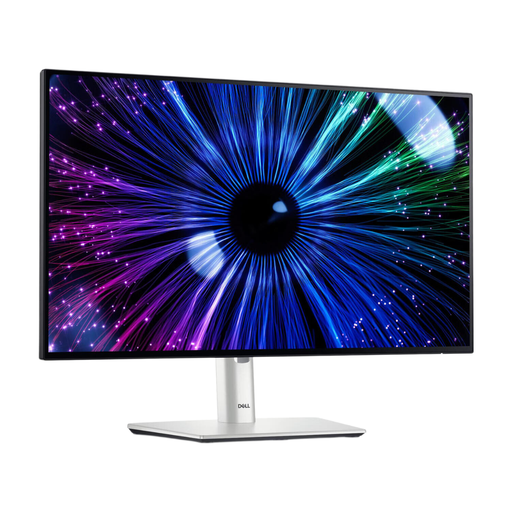
The P2425 reviewed is a 24.07-inch 16:10 office monitor; the P2425H is a 23.8-inch Full HD version.
The 24P3CV reviewed combines a 23.8-inch Full HD screen with connections for a laptop workstation.
The 24QP750P-B reviewed offers QHD resolution on a 23.8-inch screen and an adjustable stand.
The 24E1N5300AE/00 reviewed is a 23.8-inch Full HD model with USB-C for a compatible laptop.
The ProLite XUB2497HSU-B2 is a 23.8-inch Full HD example with height adjustment and pivot for working with documents.
This selection at Joybuy includes compact monitors for report work, including Full HD and QHD versions.
 No image available
A compact Full HD version to consider if you’re looking for a screen for working with documents; check that the stand will fit on your desk.
The product name lists 100 Hz and 1 ms. The product information states that the charger isn’t included as standard.
 No image available
A 24-inch Full HD option for reviewing documents; check the stand dimensions if desk space is limited.
The product name lists a VA panel and 100 Hz. VESA mounting is mentioned as an option for an alternative setup.
 No image available
A compact Full HD version to consider if you’re looking for a range of connections for your workstation.
The product name lists 1920 × 1080 pixels. The product information lists USB-C, USB-A, HDMI, DisplayPort and an adjustable stand.
 No image available
An option to consider if you want to read a long document in portrait mode; check that your desk has room to rotate the screen.
The product name lists a built-in camera and microphone. The product information lists an adjustable stand with pivot.
 No image available
A compact QHD version to consider if you want more pixels for document details and can adjust the text size on your computer.
The product name lists 2560 × 1440 pixels. The product information lists an adjustable stand with pivot.
If you mainly read continuous text, 1920 × 1200 gives you more vertical pixels than 1920 × 1080 at the same display scale. Pivot mode rotates the screen; check that your documents and the space available next to the screen suit this orientation.
Only if the monitor provides video and enough power through that port, and the laptop and cable support the features you need. AOC lists DP Alt Mode and up to 65 W for the 24P3CV; according to Dell Netherlands, the USB-C downstream port on the Dell P2425 doesn’t offer an equivalent laptop dock function.
For a faulty product, the seller must offer an appropriate solution under the legal guarantee, according to ACM ConsuWijzer. Online consumer purchases generally come with a 14-day cooling-off period from delivery; check the applicable exceptions and returns policy.
For employees covered by the applicable rules on display screen work, Arboportaal sets out requirements for the workstation and screen, as well as taking breaks from screen work. These aren’t general product specifications for everyone buying a monitor for personal use; if you’ll be working at the desk regularly, discuss your workstation with your employer if needed.