
Student who works with windows side by side
Wants to view an editor, guidance and regex test output at the same time. Resolution and readable text scaling both affect how much information fits comfortably on screen.


If you want to view documentation, an editor and test output side by side while practising, a QHD monitor such as the Dell P2425DE gives you more pixels to work with; Dell lists this model as QHD at 23.8 inches. However, check that the text is comfortable to read from your viewing distance. On a small desk, an adjustable Full HD model or a simpler screen with the connections you need may suit your setup better, without adding features you don’t need.
Wants to view an editor, guidance and regex test output at the same time. Resolution and readable text scaling both affect how much information fits comfortably on screen.
Wants to leave room for a laptop, keyboard or notes, so pays attention to the monitor’s compact size and how easily it can be positioned.
Wants to disconnect easily after studying and needs to decide whether a standard video connection will do or whether a compatible USB-C dock connection is needed.
| What to consider | What to look for | Best suited to |
|---|---|---|
| Comfortable workspace | Compare resolution and screen size; assess the text from your viewing distance and at your preferred scaling setting. | If you want to view your editor, guidance and output at the same time, space for multiple windows is a key consideration; around 36% of consumers give this workspace top priority. |
| Screen position and desk space | Measure the available desk space and check the stand’s footprint, height adjustment and VESA mounting options. | With a small desk, you’ll want to position the screen to suit your setup without losing valuable workspace; around 29% of consumers prioritise an adjustable setup. |
| Laptop connection and power | Check your laptop’s video output, the cable and whether the power delivery is suitable for your laptop. | If you want to use your laptop with as few separate connections as possible, compatible docking can help; around 21% of consumers put this need first. |
| Only the features you need | Make a note of the video input and screen position you need, then compare any additional connections. | If HDMI is enough for your study setup, you don’t automatically need to choose a dock; around 14% of consumers give a simple connection top priority. |
Monitors around 23.8 inches can differ in resolution and adjustability. So screen size alone won’t tell you how much text will fit comfortably or how easily the monitor can be positioned on your desk.
Compare resolution, text scaling, the stand’s footprint and the adjustment options separately.
For USB-C docking, your laptop, cable and monitor must support the required video connection, and the power supply needs to be suitable. AOC lists DP Alt Mode and up to 65 W Power Delivery for the 24P3CV; that power output won’t necessarily suit every laptop.
Check your laptop’s output, the cable specifications and the power your laptop needs before choosing a dock.
For the LG 24BA450-B, LG lists DisplayPort, HDMI and VGA. Don’t assume it has USB-C without checking that this connection is confirmed for the exact version.
Check the connections against the full model number and technical specifications.
In the Netherlands, the statutory guarantee does not have a fixed two-year term. According to the Dutch government, if a product is faulty, the seller must provide a solution.
Check what additional cover a paid warranty package provides and compare it with your statutory rights before adding it.
The P2425DE is an example of a 23.8-inch QHD monitor with USB-C connectivity.
The 24BA450-B is an example of a 23.8-inch Full HD monitor with an adjustable stand.
The 24P3CV is a 23.8-inch Full HD option to consider if you’re looking at USB-C docking.
The 243S1/00 is a Full HD example with a USB-C dock for a compatible laptop.
The VA24EHF is a Full HD option with HDMI and VESA mounting.
These monitors are suited to studying in a student room, from extra QHD workspace to adjustable and straightforward Full HD setups.
 No image available
Suited to anyone who wants extra pixels on a compact screen, with an editor, documentation and test output side by side.
23.8 inches; QHD resolution of 2560 × 1440; USB-C docking with up to 90 W Power Delivery. Check that the power output is suitable for your laptop.
 No image available
Suited to a Full HD setup where an adjustable viewing height and sound from built-in speakers are useful.
24 inches; Full HD; the product description lists height and tilt adjustment, plus stereo speakers. Full HD has fewer pixels than QHD for displaying lots of open windows at once.
 No image available
Suited to a standard Full HD study setup if HDMI or VGA is enough and you want sound from the screen’s speakers.
24 inches; Full HD IPS; 100 Hz; HDMI and VGA; built-in speakers and VESA mounting. Full HD has fewer pixels than QHD for displaying lots of open windows at once.
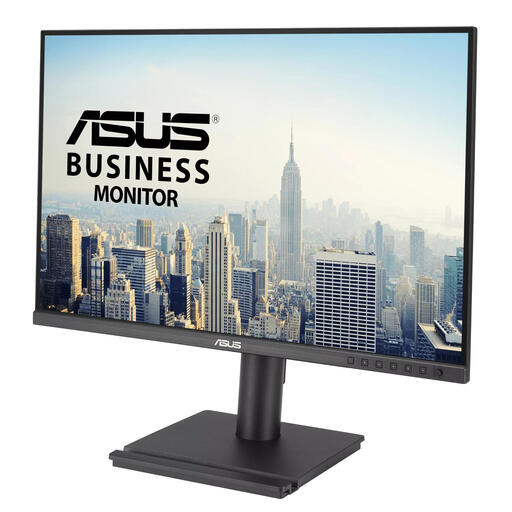 No image available
Suited to anyone who wants extra vertical workspace for documents and the ability to adjust the screen position.
24.1 inches; WUXGA 1920 × 1200; 16:10 aspect ratio. The product description lists height, swivel, pivot and tilt adjustment, plus VESA mounting.
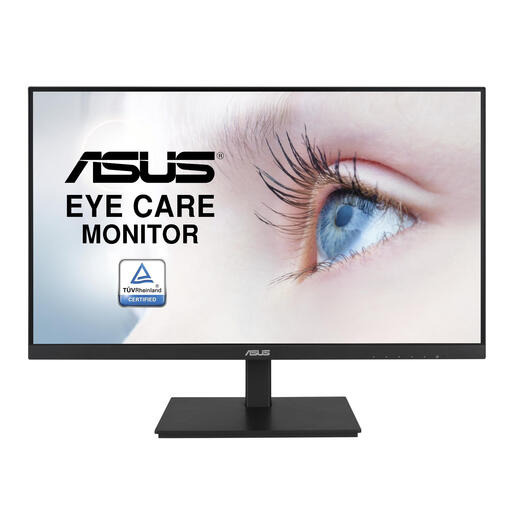 No image available
Suited to anyone looking for a Full HD screen with adjustable positioning and a USB hub for peripherals.
23.8 inches; Full HD IPS; the product description lists height adjustment, VESA mounting and a USB hub. Full HD has fewer pixels than QHD for displaying lots of open windows at once.
No, QHD isn’t essential for learning regular expressions. Dell lists the P2425DE as having more pixels than the 23.8-inch Full HD models mentioned here; whether that’s useful depends on how many windows you want to see at once and which text scaling you find comfortable. A monitor won’t, by itself, demonstrably improve your regex skills.
Only if your laptop and cable support the required video connection and the power output is suitable. AOC lists DP Alt Mode and up to 65 W Power Delivery for the 24P3CV; Philips describes video and power delivery via USB-C for a compatible laptop with the 243S1/00. Check your laptop and cable requirements.
Place the screen directly in front of you and adjust its height and angle so you can look at it comfortably. Arboportaal advises positioning the top of the screen slightly below eye level and varying your working posture; make sure you take the stand’s adjustability and the space available into account.
According to the European Commission, computer monitors have an EU energy label on a scale from A to G. For many online purchases from a business, you have a 14-day cooling-off period, according to the Dutch government. You’re also entitled to a product that meets reasonable expectations; if there’s a problem, contact the seller. In the Netherlands, the statutory guarantee does not have a fixed two-year term.