
Colour-critical image maker
If you assess digital artwork or print references, it’s important that the colour space and calibration options suit your files and workflow. EIZO, ASUS and BenQ publish model-specific colour and calibration information.


Start by matching the monitor to the colour space of your image files and the calibration your workflow requires; resolution alone won’t tell you whether colours will be displayed accurately. If fanless operation is essential, EIZO explicitly lists this feature for the CS3200X. Then weigh up screen size, reflections and connections, and check the fan information for the exact model you’re considering.
If you assess digital artwork or print references, it’s important that the colour space and calibration options suit your files and workflow. EIZO, ASUS and BenQ publish model-specific colour and calibration information.
If you work in concentration with reference images, you may want to factor in fan noise and prolonged static images. EIZO describes the CS3200X as fanless; LG notes that static elements displayed for long periods can leave temporary image retention on OLED monitors.
If you view artwork alongside documents, match the screen size, reflections and connections to your desk and computer. The Dutch Working Conditions Portal lists reflections and poor lighting as factors that can reduce legibility.
Choose this when: you need both a quiet workspace and colour-critical references, and have room for a large screen. EIZO specifies a 31.5-inch 4K display, 99% Adobe RGB and hardware calibration for the CS3200X, and describes this model as fanless.
Trade-off: it takes up more desk space, and fanless doesn’t automatically mean that every possible electronic noise is absent.
Choose this when: a smaller screen suits your workspace better, but hardware calibration is still important. EIZO lists a 24-inch screen, 1920 × 1200 pixels and hardware calibration for the CS2400S.
Trade-off: the screen has less viewing area than the 27-inch 4K models discussed here; check the fan information for the exact CS2400S model.
Choose this when: you want to weigh up 4K detail and a stated colour space. ASUS specifies 99% Adobe RGB and 99% DCI-P3 for the PA279CRV; BenQ lists 99% sRGB for the PD2705U, which is worth comparing if your references are mainly sRGB.
Trade-off: colour-space coverage isn’t the same as an independent measurement of colour accuracy. Also check that your computer and cable support your preferred resolution and connection.
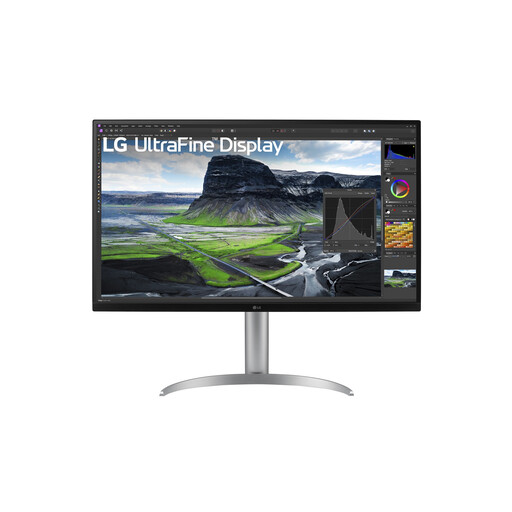
Choose this when: you view reference artwork alongside other computer tasks. LG lists an IPS screen, USB-C and an adjustable stand for the 27UP850K-W.
Trade-off: LG gives 95% DCI-P3 as typical coverage; this isn’t the same as stated Adobe RGB coverage or an independent colour measurement.
Choose this when: OLED features are a priority for you and you assess the exact model and your usage pattern separately.
Trade-off: LG warns that static elements displayed for long periods can cause temporary image retention on OLED monitors. Dell reports audible fans on specific Dell and Alienware OLED models; this doesn’t automatically apply to other OLED models.
| What to consider | What to check before buying | Who is it most important for? |
|---|---|---|
| Colour reproduction | Match the colour space to your files; check what calibration tools the monitor requires. | When I assess the colours in artwork or print references, I want the colour space to suit my files. Around 36% of consumers put suitable colour reproduction first. |
| Quiet operation and prolonged static images | Check the fan information for the exact model; look at the guidance on prolonged static images. | When reference artwork stays on screen for a long time in a quiet room, I want to be able to factor in fan noise and panel behaviour. Around 29% of consumers give quiet operation and prolonged display use top priority. |
| Legibility and desk space | Check for reflections at your own workstation; consider the screen size and adjustability. | When I view artwork alongside other windows, I want to position the screen without distracting reflections or a lack of space. Around 21% of consumers prioritise viewing comfort and workspace. |
| Connection | Check that your computer supports video output over USB-C and compare the stated charging power with your laptop’s requirements. | When I want to keep using my existing computer and cables, I want to know whether video and, where relevant, charging will work through the connection I choose. Around 14% of consumers put a suitable connection first. |
Stated colour-space coverage and calibration features aren’t the same as an independent measurement of your complete setup.
Match the colour space to your files and check which calibration tools your workflow requires.
The ColorEdge range offers colour-management options, from the more compact CS2400S to the larger CS3200X.
The ProArt PA279CRV is a 27-inch 4K IPS monitor to compare if you’re weighing up Adobe RGB and DCI-P3 coverage.
The DesignVue PD2705U is a 27-inch 4K IPS option to consider for references that are mainly in sRGB.
According to LG, the UltraFine 27UP850K-W combines a 27-inch 4K IPS screen with USB-C and an adjustable stand.
Information about fan noise is useful when you’re assessing specific OLED models for a quiet workspace.
This Joybuy selection includes monitors with stated features for colour-critical references, high resolution and an adjustable workspace. Check which colour space, connection and fan information suit your needs for each model.
 No image available
An option to consider if you want to view colour-critical references on a large 4K screen.
32 inches, 4K UHD, 120 Hz and QD-OLED, according to the product name. The product description lists DCI-P3, sRGB and Adobe RGB coverage, as well as an integrated automatic colourimeter.
If quiet operation matters, check the fan information for this exact model; information about other OLED models won’t tell you how this one sounds.
 No image available
An option to compare if you want to assess 4K references and colour information at the same desk.
27 inches and 3840 × 2160 pixels. The product description lists factory calibration, 97% DCI-P3, 94% Adobe RGB, USB-C and KVM.
According to the product description, the stand is height-adjustable, tiltable and swivelling. Check that the connections suit your computer.
 No image available
An option for comparing colour and resolution specifications if QHD suits your reference files.
27 inches, QHD and IPS. The product details list 99% Adobe RGB, 99% sRGB, Delta E <2, an anti-glare surface and a 275 Hz refresh rate.
According to the product details, the stand is height-adjustable, tiltable, swivelling and can be set to pivot. If a quiet workspace is a priority, check the fan information for the exact model.
 No image available
An option to compare if you want to view sRGB references on a larger screen.
31.5 inches and 2560 × 1440 pixels. The product details list 100% sRGB, factory calibration with ΔE <2 and an anti-glare surface.
According to the product details, the stand offers height, tilt, swivel and pivot adjustment. Check that the resolution suits your image files and computer.
 No image available
An option for viewing colour references on a large screen and matching the available connection to your computer.
31.5 inches and 3840 × 2160 pixels. The product description lists 95% DCI-P3, hardware calibration and USB-C.
According to the product description, the stand offers height adjustment and a pivot function. Check which calibration tools and USB-C features are compatible with your computer.
Not necessarily: 4K gives you more pixels, while colour space and calibration matter when you’re assessing colours. Choose based on your files and what you’ll use the references for.
Check at your own workstation whether light sources are reflected in the screen and whether the image remains legible. The Dutch Working Conditions Portal lists reflections and poor lighting as factors in poor legibility; an anti-glare specification doesn’t replace this check.
LG warns that static elements displayed for long periods can cause temporary image retention on OLED monitors. Check the usage and maintenance instructions for your chosen model, and consider how long the same reference will remain on screen.
When you buy online from a business, you generally have a 14-day cooling-off period, according to the Dutch government. You’re also entitled to a product that meets reasonable expectations; the Netherlands has no fixed statutory guarantee period. These are consumer rights, not a manufacturer’s warranty for a specific monitor model.
Compare the EU energy labels for specific models on the same basis. The European Commission says labels for electronic displays can show energy information and separate information for HDR; to work out an annual cost, you’ll also need the relevant power consumption, usage time and electricity tariff.