Monitors at Joybuy
This selection includes external monitors in a range of sizes and resolutions, from a portable 16-inch screen to 24- and 27-inch models. Compare the listed connections and dimensions with your computer and workspace.
 No image available
TECLAST V16Q portable monitor
A portable extra screen to consider if you want a second workspace alongside your laptop.
16 inch; 16:10; 2560 × 1600; IPS; 144 Hz.
The title lists USB-C, Mini HDMI and a built-in kickstand. Check which connection carries video from your computer.
View at Joybuy
 No image available
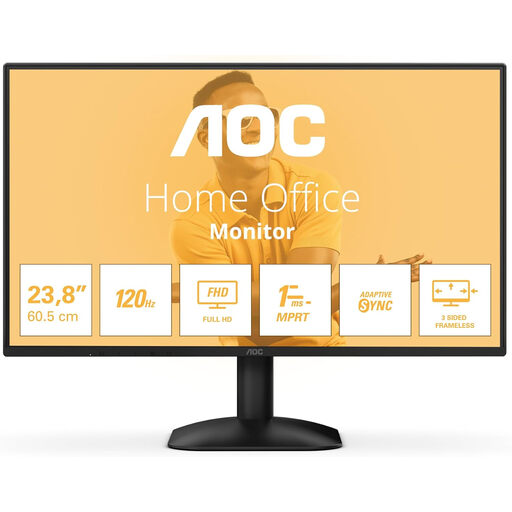
AOC 24B31H 24-inch monitor
A 24-inch option to compare if you’re looking for a separate external workspace and want to factor in the space available on your desk.
1920 × 1080; 16:9; 300 cd/m²; 1 ms.
The title lists HDMI, DisplayPort and a headphone output.
View at Joybuy
 No image available
Philips 27E1N1800AE/00 27-inch 4K UHD monitor
A 27-inch 4K model to consider if you want to compare a large external workspace with the space available on your desk.
3840 × 2160; IPS; 60 Hz; 4 ms.
The title lists HDMI, DisplayPort and a height-adjustable stand.
View at Joybuy
 No image available
KTC H27D9 27-inch QHD monitor
A 27-inch screen to compare if you’re looking for a larger workspace for your recipe and index.
QHD 2560 × 1440; IPS; 120 Hz.
The title lists HDMI and DisplayPort. Check which connection is compatible with your computer’s video output.
View at Joybuy
 No image available
Dell Plus S2725QC 27-inch 4K UHD monitor
A 27-inch 4K model to compare if you want to arrange your source material and index on a larger external screen.
3840 × 2160; LCD.
The product title lists a silver finish. Check the connections and their functions for the computer you plan to use.
View at Joybuy
Frequently asked questions
How do I use the two screens for a source recipe and the index?
For example, put the source recipe on one screen and the index on the other. In Windows, you can drag the screens in the display settings so that moving the mouse matches their physical positions; then test the layout.
Will two external screens work with every laptop?
No. Check the exact laptop model, how many external displays it supports, its video ports and the cables or adapters you need. Apple Support recommends checking this for each Mac model; don’t assume support based solely on the number of USB-C ports.
Can every USB-C port on a monitor display a laptop’s picture?
No. Dell specifies that the P2425 has a USB-C downstream port of up to 15 W that handles data only. For video, Dell lists HDMI and DisplayPort among the connections on this model; check the function of the port on the specific model.
How can I make my screen setup comfortable to read during lots of data entry?
Adjust your screens and furniture to suit your workspace, make sure text and symbols are easy to read, and avoid reflections. The Arboportaal also recommends varying your tasks and taking short breaks when working at a screen; this doesn’t mean that any particular monitor will prevent discomfort.
What do the cooling-off period and warranty mean for online purchases in the Netherlands?
According to ACM ConsuWijzer, a typical online consumer purchase comes with a statutory cooling-off period of up to 14 days after delivery, subject to applicable exceptions. You’re also covered by the statutory guarantee if a product used normally doesn’t meet the expectations you’re entitled to have; a commercial warranty period doesn’t replace this right.
Do Dutch rules apply if I use the screens as an employee?
Employers have obligations relating to healthy screen work. According to the Arboportaal, screen work should be regularly alternated with other work or a break. For employees who work at a screen for more than two hours a day, the screen and keyboard must not be attached to each other; how this applies in practice depends on the working situation.


