
Recipe indexer who works with multiple windows
Wants to read and edit recipes and the index side by side. Tweakers’ monitor recommendations and LG’s 27-inch QHD models offer useful reference points when comparing the workspace you need.


An adjustable 27-inch QHD monitor is a good starting point if you want to use recipes and your index side by side. If desk space is limited or you usually work in a single window, consider a more compact screen too. When switching between sitting and standing, check the adjustment range; only choose USB-C with laptop charging if both the monitor and laptop support the video and charging features you need.
Wants to read and edit recipes and the index side by side. Tweakers’ monitor recommendations and LG’s 27-inch QHD models offer useful reference points when comparing the workspace you need.
Changes working position and wants to position the screen correctly each time. Arboportaal advises placing the top of the screen slightly below eye level, so check whether the stand offers enough adjustment for your desk.
Wants to connect a display and, if needed, charge a laptop via USB-C. LG and Dell list these features for specific models; check that the connection and charging power suit your laptop.
First, decide which matters most to you: screen positioning when changing posture, space for multiple windows, laptop connectivity or a compact screen.
| Buying concern | What should you look for? | Who is this most relevant to? |
|---|---|---|
| Adjusting the screen when sitting and standing | Check the adjustment range and whether the stand fits securely on your desk. | If I want to reposition the screen when switching between sitting and standing, I focus on its adjustability; around 31% of consumers give screen positioning top priority. |
| Workspace for recipes and an index | Compare screen size and resolution; also check whether text is comfortable to read at your chosen scaling setting. | If I want to read and edit recipes and my index side by side, I need enough workspace without the text becoming too small; around 31% of consumers give using multiple windows at the same time top priority. |
| Connecting and charging a laptop | Check video support via USB-C and compare the charging power with your laptop’s requirements. | If I want fewer separate connections on my desk, I check whether a single cable can handle video and, if needed, charging; around 19% of consumers give laptop connectivity top priority. |
| Compact size and a simple set-up | Measure the available space, including the monitor stand, and check that the size suits your usage and reading preferences. | If I usually have one recipe or document open at a time and want to use as little desk space as possible, I look for a more compact screen; around 19% of consumers give compactness top priority. |
Screen size alone doesn’t tell you how much room you’ll have to put a recipe and index side by side. Resolution and scaling settings also affect how much content you can display and read at once.
Compare screen size and resolution together, and check the text at the scaling setting you plan to use.
USB-C features and charging power vary between monitors and laptops. If the video or charging features aren’t compatible, you may still need a separate laptop charger or connection.
Before buying, check that your laptop supports video through the USB-C port in question and that the exact monitor’s charging power is suitable for your laptop.
ACM ConsuWijzer distinguishes between the statutory guarantee and a manufacturer’s or seller’s warranty. An additional warranty doesn’t replace your statutory rights.
Check what cover is offered, and distinguish your statutory guarantee from any manufacturer’s warranty or additional terms.
Worth considering for 27-inch QHD models, with options to suit different connectivity needs.
Worth considering if you’re looking for a 27-inch QHD monitor with hub features and USB-C laptop charging.
Worth considering if a more compact screen for recipes and documents is a better fit for your available desk space.
The models below are 27-inch QHD monitors for anyone who wants to use recipes and an index side by side. Tweakers describes 27-inch QHD as offering more workspace than standard Full HD; check whether each model’s stand adjusts enough for switching between sitting and standing.
 No image available
This 27-inch QHD model is a good fit if you want to view recipes and an index side by side.
The product title lists 2560 × 1440 pixels, 2× HDMI 2.0 and 1× DisplayPort 1.4.
 No image available
This 27-inch QHD model is a good fit if you want to use a single screen to view recipes and an index side by side.
The product title lists OLED, 2560 × 1440 pixels, 2× HDMI 2.1 and 1× DisplayPort 1.4.
 No image available
This 27-inch QHD model is an option for viewing multiple documents side by side.
The product title lists 2560 × 1440 pixels and an LCD screen.
 No image available
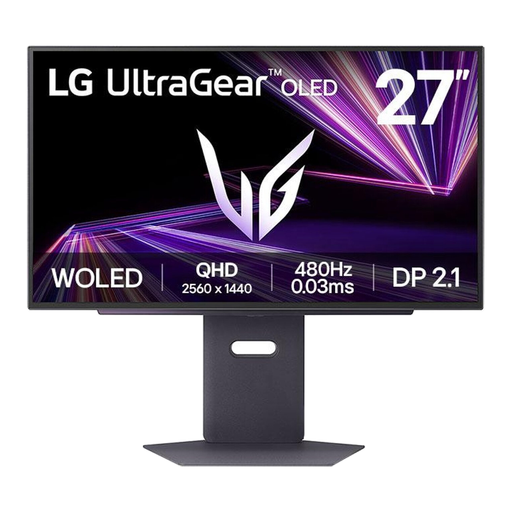
This 27-inch QHD model suits anyone who needs space for recipes and an index on the same screen.
The product title lists 2560 × 1440 pixels and OLED.
 No image available
This 27-inch QHD model suits anyone who wants to use recipes and an index side by side.
The product title lists 2560 × 1440 pixels; the product information mentions an adjustable stand.
Re-adjust your workstation after changing position. Arboportaal advises placing the screen directly in front of you, with the top slightly below eye level so you look down gently. Also vary your posture and tasks.
No. Check that your laptop supports video through the USB-C connection you’re using, and compare its power requirements with the charging capacity of the exact monitor. LG lists up to 65 W for the 27BA65QB-B; Dell lists 90 W for the P2725DE.
Not necessarily: Tweakers describes 27-inch QHD as an option that offers more workspace than standard Full HD. If you’re considering 4K, check that your computer and connection support your preferred display settings and that text remains comfortable to read at your chosen scaling setting.
ACM ConsuWijzer explains that, for a standard online consumer purchase, the cooling-off period ends 14 days after the product is delivered; exceptions apply. Your statutory guarantee is separate from a manufacturer’s or seller’s warranty.
Not as a general requirement for private purchases. For employees who work at a screen for more than 2 hours a day, Arboportaal describes workplace requirements, including the ability to adjust the screen’s height. If you’re setting up a workstation for work, check which rules apply to your situation.