What should you look for when choosing?
First check the connection and laptop charging support. Then work out how much screen space you need and choose colour features to suit your intended print workflow.
| What to consider |
What to look for when buying |
Who is this most relevant to? |
| Connection and laptop charging |
Compare your laptop’s USB-C video and charging requirements with the video and Power Delivery features of the exact monitor model. |
If I want to keep a power socket free, I need to know whether my laptop can receive both a picture and enough power through the same connection; the monitor itself still needs mains power. Around 36% of consumers prioritise connectivity and laptop charging. |
| Photos and colour |
Check the resolution, relevant colour space and calibration options. Match the colour profiles to your intended print workflow. |
If I’m reviewing food photos for a printed book, I want to be able to see details and colours clearly. Around 29% of consumers prioritise photo and colour checks. |
| Space for your layout |
Measure your available desk space and compare the screen size and resolution with how you usually view spreads and palettes. |
If I want to see a spread alongside text and tool palettes, the available workspace matters. Around 21% of consumers prioritise space for their layout. |
| Adjustable workspace |
Check whether the stand is height-adjustable and tilts, and consider how it will fit on your desk. |
If I’m working on my recipe book for longer periods, I want to be able to adjust the screen to suit my workspace. Around 14% of consumers prioritise adjustability. |
Monitors for recipe-book layout
These models offer a range of screen sizes and resolutions for viewing page layouts and food photos. For each version, check that USB-C video and the available charging power are suitable for your laptop.
 No image available
MSI Modern MD272UPHG, 27-inch 4K UHD
Suited to anyone who wants to view recipe pages and food photos on a 27-inch 4K screen.
27 inch; 3840 × 2160 pixels; 4K Ultra HD.
Check that this version supports USB-C video and provides enough Power Delivery for your laptop; the monitor itself needs mains power.
Joybuy
 No image available
Dell Plus S2725QC, 27-inch 4K UHD
Suited to anyone looking for a 27-inch 4K screen to view recipe-book spreads and details.
27 inch; 3840 × 2160 pixels; 4K Ultra HD.
Check that this version supports USB-C video and provides enough Power Delivery for your laptop; the monitor itself needs mains power.
Joybuy
 No image available
ASUS ProArt PA278CV, 27-inch Quad HD
Suited to anyone looking for a 27-inch screen for recipe-book layout who finds QHD sufficient.
27 inch; 2560 × 1440 pixels; Quad HD.
Check that this version supports USB-C video and provides enough Power Delivery for your laptop; the monitor itself needs mains power.
Joybuy
 No image available
ASUS ProArt Display PA24ACRV, 23,8-inch Quad HD
Suited to anyone looking for a more compact screen for recipe-book layout and wanting to compare QHD resolution.
23,8 inch; 2560 × 1440 pixels; Quad HD.
Check that this version supports USB-C video and provides enough Power Delivery for your laptop; the monitor itself needs mains power.
Joybuy
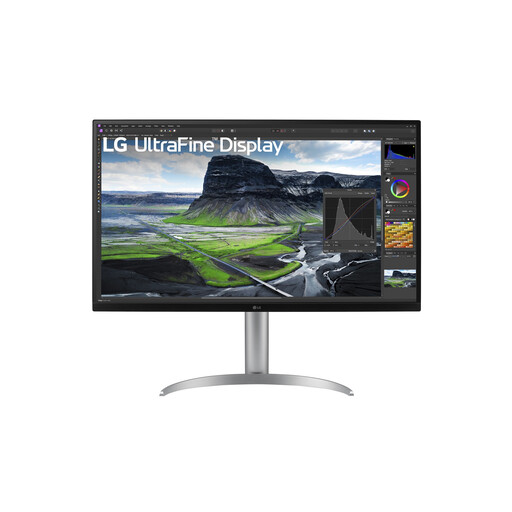 No image available
LG 32UQ850V-W, 31,5-inch 4K UHD
Suited to anyone who wants to view food photos and pages on a larger 4K screen and has enough desk space for it.
31,5 inch; 3840 × 2160 pixels; 4K Ultra HD.
Check that this version supports USB-C video and provides enough Power Delivery for your laptop; the monitor itself needs mains power.
Joybuy
Frequently asked questions
Do you only need one power socket with a USB-C monitor?
Not for the whole setup: the monitor itself needs a power socket. A compatible laptop may be able to receive video and power through the monitor. Check video support, charging input and your laptop’s power requirements.
Is a wide colour gamut enough to predict how the book will look when it comes back from the printers?
No. A stated colour gamut alone doesn’t tell you what the print will look like; document, printer and output profiles also play a part. Match your colour management to the intended print process.
How can you set up your workspace for longer layout sessions?
Use the height and tilt adjustments if your monitor has them, and consider its position and the lighting to minimise distracting reflections. Arboportaal states that for employees who work at a screen for more than two hours a day, the screen and keyboard must not be attached to each other.
What are your rights if a monitor bought online in the Netherlands is faulty?
If a product is faulty, the seller is responsible for the statutory guarantee; ACM ConsuWijzer distinguishes this from any manufacturer’s warranty. For a standard online purchase, you’ll usually also have a 14-day cooling-off period after delivery, subject to legal exceptions.
How do you compare the power consumption of monitors?
Compare the energy label and product information sheet for the exact version. The European Commission’s EPREL database for displays includes information such as energy efficiency classes and power consumption in SDR mode when switched on.


