
Creator of text-heavy exercises
Creates and checks documents, focusing on readable text and enough space to view the source text and worksheet together.


First, choose a screen on which text is comfortable to read from your usual viewing distance and which each user can adjust easily. Then compare the space available for documents side by side, the connections on the laptops you use and how much desk space the monitor takes up. Extra pixels or a USB-C hub are most useful when they suit your workspace.
Creates and checks documents, focusing on readable text and enough space to view the source text and worksheet together.
Shares the monitor with colleagues and benefits from a screen position that can be readjusted and a display with limited reflections.
Wants to connect their laptop quickly, but needs to check whether the port in use supports video and how much charging power is required.
Start with readability and adjustability for the people sharing the workspace. Then check whether the available screen space and connections suit the documents and laptops you use.
| What to consider | What should you check? | Who will this matter to? |
|---|---|---|
| Text readability | Check the screen size, resolution and anti-glare finish; assess text size from your intended viewing distance. | If I check a lot of text, I want to be able to read the characters clearly without distracting reflections. Around 33% of consumers give readability their top priority. |
| Adjusting the screen for shared use | Check the height, tilt and swivel adjustments on the supplied stand, or whether it can be mounted on a monitor arm. | When colleagues take turns using my screen, I want to be able to adjust its position to suit where I sit. Around 25% of consumers prioritise adjustability for shared use. |
| Documents side by side | Compare the screen and stand dimensions, and view the source text and worksheet together at your preferred text size. | If I want to put a source text next to an exercise sheet, available workspace matters, but the screen must not take up too much desk space. Around 25% of consumers give room for documents their top priority. |
| Connecting laptops | For each laptop, check its video output, the cable or adapter required and, if applicable, the charging power you need. | If different laptops are connected to the same monitor, I want to know whether the ports are compatible and whether charging is covered. Around 17% of consumers prioritise ease of connection. |
A USB-C port may be intended for data only; it does not automatically support video or provide enough charging power. Dell lists a USB-C downstream data port of up to 15 W for the P2425; the P2425DE is a separate USB-C hub monitor.
Before choosing, compare the full model code with your laptop’s video and power requirements.
You may need a compatible cable, adapter, dock or separate laptop power supply.
More pixels do not, by themselves, tell you whether text will be comfortable to read. Screen size, text scaling and viewing position also matter.
Check the physical dimensions and try out your intended text size and window layout in the workspace.
Colleagues may want to adjust the screen position differently, and lighting and reflections also matter. Arboportaal advises adapting screen furniture to the user and workspace.
Check which adjustments are available on the exact model and whether there is room for a suitable monitor arm.
If the supplied stand does not suit the workspace, you may need a separate monitor arm.
The office models range from the 24.07-inch P2425, with 1920 × 1200 pixels, to the 23.8-inch P2425DE, with QHD resolution and a USB-C hub.
The Business Monitor 24B2G5200/00 is a 23.8-inch Full HD monitor for office work.
The 27BA65QB-B is a 27-inch QHD option for the office, with USB-C.
The Series 5 Pro 524pf is a 23.8-inch Full HD monitor for office use.
This selection includes monitors for text-heavy work, with a range of screen sizes and resolutions to weigh up against the desk space available and your preferred workspace layout.
 No image available
Could suit you if you want to view text-heavy exercises on a 27-inch 4K screen; check the text size from your intended viewing distance.
3840 × 2160 pixels; 60 Hz; 4 ms; HDMI; DisplayPort; height-adjustable stand.
 No image available
A QHD option to consider if you want to put source text and an exercise sheet side by side; also check the text size at your chosen viewing distance.
24 inches; 2560 × 1440 pixels.
 No image available
The wide resolution could be useful if you want to view several documents side by side; first check that the screen will fit on the shared desk.
34 inches; 3440 × 1440 pixels; anti-glare finish.
 No image available
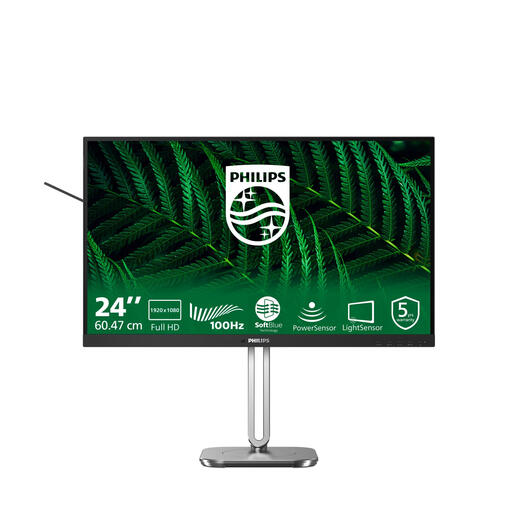
A compact Full HD option to compare if you share a monitor and want to take automatic sensors into account. Philips lists LightSensor and PowerSensor; treat the energy-saving claims as manufacturer claims.
23.8 inches; 1920 × 1080 pixels; LightSensor and PowerSensor according to Philips.
 No image available
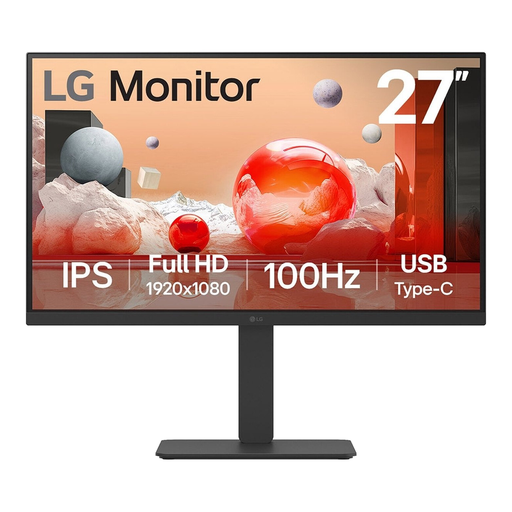
A 27-inch Full HD model to compare if you’re looking for a larger screen for office work; check your preferred text size and screen position in the shared workspace.
27 inches; 1920 × 1080 pixels.
Readjust the screen position for the person about to use it, and check that the text is easy to read, reflections are not distracting and there is enough ambient light. Arboportaal also advises taking breaks from screen work and looking away regularly; this is not proof that any particular monitor model prevents health problems.
For a workspace covered by the rules described for employees, employers have responsibilities relating to safe screen work and the layout of the workspace. For more than 2 hours of screen work a day, Arboportaal recommends, among other things, a separate screen or keyboard when using a laptop; the employer must assess the specific setup.
Compare the EU energy label for the exact monitor models. According to the European Commission, computer monitors are covered by the rules for electronic displays; the label shows an energy rating from A to G and product information. A manufacturer’s claim about a sensor is not a measured saving in your workspace.
For a qualifying distance purchase from a business, consumers in many cases have a 14-day cooling-off period, according to the Dutch government. Do not assume that the same consumer rule applies when an office makes a business purchase; check the contractual returns and service terms instead.