What should you consider when choosing?
Start by checking the monitor’s power supply and your laptop’s connections. Then compare the workspace you need for your map, legend and tools.
| What to consider |
What should you check? |
Who is this important for? |
| No spare socket for a monitor |
Check how the exact model is powered and whether your laptop supports USB-C video. For single-cable use of the ASUS MB169CK, ASUS lists DP Alt Mode support as a requirement. |
If I don’t have a spare socket for the monitor, powering it from my laptop matters more than having a large screen. Around 36% of consumers prioritise avoiding a separate monitor plug. |
| Workspace for map details |
Compare the screen size and resolution with your map layout and the space on your desk. A fixed monitor needs its own power connection. |
I want to view the map, legend and design tools side by side, and I can plug the monitor into the mains. Around 29% of consumers put a spacious map workspace first. |
| Connection to your laptop |
Check the video support, direction of power delivery and power requirements of the laptop and monitor; also check which cables are included. |
If I use different laptops, I want to know whether the display and any laptop charging will work with each device. Around 21% of consumers prioritise compatibility with their laptop and cables. |
| Power consumption during long sessions |
Compare the energy label and consumption per 1,000 hours for the exact models using comparable display settings. |
I spend long periods designing at my screen and want to take power consumption into account without confusing it with USB-C charging power. Around 14% of consumers focus first on power consumption. |
Monitors on Joybuy
This selection includes portable monitors with USB-C for workspaces where a spare socket for a monitor is hard to come by, as well as fixed monitors for anyone who needs a larger map workspace and can connect to mains power.
 No image available
Blackview DCM8 Pro 15.3-inch portable monitor
A portable option for avoiding a separate monitor plug when your laptop supports the USB-C connection described.
15.3-inch IPS screen with 1920 × 1200 pixels; the product information describes USB-C for video and power through a single cable.
View on Joybuy
 No image available
ASUS ZenScreen MB166CR 15.6-inch Full HD
A portable second monitor for anyone who wants to take their map work with them and avoid a separate monitor plug.
15.6-inch Full HD screen with 1920 × 1080 pixels; the product information describes USB-C for video and power.
View on Joybuy
 No image available
INNOCN CB27U1 27-inch 4K UHD
A fixed option if a larger workspace for map details is your priority and there’s a socket available for the monitor.
27 inches, 3840 × 2160 pixels and USB-C with 90 W Power Delivery. The monitor needs its own power adapter.
View on Joybuy
 No image available
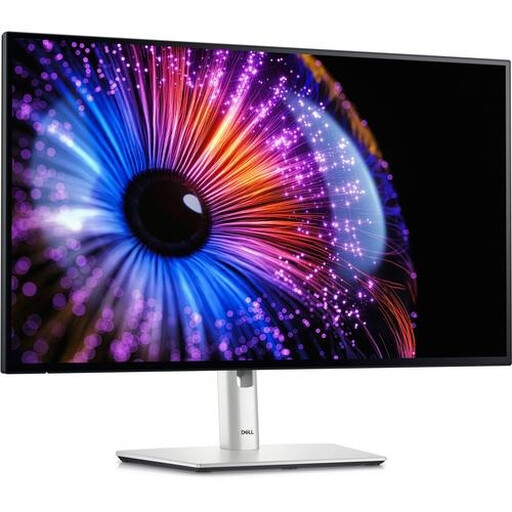
Dell UltraSharp U2724DE 27-inch QHD
A fixed monitor for map design if you want more workspace and can use a dedicated power connection.
27 inches with 2560 × 1440 pixels. The product information lists Thunderbolt 4, USB-C, HDMI and DisplayPort; the monitor needs to be plugged into a socket for installation.
View on Joybuy
 No image available
MSI MAG 322UP QD-OLED E16 31.5-inch 4K UHD
A large fixed screen for anyone who wants to view lots of map details on one display and can connect to mains power.
31.5 inches and 4K UHD. The monitor needs its own mains cable; USB-C Power Delivery is limited to 15 W and, according to the product information, won’t replace most laptop power supplies.
View on Joybuy
Frequently asked questions
Can I use any USB-C monitor without an extra socket?
No, it varies by model. ASUS describes video and power through a single compatible laptop connection for the ZenScreen MB169CK, while Lenovo also lists a power cable for the fixed ThinkVision T27QD-40. So check the power requirements of the exact display.
What should I check before connecting a portable monitor?
Check whether your laptop port supports the required video function. For single-cable use of the ASUS ZenScreen MB169CK, ASUS lists DP Alt Mode; for the HDMI connection, ASUS also lists USB-C as a power input.
How do I compare monitor power consumption?
Compare the consumption per 1,000 hours and the energy label for the exact models. Energielabel.nl describes consumption per 1,000 hours as a comparison metric; the European Commission describes the energy efficiency classes for electronic displays. USB-C charging power is not the same as a monitor’s power consumption.
What are my rights when buying a monitor online in the Netherlands?
For a standard online consumer purchase, the statutory cooling-off period ends 14 days after delivery, according to ACM ConsuWijzer. For a product that is faulty, the Dutch government identifies the seller as your point of contact; in the Netherlands, there is no fixed statutory two-year guarantee period.
Can I plug extension leads into one another to power an extra monitor?
Brandweer Nederland advises against plugging extension leads into one another because of the fire risk. Plan your available sockets in advance rather than linking extension leads together.


