What should you look for when choosing?
First decide whether your photos will mainly appear online or also be used for print. Then consider the space available on your desk and how your laptop connects.
| What to consider |
What to look for |
Who is this most important for? |
| Assessing colours online |
Check the stated sRGB coverage and how you use colour profiles in your software. |
As a consumer who mainly creates photos for online viewing, I want a suitable sRGB foundation without assuming that other screens will show the same colours. Around 40% of consumers make assessing colour online their top priority. |
| Desk space |
Compare the screen size and full dimensions, including the stand. |
As a consumer with limited desk space, I want to keep enough room for studying and working. Around 30% of consumers prioritise a compact setup. |
| Photos for print |
Look at the stated Adobe RGB coverage and calibration options. |
When I also assess prints, I want to know whether the colour space suits my print workflow and how I can recalibrate the screen. Around 20% of consumers make print their top priority. |
| Connecting a laptop |
Check that your laptop supports video through the port you plan to use and that the power supply is suitable. |
As a consumer who wants to connect my laptop easily, I want to know in advance whether the ports and charging options are compatible. Around 10% of consumers prioritise a simple laptop connection. |
Monitors at Joybuy
This selection includes portable and compact monitors that may suit a limited workspace. For each model, check that it offers the colour space and calibration options you need for your photos.
 No image available
TECLAST V16H portable monitor
The portable design may suit a small workspace or a setup where you want to move the screen around. For colour-critical work, check which colour space and calibration options you need.
16 inches; Full HD; IPS; 16:10; 144 Hz.
View at Joybuy
 No image available
TECLAST V16Q portable monitor
The stated 100% sRGB coverage gives you a clear colour space specification for assessing online photos. Bear in mind that colour management and calibration also matter.
16 inches; 2.5K; IPS; 100% sRGB; 16:10; 144 Hz.
View at Joybuy
 No image available
Philips 1000 Series 24E2N1100LB/00
The 24-inch size may suit a desk where space is at a premium. Check the colour specifications and calibration options for your photos.
24 inches; Full HD; 100 Hz; VA.
View at Joybuy
 No image available
LG UltraGear 24G414B-B
The 24-inch model may suit a more compact workspace. Check separately whether its colour reproduction and calibration options meet the needs of your photography work.
24 inches; Full HD; gaming monitor.
View at Joybuy
 No image available
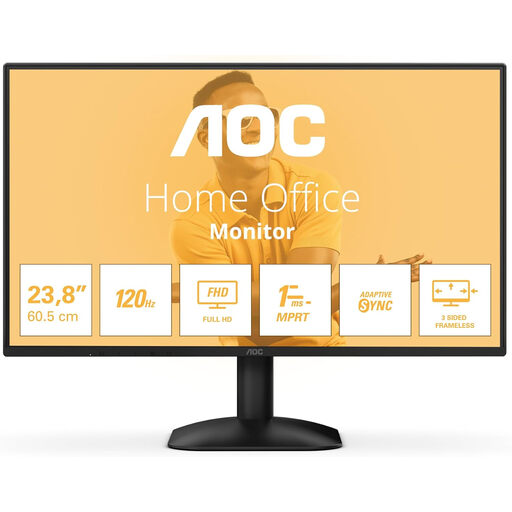
AOC 24B31H
The 24-inch size may suit you if you’re looking for a smaller monitor. Check the colour space and calibration options before choosing it for colour-critical photo editing.
24 inches; 1920 × 1080; 16:9; 300 cd/m²; HDMI; DisplayPort.
View at Joybuy
Frequently asked questions
Is 100% sRGB enough to make product colours look the same everywhere?
No. It specifies the screen’s colour coverage; it does not guarantee identical colours on other screens. The monitor profile, calibration, software and ambient light also affect how colours appear.
What should I do after connecting the monitor if I also want to print photos?
Calibrate and profile the screen for your workspace, and use colour-managed software. Adobe advises against changing the brightness, contrast and colour settings after calibration without good reason. Calibrate again if you make significant changes to those settings or the lighting.
Does every USB-C monitor provide both a picture and power to my laptop?
No. Check separately whether the monitor port supports video, whether your laptop can output video over USB-C and how much power your laptop needs. USB-C video and power delivery of up to 90 W are model specifications and do not, by themselves, confirm compatibility with your laptop.
What are my rights when I buy a monitor online in the Netherlands?
For online purchases from a business, you generally have 14 days from delivery to change your mind. If the product is faulty, you also have statutory rights to an appropriate remedy; the Netherlands does not have a fixed statutory guarantee period for this. The terms for a specific purchase may vary.


