Joybuy monitors for a compact workspace
The models below may suit a compact workspace or a two-screen set-up. A portable monitor isn’t automatically suitable for colour-critical work, so check whether each model’s listed features meet the needs of your photo and print workflow.
 No image available
TECLAST V16H 16-inch portable monitor
This portable model could be a good fit if you’re looking for a compact second screen to use alongside a laptop.
16 inches, FHD IPS, 16:10 and 144 Hz; 2 USB-C ports, Mini HDMI and built-in kickstand.
Joybuy
 No image available
TECLAST V16Q portable monitor
A portable screen for anyone who wants a second display alongside their laptop and values the stated sRGB coverage.
16 inches, 2.5K, 144 Hz, IPS and 16:10; the product name states 100% sRGB. Coverage alone doesn’t prove accurate colour reproduction. The product name also lists 10-bit, USB-C, Mini HDMI and a kickstand.
Joybuy
 No image available
iiyama ProLite XB2497HSN-B1
A 24-inch monitor to consider for a fixed, compact workspace. Check that its colour features meet your photography needs.
Full HD, 100 Hz and IPS.
Joybuy
 No image available
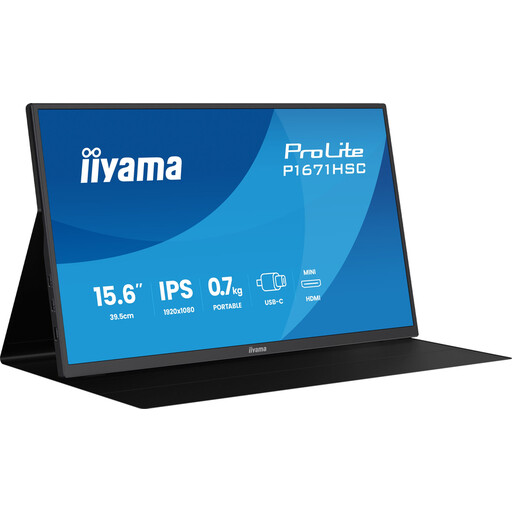
iiyama ProLite P1671HSC-B1 portable monitor
This 15.6-inch portable model is an option if you’re looking for a small second screen to use alongside your laptop.
Full HD, 60 Hz and IPS.
Joybuy
 No image available
UPERFECT 16-inch 2K portable monitor
A portable 16-inch screen to consider if you’re looking for a compact two-screen set-up; check that it suits your colour workflow.
2560 × 1600 pixels, 16:10, QLED and 144 Hz; the product name lists USB-C, Mini HDMI and VESA compatibility.
Joybuy
Frequently asked questions
Is 100% sRGB enough for my product photos?
If your images are mainly for the web, the International Color Consortium cites sRGB as one possible working space. You should also set up and profile the screen for your own set-up; the coverage percentage alone doesn’t tell you how accurately the screen is configured.
How can I stop a print looking different from what I see on screen?
Calibrate and profile your screen, and use a colour-managed workflow for the intended print. Assess a test print under suitable, consistent lighting where possible; an Adobe RGB specification alone can’t guarantee a visual match.
Will a 24-inch monitor automatically fit on a small desk?
No. Measure the available space and compare it with the dimensions, including the stand and any hood. ASUS gives the PA248QV a depth of 21,10 cm with the stand; BenQ lists the SW242Q at 262,6 mm with the stand and 311,4 mm with the hood.
Should I buy an extended warranty for a monitor?
Not automatically. According to the Dutch government, there is no fixed statutory time limit for warranty in the Netherlands; an extended warranty is only worthwhile if its terms give you additional rights. If a product is faulty, contact the seller.
Can I return a monitor bought online?
For eligible distance purchases from a business, you generally have a 14-day cooling-off period, according to the Dutch government. Before buying, check who the seller is and which terms apply; this doesn’t automatically apply to every business purchase or offer.


