What should you look for when choosing?
For a shared desk, start by considering adjustability and available screen space. Then check that the connections suit the laptops that will actually be used.
| What to consider |
What should you look for? |
Who is this important for? |
| Screen position |
Check the height, tilt and swivel adjustments on the exact model and the stand supplied. Also measure the available desk space. |
If I share the monitor with others, I want to be able to adjust its position for each user. Around 31% of consumers in this choice context prioritise adjustability. |
| Space for text |
Compare both resolution and screen size, and check that your editor, sample text and results fit on screen at a readable text size. Dell lists a resolution of 1920 × 1200 pixels for the P2425 and 2560 × 1440 pixels for the P2425DE; Philips lists 1920 × 1080 pixels for the 24E1N1300AE/01. |
If I want to view the pattern, test text and result at the same time, I compare how much space my windows take up. Around 25% of consumers in this choice context prioritise this workspace. |
| Connecting a laptop |
Compare the video connections on each laptop with those on the monitor. Check USB-C video, data connectivity and the required charging power separately; a USB-C port alone doesn’t mean the monitor works as a docking station. |
If different users connect their laptops, I want to know whether video and power will work through the chosen connection. Around 25% of consumers in this choice context prioritise being able to switch easily between laptops. |
| Size and features |
Measure the space available for the monitor stand and compare the dimensions of the exact model. Also decide whether you need a webcam, speakers or extra connections for this desk. |
At a shared desk, I want a monitor that fits without paying for features I won’t use. Around 19% of consumers in this choice context focus mainly on space and a straightforward design. |
Monitors at Joybuy
These monitors are suited to practising regex at a shared desk, with different combinations of screen space and connectivity options.
 No image available
ASUS BE248CFN monitor, 24.1 inches, WUXGA
An option for anyone who wants more vertical screen space for practice than Full HD offers.
24.1 inches; 1920 × 1200 pixels; WUXGA.
View at Joybuy
 No image available
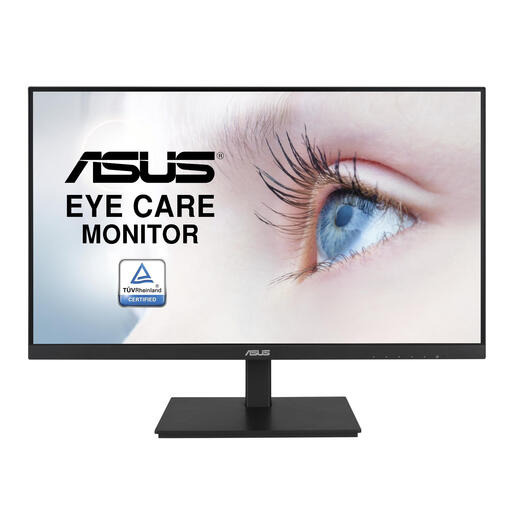
ASUS VA24DQSB monitor, 23.8 inches, Full HD
A compact Full HD option for anyone who wants to view text on one screen while practising regex.
23.8 inches; 1920 × 1080 pixels; Full HD.
View at Joybuy
 No image available
Dell Pro Plus P2425DE monitor, QHD
Suitable for anyone who wants to view several text windows and needs a USB-C hub. Check that the laptops support USB-C video and the required charging power.
23.8 inches; 2560 × 1440 pixels; QHD. Dell describes the P2425DE as a monitor with USB-C hub functionality.
View at Joybuy
 No image available
iiyama 24-inch IPS monitor with Windows Hello camera and microphone
An option to consider if the built-in camera and microphone would also be useful at your shared workspace.
24 inches; IPS; built-in Windows Hello camera and microphone.
View at Joybuy
 No image available
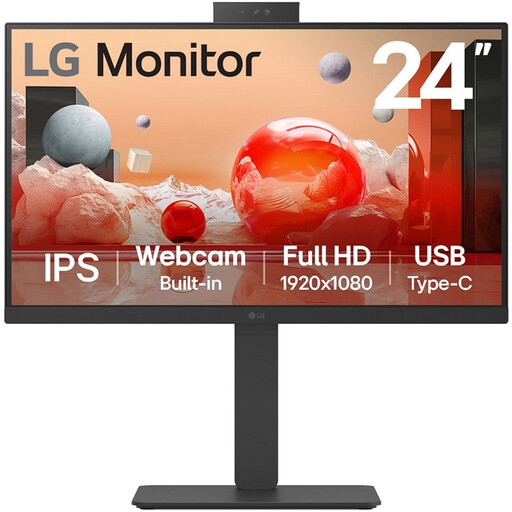
LG 24BA850-B monitor, 23.8 inches, Full HD
A compact Full HD option to compare if you’re weighing up screen space and positioning at a shared desk.
23.8 inches; 1920 × 1080 pixels; Full HD.
View at Joybuy
Frequently asked questions
Does a monitor for practising regex need to be QHD?
No, QHD isn’t essential. Check whether your editor, sample text and test results fit on screen at a readable text size. The compact models reviewed have resolutions of 1920 × 1080, 1920 × 1200 or 2560 × 1440 pixels; this doesn’t mean there’s a general minimum resolution for learning.
Can any laptop connect to a monitor with a single USB-C cable?
No, a USB-C connector alone doesn’t guarantee this. Check whether the laptop supports video over USB-C, what video signal function the monitor offers and how much charging power is required. AOC lists DisplayPort Alternate Mode and Power Delivery up to 65 W for the 24P3CW; Dell describes the P2425’s USB-C port as a data port.
How do you set up a monitor at a shared desk?
Adjust the screen position when another user sits down, and check whether light or windows cause distracting reflections. For employees who spend more than two hours a day working at a screen, Arboportaal describes workplace requirements; these do not automatically apply to every private study space.
Do I need an additional warranty plan for a monitor?
You don’t need an additional plan to have statutory consumer rights. ACM ConsuWijzer explains that statutory guarantees exist alongside any guarantee offered by the seller or manufacturer. So first compare what an additional plan offers and read its terms and conditions.
Do Dutch rules on screen work also apply when I practise regex in my own time?
The information from Arboportaal cited here covers workplace obligations for employees. Practising in your own time doesn’t automatically make those rules apply to you. If the shared desk is also a workplace for employees, the number of hours they spend working at a screen each day is one relevant factor.


