If you have a power socket for your monitor but want to leave out your separate laptop charger, choose a mains-powered USB-C monitor with enough Power Delivery for your laptop. The monitor itself will still need mains power. Only a suitable portable display can work without its own mains plug, and your laptop must provide the required video output and power. For posters you plan to print, the right colour space and a managed print workflow matter more than a USB-C connection alone.
Which monitor option is right for you?
Designer with one spare power socket
You work on posters using a laptop and want to leave out its separate charger. A mains-powered USB-C monitor can charge your laptop, but it will still need its own mains power. ASUS and BenQ list these features for the relevant models.
Designer creating posters for print
You want to assess colours and details for a print workflow, so you’re looking beyond USB-C alone. EIZO describes colour and calibration features for the ColorEdge CS2740, while Adobe highlights the importance of a profiled display for colour management.
Designer without a spare power socket
You’re looking for a second screen that can run from your laptop, provided it supplies suitable video output and enough power. For the PA148CTV, ASUS specifies DisplayPort Alt Mode and at least 10 W output for use with a single USB-C cable.
What should you look for when choosing?
Mains-powered USB-C monitor
Choose this option: if you have a power socket for the monitor but want to replace your laptop charger with USB-C power delivery.
Bear in mind: the monitor will still need mains power. Also check that its charging output is suitable for your laptop.
Portable monitor powered by your laptop
Choose this option: if there’s no power socket for a separate monitor and your laptop provides the required USB-C video and power.
Bear in mind: the ASUS PA148CTV we reviewed is 14 inches and Full HD, so it offers a smaller workspace than the fixed 27-inch 4K models.
First, decide whether you can use a power socket for your monitor. Then match the colour reproduction and screen space to how you create and deliver your posters.
| Concern |
What to look for |
Who cares about this? |
| Few power sockets |
Check that USB-C carries a video signal and delivers enough Power Delivery. A mains-powered monitor will also need its own power supply. |
I want to work on my laptop without also plugging in its separate charger. Around 36% of consumers give top priority to limiting the number of power sockets needed. |
| Colour for the final output |
Compare the colour space specified for the exact model and check which profiles your print workflow requires. |
When I’m preparing a poster for print, I want to know whether my colour workflow is suitable for the intended output. Around 29% of consumers prioritise assessing colour for the final output. |
| Detail and workspace |
Compare the screen size and resolution with the space you need for your design and control panels. |
I want to assess text and illustration details without my workspace feeling too small. Around 21% of consumers give detail and workspace top priority. |
| No power socket for a monitor |
Check DisplayPort Alt Mode and the USB-C output power available from your laptop. |
I can’t connect a separate monitor to mains power, so I’m looking for a screen that runs from my laptop. Around 14% of consumers make this their top priority. |
Common buying pitfalls
-
Assuming a one-cable USB-C connection means the monitor needs no mains power
USB-C Power Delivery can replace your separate laptop charger if your laptop is compatible. According to its connection instructions, the mains-powered BenQ PD2705U must still be plugged into a power source.
Before you buy, work out where the monitor, laptop and any other devices will get their power.
-
Looking at a colour coverage percentage without checking the colour space
The BenQ PD2705U’s 99% sRGB and the ASUS PA279CRV’s 99% Adobe RGB refer to different colour spaces. Neither figure on its own predicts how a poster will look when printed on paper.
For print work, check the required output settings and make sure your colour management is set up accordingly.
-
Choosing a portable USB-C monitor without checking your laptop’s output
For the ASUS PA148CTV, ASUS specifies DisplayPort Alt Mode and at least 10 W output from the connected device as requirements for use with a single USB-C cable.
Check your laptop’s specifications for both requirements before choosing a screen.
Brands to compare
ASUS
The ProArt models we reviewed offer two different options: the mains-powered PA279CRV for 27-inch 4K work and the portable PA148CTV for use with a compatible laptop.
- ASUS specifies 99% Adobe RGB and 96 W USB-C Power Delivery for the PA279CRV.
- The PA148CTV has a 14-inch Full HD screen. A single USB-C cable requires DisplayPort Alt Mode and at least 10 W output from your laptop.
BenQ
The DesignVue PD2705U we reviewed is a mains-powered 27-inch 4K monitor that can charge a laptop via USB-C.
- BenQ specifies 99% sRGB and 65 W Power Delivery for this model.
- The sRGB specification doesn’t tell you its Adobe RGB coverage. The monitor itself must be plugged into a power source.
EIZO
The ColorEdge CS2740 we reviewed is a mains-powered 4K monitor for assessing images and colour in graphic design work.
- EIZO specifies hardware calibration and up to 60 W laptop charging via USB-C for this model.
- The manufacturer lists wide colour coverage. Check that the specified charging output is suitable for your laptop, and make sure your colour management is set up for print output.
Joybuy monitors for poster design
This selection includes mains-powered USB-C monitors for poster design that can charge a laptop. The monitors themselves also need to be connected to a power source.
 No image available
MSI Modern MD272UPHG 27-inch 4K UHD
Suited to poster design if you’re looking for a mains-powered monitor with a 4K workspace and laptop charging via USB-C. The monitor itself must be plugged into a power source.
MSI specifies 3840 × 2160 pixels, 98 W Power Delivery, factory calibration, 97% DCI-P3 and 94% Adobe RGB.
Joybuy
 No image available
INNOCN CB27U1 27-inch 4K UHD
Suited to a permanent laptop workstation if you want a 4K workspace and USB-C laptop charging. The monitor needs its own power adapter.
The product specifications list a 3840 × 2160-pixel IPS screen, 120 Hz, 90 W Power Delivery, 99% Adobe RGB and Delta E < 1.
Joybuy
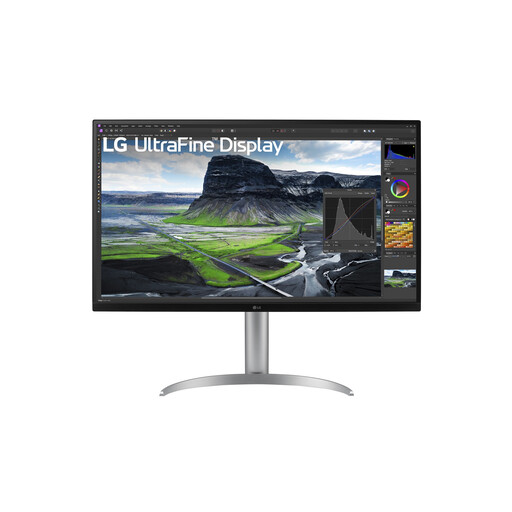 No image available
LG 32UQ850V-W 31.5-inch 4K
Suited to a permanent workstation if you want a larger 4K screen and USB-C laptop charging. The monitor itself needs mains power.
LG specifies 3840 × 2160 pixels, hardware calibration, 95% DCI-P3 and 90 W USB-C laptop charging.
Joybuy
 No image available
ASUS ProArt PA278CV 27-inch QHD
Suited to graphic design at a permanent workstation if QHD resolution gives you the workspace you need and you want to charge your laptop via USB-C. The monitor itself needs power.
ASUS specifies 2560 × 1440 pixels, 100% sRGB, factory calibration with Delta E < 2 and 65 W Power Delivery.
Joybuy
 No image available
ASUS ProArt PA278CGV 27-inch QHD
Suited to a permanent design workstation if QHD gives you the level of detail you need and you want to charge your laptop via USB-C. The monitor itself needs a power connection.
ASUS specifies 2560 × 1440 pixels, 100% sRGB, 95% DCI-P3 and 90 W Power Delivery.
Joybuy
Frequently asked questions
Does USB-C with Power Delivery mean a mains-powered monitor doesn’t need a power socket?
No. Power Delivery can replace your separate laptop charger if your laptop is compatible, but according to its connection instructions, the mains-powered BenQ PD2705U must still be plugged into a power source.
Can a portable screen work with my laptop using just one cable?
That depends on your laptop and the screen. For the ASUS PA148CTV, ASUS specifies DisplayPort Alt Mode and at least 10 W output from the connected device. Check that your laptop meets both requirements.
Is a wide colour gamut enough to predict how a poster will print?
No. A profiled display and suitable colour management also matter when preparing files for print. Match your output settings to your printer’s requirements.
Where can I compare the power consumption of monitors?
The European Commission states that computer monitors are covered by energy labelling for electronic displays. Check the label for the exact model; USB-C charging output in watts is not the same as the screen’s energy consumption.
Who can help in the Netherlands if a consumer monitor develops a fault?
According to the Dutch government, if you have a problem with a consumer product, you can contact the seller for a solution. An additional guarantee doesn’t replace your statutory rights.


