What should you look for when choosing?
When retouching portraits at a shared desk, the main considerations are colour assessment, detailed work, the shared setup and the intended end result.
| What to consider |
What should you check? |
Who is this important for? |
| Colour and skin tones |
Check the stated colour gamut alongside the colour space, the available colour modes and the calibration method for the exact model. |
If I want to assess skin tones carefully, I also consider colour management and calibration. Around 28% of consumers put colour and skin tones first. |
| Small imperfections |
Compare the screen size and resolution with the available desk space and the room you need for tool palettes. |
When touching up small scratches and dust, I want to view the image clearly alongside my tools. Around 22% of consumers prioritise restoration detail. |
| Shared workspace |
Check USB-C video, the required charging power, adjustability, stand depth and any VESA mounting support for the exact model. |
If several people or laptops use the same workspace, I want the monitor and its connections to suit those devices. Around 22% of consumers prioritise shared use. |
| Final print |
Check which profile applies to the printer-and-paper combination and whether your software supports a colour-managed print proof. |
When I want to print the portrait, I want to assess the on-screen image using the correct output settings. Around 17% of consumers prioritise matching the print. |
| Purchase and use |
Check what is included and whether you need a measuring device for your chosen calibration workflow. |
If I only use the monitor for retouching occasionally, I want to check which features and accessories I actually need. Around 11% of consumers put cost first. |
Common pitfalls
-
Comparing colour percentages across different colour spaces directly
A percentage for Adobe RGB does not describe the same colour gamut as the same percentage for DCI-P3.
Make a note of the stated colour space, then check which colour mode and calibration workflow suit your intended use.
-
Assuming a wide colour gamut guarantees a good print
The on-screen image alone cannot predict how the paper, printer and profiles used will render the portrait.
Check your colour workflow and, if your software supports it, use a suitable colour-managed print proof.
-
Assuming USB-C and an adjustable stand will suit every desk
Monitors can differ in size, stand design and stated USB-C power delivery. The connected computer must also support the features you want.
Measure the available space and compare each laptop’s video connection and charging requirements with the exact monitor model.
For the ColorEdge CS2740, EIZO lists a measuring device for hardware calibration and a monitor hood as optional accessories. Check whether you need them for your workflow and what is included with the version you choose.
Monitors at Joybuy
These monitors are suitable for portrait retouching and for those who value screen space or need a shared workspace. For each model, check that the listed connections, size and version suit your computers and desk.
 No image available
INNOCN CB27U1 27-inch 4K UHD monitor
A 27-inch 4K screen to consider if you want room for the portrait and other windows while retouching.
The product name lists 3840 × 2160 pixels, IPS, 120 Hz, HDR500, FreeSync, PIP and PBP, USB-C with 90 W PD, HDMI and DP ports, and a height-adjustable stand.
View at Joybuy
 No image available
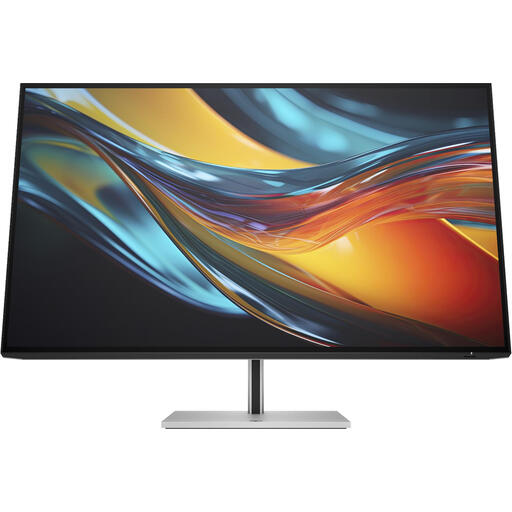
HP Series 7 Pro 732pk 31.5-inch 4K Thunderbolt 4 monitor
The 31.5-inch screen size may be useful if you want to view the portrait alongside editing windows while restoring it.
The product name lists 4K and Thunderbolt 4. According to the product information, the charger is sold separately, so check what power supply you need.
View at Joybuy
 No image available
Dell UltraSharp U2724D 27-inch QHD monitor
A 27-inch monitor to consider if you’re looking for a medium-sized screen for retouching at a shared desk.
The product name lists 2560 × 1440 pixels and an LCD screen.
View at Joybuy
 No image available
ASUS ProArt PA278CV 27-inch QHD monitor
A 27-inch monitor to compare if you combine portrait retouching with windows and tool palettes.
The product name lists 2560 × 1440 pixels and an LED screen.
View at Joybuy
 No image available
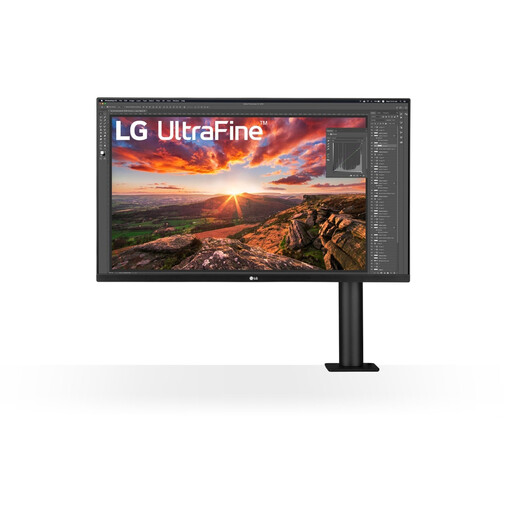
LG 32UN880K 32-inch 4K monitor
The 32-inch screen size may appeal if you want room for the portrait and several work windows while retouching.
The product name lists 3840 × 2160 pixels and 4K Ultra HD.
View at Joybuy
Frequently asked questions
Is 99% Adobe RGB essential for retouching an old portrait?
No, not for every retouching workflow. A wide photographic colour gamut may be relevant if your work requires it, but consider the end use and colour management too. Don’t compare Adobe RGB and DCI-P3 percentages as if they measure the same thing.
What should I set up after connecting the monitor at the shared desk?
Check the display mode and corresponding colour profile for each computer. If you want to assess colours carefully, also consider the calibration status. Adobe explains how colour profiles help interpret colours consistently across devices.
Can I use the on-screen image directly to predict how a print will look?
Not without taking the print settings into account. If your software and print service support it, use the appropriate output profile and a colour-managed soft proof. Adobe explains how colour profiles can be used to assess a print on screen.
Do I always get exactly two years’ warranty when buying online in the Netherlands?
No. According to ACM ConsuWijzer, the statutory guarantee depends on what you can reasonably expect from the product under normal use. If a product is faulty, the retailer is your point of contact; a manufacturer’s or extra warranty does not replace your statutory rights.
Can I assess a monitor bought online at home and return it if necessary?
For online consumer purchases in the Netherlands, you generally have a statutory 14-day cooling-off period from delivery, subject to legal exceptions. Check the returns information before buying and handle the monitor carefully while assessing it.


