
Portrait editor preparing work for screen
You want to assess skin tones and edits before presenting a digital portfolio. Adobe explains that colours can look different on another screen, so check the profiles for both your display and your files.


For a digital portfolio, choose a practical 4K screen with a suitable colour space and good profile management. If you’ll also be assessing prints, take calibration and your print workflow into account. A wide colour gamut or factory calibration alone won’t guarantee that a print matches what you see on screen: Adobe emphasises the importance of colour management throughout the output chain.
You want to assess skin tones and edits before presenting a digital portfolio. Adobe explains that colours can look different on another screen, so check the profiles for both your display and your files.
You want to assess proofs ahead of the portfolio review, so you’ll need to consider measurement, ambient light and the profile for your printer and paper combination. Adobe describes these as factors in print colour management.
You work to tight deadlines on a laptop and need room for both the portrait and your editing tools. Check that the monitor connection supports video and provides enough power to charge your laptop.
First decide whether your portfolio will be reviewed digitally, in print or both. Then compare colour management, workspace and connectivity based on your needs.
| Consideration | What to look for when buying | Who is this important for? |
|---|---|---|
| Colour assessment | Compare the exact model’s colour space, colour modes, profile management and calibration method. A wide gamut is no substitute for a correct display profile. | If I want to assess skin tones carefully on my screen, I need to make sure my colour management and profile settings are in order. Around 33% of consumers prioritise colour accuracy. |
| Portfolio prints | Find out whether the review includes prints. For print work, compare calibration options and colour space, and also take the printer, paper and ambient light into account. | If my portfolio will also be reviewed on paper, I want to factor the printer and paper combination and ambient light into my workflow. Around 27% of consumers prioritise their print workflow. |
| Workspace for detail | Compare screen size and resolution together, and check that the screen and stand will fit on your desk. Resolution alone says nothing about colour accuracy. | I want to see the portrait and editing panels at the same time, so I can assess details without constantly switching between windows. Around 20% of consumers prioritise this workspace. |
| Laptop connectivity | Check that your laptop can output video through the port you plan to use, and compare its charging requirements with the Power Delivery specification for the exact monitor model. | If I work with one laptop, I want to know whether the connection carries video and delivers enough power for my needs. Around 20% of consumers prioritise laptop connectivity. |
Colour gamut specifications don’t describe the entire chain between the screen, the file and the output. Adobe describes calibration and profile management as parts of colour management.
Check the colour mode and profile for your own setup, and decide whether you need a measurement sensor.
According to LG, the software and calibration sensor are not included with the 27UQ850V-W.
Check what calibration equipment comes in the box for the exact model and what your setup requires.
You may need to buy a separate calibration sensor for this LG model if you don’t already have one.
The Dutch LG product page states that dispatch starts from 9 November 2026. That doesn’t in itself mean the screen will arrive before your portfolio review.
Compare your review date with the delivery date confirmed for your order.
The ColorEdge CS2740 is a 27-inch 4K reference monitor for print-focused portrait work and hardware calibration.
The PhotoVue SW272U is a 27-inch 4K photo monitor worth comparing if you’re looking for a wide gamut and calibration features.
The ProArt PA279CRV combines 27-inch 4K resolution with colour modes and laptop connectivity.
The UltraFine 27UQ850V-W is a 27-inch 4K option with USB-C, if the delivery date works with your plans.
The UltraSharp U2725QE is a 27-inch 4K model to compare if you need a hub and Thunderbolt connectivity.
This selection includes 4K monitors for portrait editing, with a range of screen sizes and workspace and laptop features. Compare each model’s connectivity and colour management features to find the right fit for your review workflow.
 No image available
A 27-inch screen for anyone looking to edit portraits on a 4K workspace.
The product name lists a resolution of 3840 × 2160 pixels.
 No image available
A 32-inch 4K model to compare if you need room for a portrait and your editing tools.
The product name lists a resolution of 3840 × 2160 pixels.
 No image available
A 31.5-inch 4K model for anyone who wants to view a portrait and controls side by side.
The product name lists a resolution of 3840 × 2160 pixels. Check that the connectivity and power delivery suit your laptop.
 No image available
A 31.6-inch 4K model to consider if you’re looking for a large screen for portrait editing.
The product name lists a resolution of 3840 × 2160 pixels and QD-OLED.
 No image available
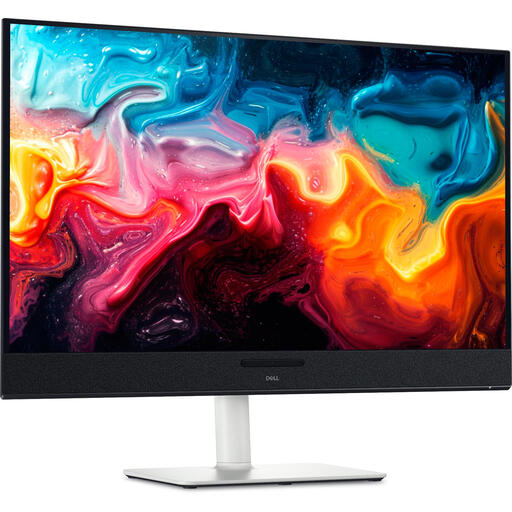
A 27-inch 4K model to compare if Thunderbolt hub features matter to you. Dell lists 4K at 120 Hz and a Thunderbolt hub; these features alone don’t prove it’s suitable for print colour management.
The product name lists a resolution of 3840 × 2160 pixels.
No, resolution alone isn’t enough. Adobe explains that devices can display colours differently, and that display profiles and calibration are part of colour management.
Calibrate and profile your screen, then use an output profile suited to your printer and paper. Adobe also includes ambient light as part of the print workflow; even so, there’s no guarantee that the screen and paper will look identical.
Not necessarily. Check that your laptop can output video through that port and compare its charging requirements with the Power Delivery specification for the exact monitor model; stated power delivery varies by model.
When you buy as a consumer, you’re entitled to a product that meets legal requirements and have a statutory warranty; any manufacturer’s or seller’s warranty is separate. For eligible distance purchases, you’ll often have a 14-day cancellation period. Check the seller and the terms of the specific purchase.
Yes. The European Commission states that computer monitors are covered by energy labelling rules, with ratings from A to G. Compare the label for the exact model and consult the associated product information if needed.