What should you look for when choosing?
First compare the space available on your desk with the windows you want to view at the same time. Then check your laptop connection and the screen position you need.
| What to consider |
What should you check? |
Who is this important for? |
| Desk space |
Compare the monitor’s width and depth, including the stand, with the space available. If you’re considering an arm, check the VESA pattern too. |
If I need room for a keyboard and recording equipment, I want to know how much space the stand takes up. Around 33% of consumers cite physical placement as their main reason for buying. |
| Timeline and transcript |
Compare the resolution and screen size, and check that text remains readable at your preferred scaling. |
If I want to view a waveform and transcript at the same time, I consider both the available workspace and readability. Around 27% of consumers prioritise space for viewing multiple windows at once. |
| Connecting a laptop |
Check whether your laptop’s USB-C port supports video and whether the power delivery is suitable. Also check which video inputs are available. |
If I want to use my laptop with as few cables as possible, its USB-C port needs to be compatible with the monitor. Around 20% of consumers prioritise easy connectivity. |
| Screen position and readability |
Check for height adjustment or suitable mounting, and assess text and reflections in your own workspace. |
If I want to set the screen at a comfortable height and read text clearly, I compare the adjustment options. Around 20% of consumers cite viewing position and readability as their main reason for buying. |
Brands and specific monitors
These examples show different options for compact screens. The features listed apply to the specific models, not to every monitor from each brand.
BenQ
The GW2490 is an example of a compact 23.8-inch Full HD screen with HDMI and DisplayPort.
- BenQ lists two HDMI inputs, one DisplayPort input and VESA 100 × 100 mm for the GW2490.
- The supplied stand can tilt, but BenQ doesn’t list height adjustment for it. Check that the position suits your workspace.
Philips
The 24E1N1300AE/01 is a compact Full HD option with USB-C.
- Philips lists video and power over USB-C when used with a compatible device.
- The resolution is 1920 × 1080. Check your laptop’s USB-C support and power requirements, as well as the exact model.
Dell
According to Dell, the P2425DE combines a 23.8-inch QHD screen with USB-C and a hub.
- Dell lists a resolution of 2560 × 1440 pixels and height adjustment for the P2425DE.
- Check that the text scaling and laptop connection suit the way you work. A higher resolution doesn’t guarantee readability on its own.
Joybuy monitors for a compact workspace
This range includes compact Full HD and QHD options, with models for USB-C or existing video connections. Check the connections, screen adjustment and dimensions for each model.
 No image available
DELL Pro Plus P2425DE 24-inch QHD monitor
A good choice if you want more pixels on a compact screen and an adjustable position.
23.8 inches; 2560 × 1440; USB-C with 90 W Power Delivery; height, tilt, swivel and pivot adjustment.
View at Joybuy
 No image available
DELL Pro Plus P2425D 24-inch QHD monitor
An option if you want extra pixels on a compact screen and an adjustable viewing position.
24 inches; QHD 2560 × 1440; height, tilt, swivel and pivot adjustment.
View at Joybuy
 No image available
iiyama ProLite XB2497HSN-B1 24-inch Full HD IPS monitor
Suited to a compact laptop setup when its USB-C features are compatible with your laptop.
23.8 inches; Full HD 1920 × 1080; 100 Hz; IPS; USB-C for video and up to 65 W power delivery; height, tilt, swivel and pivot adjustment.
View at Joybuy
 No image available
iiyama 24-inch IPS monitor with built-in Windows Hello camera and microphone
A Full HD option with HDMI and DisplayPort if those connections suit your computer.
23.8 inches; Full HD; HDMI and DisplayPort; 150 mm height adjustment, plus tilt, swivel and pivot adjustment.
View at Joybuy
 No image available
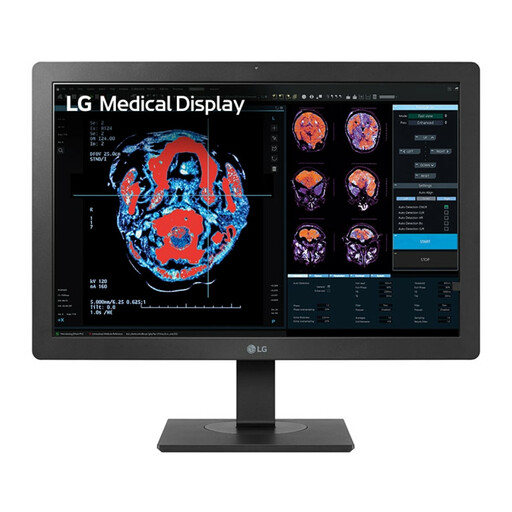
LG 24HR513C-B 24-inch Full HD monitor
A compact Full HD option with an adjustable stand and built-in USB hub.
24 inches; Full HD 1920 × 1080; height and tilt adjustment; USB hub.
View at Joybuy
Frequently asked questions
Do I need a monitor with built-in speakers to edit spoken-word poetry?
No. A computer monitor is for the visual editing work. Choose a separate audio output for listening to your recording, such as speakers or headphones; a screen doesn’t replace your listening setup.
Can I get video and power over one cable with any USB-C laptop?
No. First check that your laptop supports video through the USB-C port you’ll be using and that its power delivery is suitable for the device. Philips describes this combination for the 24E1N1300AE/01 when used with a compatible device.
What should I consider when positioning a monitor?
Check that text is readable, reflections aren’t distracting and the screen height suits your workspace. Arboportaal sets out specific requirements for employees who work at a screen for more than two hours a day. This requirement for employees isn’t a general product specification for everyone buying a monitor for home use.
Which consumer rights and energy label information are relevant in the Netherlands?
For online purchases, the cooling-off period is usually 14 days, according to the Dutch government. It also states that the Netherlands has no fixed statutory guarantee period and that you’re entitled to a product that’s fit for purpose. The EU energy label applies to electronic displays, including computer monitors; compare the label for the specific model.


