
Writer working on long scenes
You want to read and revise your play script clearly during longer sessions. The screen layout and a workspace you can adjust to suit you may be important; Dell describes the physical adjustments available on the P2425.


Choose a monitor for working on a play script based on the space you need for reading, the room available on your desk and the connections your computer requires. A larger screen is most useful if you want to view scenes and notes side by side. Check the adjustability and port functions of the exact model, too. A monitor won’t save your script, so set up a separate backup routine and test that you can restore your files, as advised by the National Cyber Security Centre.
You want to read and revise your play script clearly during longer sessions. The screen layout and a workspace you can adjust to suit you may be important; Dell describes the physical adjustments available on the P2425.
You switch between scenes, character notes and earlier drafts, and are wondering whether a larger workspace will fit on your desk. Philips and LG describe 27-inch monitors with different resolutions and connection options.
You want to know how to connect your laptop to a monitor, but treat saving and restoring script files as a separate task. Philips describes USB-C power delivery for a monitor; the National Cyber Security Centre offers advice on backups and restore tests.
| What to consider | What should you check? | Who might find this especially important? |
|---|---|---|
| Reading space and screen size | Compare the screen diagonal and resolution with the space on your desk and the windows you want to use at the same time. | If I want to see scenes and notes side by side, I weigh up the extra screen space against my desk space. Around 33% of consumers give reading space and a suitable screen area top priority. |
| Adjustable workspace | Check which adjustments are available on the exact model and stand, and whether the base will fit on your desk. | During long writing sessions, I want to position the screen at my workstation in a way that suits me. Around 25% of consumers prioritise their working posture. |
| Connecting to your computer | Compare your computer’s video output with the monitor’s ports; check separately whether USB-C also provides the charging function you want. | If I want to connect my laptop through the monitor, I need to know which features the cable and specific model support. Around 25% of consumers give laptop connectivity top priority. |
| Restorable script copy | Decide separately where to store your copies and test whether you can open a file from there. | I want to avoid relying solely on my working file and be able to check that restoring it works. Around 17% of consumers prioritise keeping their files safe. |
For the Dell P2425, Dell describes the USB-C downstream port as a data port with up to 15 W. This is not the same as the USB-C hub function on the separate P2425E model.
Check the full model number, the port’s function and what your laptop needs.
You may need a separate connection or power solution for video or power; check what’s required for your own equipment.
A monitor displays your script, but doesn’t save a separate copy of your files. Even a copy is only useful if you can check that it can be restored.
Set up a separate backup routine alongside your monitor and open a file from the copy as a restore test, as advised by the National Cyber Security Centre.
Allow for a separate storage device and time to carry out the restore check.
A model listing alone doesn’t confirm that you can order the product at that time.
Check the current product page and purchase link before treating a model as an available option.
The P2425 is a 16:10 monitor for anyone considering a relatively compact screen for text work. The P2425E is a separate USB-C hub version.
According to Philips, the Philips 27E1N1600AE/00 is a 27-inch QHD model with USB-C power delivery, for anyone considering a larger workspace.
According to LG, the LG 27UP850K-W is a 27-inch 4K USB-C model for anyone who wants to view detailed images as well as text.
The ProLite XUB2497HSU-B2 is a 23.8-inch Full HD model with an adjustable stand, HDMI and DisplayPort. iiyama marks this version as EOL and names the XB2497HSU-B1 as its successor.
These Joybuy monitors are options for working on a script, with differences in screen size, resolution and adjustability. When choosing, check the connections and features required by your own computer.
 No image available
Could suit you if you’re considering a larger screen for viewing your script and notes side by side; check that it will fit on your desk.
The product name lists 3840 × 2160 pixels, 60 Hz, 4 ms, HDMI, DisplayPort and a height-adjustable stand.
 No image available
A size to consider if you’re looking for a more compact writing setup with extra vertical screen space.
ASUS lists 1920 × 1200 pixels, a matte screen surface, height adjustment up to 13 cm, a USB hub, HDMI and DisplayPort.
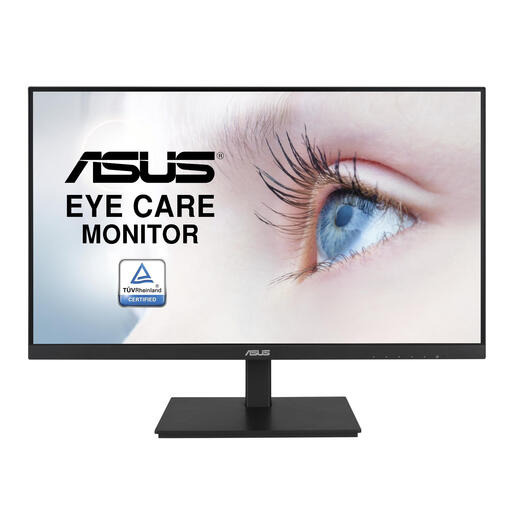 No image available
A 23.8-inch screen to compare if you don’t need a larger display for your script.
The product name lists 1920 × 1080 pixels. The product description mentions an IPS panel, USB hub, built-in speakers and an adjustable stand.
 No image available
A 24-inch QHD option to compare if you’re considering an adjustable workspace and a USB-C connection.
The product name lists 2560 × 1440 pixels. The product description mentions USB-C with 90 W Power Delivery, an RJ45 port, 100 Hz and an adjustable stand.
 No image available
A 24-inch QHD option to compare with other screen sizes for your script layout and desk space.
The product name lists 2560 × 1440 pixels. The product description mentions 100 Hz, HDMI, DisplayPort, USB-C, and height, tilt, swivel and pivot adjustment.
No, a monitor isn’t a copy of your files. Store your script separately and test that you can restore your files; the National Cyber Security Centre advises keeping backups on different types of media and checking that they can be restored.
No, check your laptop’s connections and charging requirements, as well as the features of the exact monitor model. Dell lists USB-C downstream data up to 15 W for the P2425; for the separate 27UP850K-W, LG lists video, data and charging up to 96 W.
Adjust an adjustable screen to suit your workspace and try your usual script layout. Also make a separate backup and open a file from it to check that it can be restored, as advised by the National Cyber Security Centre.
When you buy as a consumer, you’re entitled to a product that works properly. According to the Dutch government, there’s no fixed statutory warranty period, and the seller is your point of contact if a product is faulty. For applicable online distance sales, a 14-day cooling-off period applies in many cases. Check the terms that apply to your specific purchase.
According to Arboportaal, if an employee works at a screen for more than 2 hours a day, the screen and keyboard must not be attached to each other. This is a conditional workplace requirement, not a universal purchasing requirement for every writer or monitor.