
Readers of detailed plans
You often zoom in on drawings, maps or small labels, and weigh sharpness against a comfortable text size.


For viewing plans alongside their legends and revision notes, an adjustable 27-inch QHD monitor is a practical option. iiyama lists a resolution of 2560 × 1440 pixels for the XB2797QSU-B1. If fine map details matter more to you, you could consider a 27-inch 4K monitor, but check that text remains comfortable to read at your preferred scaling. A more compact monitor may suit a smaller desk. To connect with a single USB-C cable, your laptop’s video output must be compatible with the video and power features of the exact monitor model. Screen position, lighting and taking regular breaks also deserve attention during long study sessions.
You often zoom in on drawings, maps or small labels, and weigh sharpness against a comfortable text size.
You want to view a plan, legend, source material or revision notes side by side, while keeping an eye on how much desk space you have.
You spend long periods reading at a laptop workstation and consider screen position, lighting and the option of a single-cable connection.
First, decide whether you mainly want to see small details or work with several documents at once. Then check that the screen will fit on your desk and that its connections are compatible with your laptop.
| What to consider | What should you look for? | Who should pay particular attention? |
|---|---|---|
| Fine details in plans | Compare the resolution of the exact model and test plans using your preferred text size and zoom level. Philips lists 3840 × 2160 pixels for the 27E1N1800AE/00; iiyama lists 2560 × 1440 pixels for the XB2797QSU-B1. | I want to read small map labels and details in drawings without setting the text uncomfortably small. Around 27% of consumers make fine details in plans and maps their top priority. |
| Plans and notes side by side | Try your preferred window layout at a readable scale and measure the space available. Dell lists a 24.07-inch screen with 1920 × 1200 pixels for the P2425; the iiyama XB2797QSU-B1 is a 27-inch QHD model. | When switching between a plan, legend and revision notes, I want to view as much as possible at the same time. Around 27% of consumers prioritise this layout. |
| Screen position and lighting | Check the height, tilt and swivel adjustments on the exact model, and make sure your screen and ambient lighting work well together. Arboportaal outlines considerations for prolonged screen use; an adjustable monitor is no substitute for suitable lighting and taking regular breaks. | During longer reading sessions, I want to be able to adjust the screen position and lighting to suit my workspace. Around 20% of consumers prioritise this setup. |
| Connecting and powering your laptop | Check whether your laptop outputs video via USB-C, then compare this with the monitor’s connection and charging capacity. BenQ lists DisplayPort Alt Mode and 65 W Power Delivery for the PD2705U; Dell lists a USB-C downstream data port rated at up to 15 W for the P2425. | I may want to connect and power my laptop with one cable, but only if both devices support it. Around 13% of consumers prioritise this compatible connection. |
| Desk space | Measure the available width and depth, then compare these with the screen’s dimensions, including its stand. Dell lists a 24.07-inch screen diagonal for the P2425; Philips lists a 27-inch screen for the 27E1N1800AE/00. | If my desk is short on space, I want to make sure the screen and stand will fit first. Around 13% of consumers give available desk space the greatest weight. |
USB-C video, data and power capabilities can vary by model. Dell describes the P2425’s USB-C port as a downstream data port rated at up to 15 W. This is not the same as the USB-C video and power features listed by BenQ for the PD2705U.
Compare the port’s function and stated power output on the exact monitor model with your laptop’s video output and power requirements.
A higher resolution does not automatically tell you how many plan windows will fit at a comfortable reading size.
Test a representative plan file using the text size and zoom setting you want to use while studying.
A manufacturer’s warranty does not replace your statutory rights. ACM ConsuWijzer explains that the seller is responsible if a product fails sooner than you could reasonably expect under normal use.
Check your statutory rights, then read what any additional warranty actually covers.
The ProLite XB2797QSU-B1 is a 27-inch QHD option for viewing documents side by side.
The 27E1N1800AE/00 is a 27-inch 4K option for detail; the separate 276B9/00 is a 27-inch QHD model with USB-C.
The P2425 offers a more compact 24-inch 16:10 option; the separate P2725QE is a 27-inch 4K USB-C hub model.
BenQ positions the PD2705U as a 27-inch 4K model for design work. For studying plans, it is mainly relevant if you need its specific connection features.
This selection at Joybuy includes QHD and 4K monitors for viewing plans and documents. Compare the size and resolution with your preferred window layout and the space available on your desk.
 No image available
An option for viewing plans with fine details; measure first to make sure the 32-inch screen and stand will fit on your desk.
32 inches; 4K UHD; 120 Hz; QD-OLED.
Check that the connections on the exact model are compatible with your computer.
 No image available
A 27-inch 4K option for viewing small details in maps and drawings; check that text remains readable at your preferred scaling.
3840 × 2160 pixels; 60 Hz; 4 ms; HDMI and DisplayPort. Philips lists a height-adjustable stand.
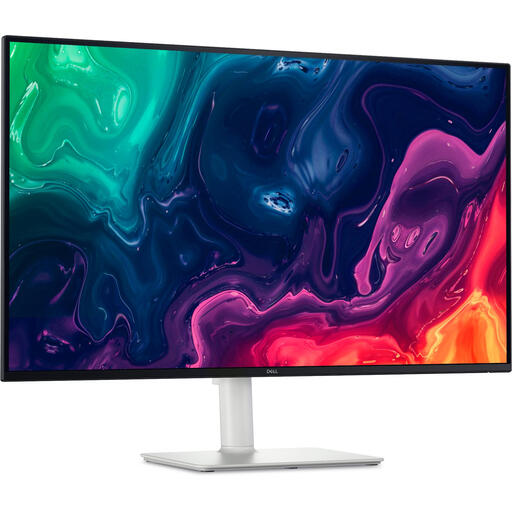 No image available
A large 4K screen for viewing plans and documents; bear in mind how much space the screen and stand will take up.
31.5 inches; 3840 × 2160 pixels; 4K UHD; LCD. The product description lists a height-adjustable stand.
Check the exact connections and dimensions of the model before planning where it will go in your workspace.
 No image available
A QHD option for viewing plans and notes side by side. QHD has fewer pixels than the 4K models mentioned, so test fine details at your preferred scaling.
2560 × 1440 pixels; 27 inches. The product description lists an adjustable stand with 150 mm of height adjustment.
 No image available
A 27-inch QHD option for viewing a plan and notes side by side; check the text size and the space available on your desk.
2560 × 1440 pixels. The product description lists a stand adjustable for height, tilt, swivel and pivot.
No. Resolution alone does not determine how comfortably you can read details. Compare a representative plan at your usual viewing distance and test the zoom and text size you want to use.
No. Check whether your laptop can output video via USB-C, whether the monitor has a compatible video input, and whether its charging capacity suits your laptop. Dell describes the P2425’s USB-C port as a downstream data port; BenQ lists DisplayPort Alt Mode and 65 W Power Delivery for the PD2705U.
Compare the energy label of the exact models. Energielabel.nl describes a scale from A to G for displays; remember that your own usage time and settings also make a difference.
For distance purchases, you generally have 14 days to change your mind; the Dutch government outlines the conditions. Your statutory rights are separate from the manufacturer’s warranty: ACM ConsuWijzer explains that the seller is responsible if the product fails sooner than you could reasonably expect under normal use.
No. The requirements for screen work described by Arboportaal apply to employers and employees’ workplaces under the relevant conditions. For a monitor you use privately, adjustability, lighting and taking breaks are factors to consider when choosing and using it, not general legal specifications for a particular model.