
Photographers who print regularly
You regularly assess photos before printing and want to apply calibration and colour management consistently.


Choose a monitor for photo printing based on your colour workflow and how colleagues share the desk. Calibration options, profile management and a suitable print preview matter more than a stated colour gamut alone. If you regularly switch between laptops, check the connections too, and make sure the USB-C power delivery is suitable for each laptop. A monitor’s specifications cannot guarantee that a print will match what you see on screen; printer and paper settings and profiles also play a part.
You regularly assess photos before printing and want to apply calibration and colour management consistently.
You share a desk or monitor and want to be able to check the connections, power and display profiles each time you switch devices.
You also use the monitor for everyday office tasks and want to work out how many specialist colour features you need.
Start by considering how often you print colour-critical work. Then check how calibration and profile management work when users or computers change.
| What to consider | What to look for | Who is it important for? |
|---|---|---|
| Colour assessment for printing | Check for hardware calibration, the stated colour gamut, and how to match your monitor, printer and paper profiles. | If I print photos regularly, I want to be able to repeat colour assessment and profile management as part of my workflow. Around 36% of consumers say repeatable colour assessment for printing is their top priority. |
| Switching laptops or users | Check the video connection, USB-C charging power for each laptop, and how users can select the correct display profile. | When we take turns using laptops, I want to be able to check the connection and profile after each switch. Around 29% of consumers put easy switching between users or laptops first. |
| Print preview and desk lighting | Check whether any accompanying software is compatible with your printer and paper type, and whether a coating or monitor hood would be useful for the lighting at your desk. | If I assess a print on screen before printing, I want to take the printer, paper and surrounding light into account. Around 21% of consumers say print preview at a shared workstation is their top priority. |
| Photos and everyday tasks | Compare resolution, screen space and connections. Don’t assume that stated sRGB or DCI-P3 coverage means the same level of Adobe RGB coverage. | If I mainly use a monitor for everyday tasks and only occasionally for photos, I want to know which features I really need. Around 14% of consumers put versatility for everyday tasks first. |
A stated colour space alone doesn’t tell you what a print will look like. Monitor calibration and printer and paper settings are separate parts of the workflow.
Check the profiles for your printer and paper type, and print a proof if necessary before making colour-critical decisions.
Proof prints and colour corrections can take extra time.
The monitor models listed specify different levels of USB-C power delivery. The connection needs to suit the laptop you’re plugging in.
For the exact model, compare its stated power output with the requirements and connections of each laptop.
You may still need a separate laptop charger.
At a shared desk, computer settings and the active display profile can vary. A factory specification doesn’t confirm that the profile is correct on every connected computer.
Agree on who manages the settings, and check which display profile is active each time you switch computers.
Further checks or calibration can take time and may require extra equipment.
The ColorEdge CS2740 is an option for workflows that prioritise calibration and assessing photo colours.
According to BenQ, the SW272U combines photography and print preview features with connections suited to a shared desk.
According to ASUS, the ProArt PA279CRV is designed for creative work, with an adjustable set-up and a connection for laptops.
The UltraSharp U2723QE is an example of a hub-focused monitor for everyday desk use.
This Joybuy selection includes monitors described in their product information as suitable for photo work or a shared workspace. Compare the listed connections and colour spaces with your own workflow; these specifications alone can’t guarantee the result of a print.
 No image available
A 27-inch 4K IPS monitor for viewing photos at a high stated resolution.
27 inches; 4K; IPS; 3840 × 2160 pixels.
 No image available
A portable option for anyone looking to combine photo and creative work with a display that can connect to different devices.
2560 × 1600; IPS; 100% sRGB; 144 Hz; two USB-C ports and mini-HDMI.
 No image available
An option for photo and design work where switching between devices at the same desk is also a consideration.
27 inches; 3840 × 2160; 94% Adobe RGB; factory calibration; USB-C with 98 W; KVM switch.
 No image available
A model for anyone looking to combine stated Adobe RGB coverage with a USB-C connection at a shared desk.
27 inches; 4K; IPS; 99% Adobe RGB; Delta E < 2; USB-C with 90 W; adjustable stand.
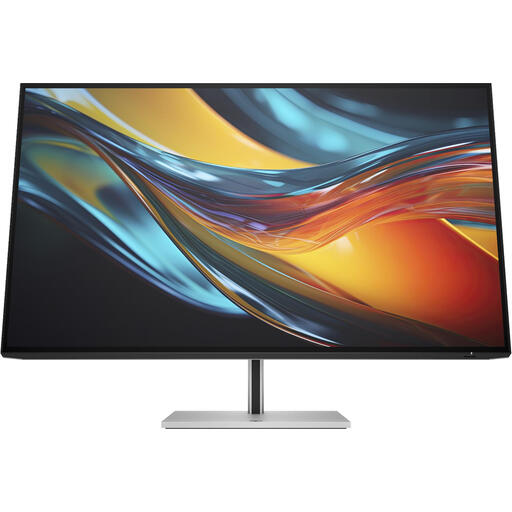 No image available
An option for anyone looking for a larger screen and a KVM switch for two computers at one desk.
31.5 inches; 4K; Thunderbolt 4; 98% DCI-P3; KVM switch. The product description states that a charger is not included as standard.
No. The percentage is a stated feature of a monitor; a reliable assessment also depends on calibration, profiles, and printer and paper settings. Check which output profile is right for your printing process.
Check that the video connection works and that the USB-C power delivery is suitable for that laptop. On the connected computer, also check which display profile is active. Apple Support explains how to select a profile on a Mac.
Yes. Regular checks or recalibration remain important for colour-critical work. A factory specification doesn’t automatically describe the current settings and profile on every shared computer.
For a consumer purchase, the seller must provide a solution, according to ACM ConsuWijzer, if the product doesn’t do what you could reasonably expect of it. Online purchases also generally come with a 14-day cooling-off period after delivery. This cooling-off period is separate from a commercial manufacturer’s warranty; check the terms that apply to your specific purchase.