For showing photos in a small study space, a compact Full HD screen may be enough. 4K is mainly worth considering if you want to see more detail in your photos and your laptop can support the required resolution. If you also edit photos for printing, consider colour coverage and calibration options. BenQ lists these features for the PD2732U, but manufacturer specifications are not an independent colour test. Also check which device will play the photos and whether its video connection is compatible with your laptop and monitor.
Who is this option for?
Student short on desk space
You want to show photos without giving up your study space, so screen size and positioning come first. Philips and Dell list models measuring 23.8 and 27 inches respectively. Remember to measure the space taken up by the stand, too.
Photo enthusiast who also studies
You want to see detail in your photos and use the same screen for working on your laptop. Resolution and connectivity both matter; Dell lists USB-C and height adjustment among the features of the S2725QC.
Student who edits photos
You assess colour for digital work or printing, so your needs differ from those of someone who simply displays a slideshow. BenQ describes the PD2732U as a colour-focused monitor; the features listed are manufacturer specifications.
What should you look for when buying?
Compact Full HD
Ideal for: a small room where you’ll also use the monitor for studying. Philips lists a 23.8-inch screen and Full HD resolution for the 24E1N1300AE/00.
The trade-off: Full HD has fewer pixels than 4K. Also check that the connections are compatible with your laptop.
27-inch 4K
Ideal for: looking at photos up close as well as studying, if you have enough desk space. Dell lists 4K, IPS, USB-C and height adjustment for the S2725QC.
The trade-off: check that your laptop supports 4K through the connection you plan to use. These specifications are not an independent assessment of colour accuracy.
Colour-focused editing
Ideal for: anyone who also assesses photos for editing or printing. BenQ lists 4K, Adobe RGB and colour uniformity features for the PD2732U.
The trade-off: manufacturer specifications don’t prove how a particular unit will perform throughout your entire editing and printing workflow.
| What to consider |
What to look for |
Who is this important for? |
| Space and size |
Measure the available width and depth, including the stand. Compare the screen size with the space you need for studying. |
If my desk also needs to be a workspace, I don’t want the monitor taking up most of it. This is the top priority for consumers who value space above all, making up around 36%. |
| Photo detail |
Consider screen size and resolution together, and check which resolution your laptop supports through the output you plan to use. |
When I look at photos up close, I want to be able to assess the detail without choosing a screen my laptop can’t drive properly. Around 29% of consumers prioritise photo detail. |
| Connectivity and use |
Check that the device playing the photos has a compatible video output. Separately, check whether a USB-C connection also provides the power you need. |
I want to switch easily between studying and showing photos, so the connection needs to work with both devices. Easy connectivity is the top priority for around 21% of consumers. |
| Assessing colour |
Decide whether you’ll only display photos or also edit them with colour in mind. Check the colour space and calibration features of the exact model; don’t treat manufacturer claims as independent test results. |
If I edit photos or check them before printing, I pay more attention to colour than I would if I were just displaying a gallery. Around 14% of consumers prioritise colour editing. |
Things to watch out for when buying
-
Confusing a higher refresh rate with more photo detail
Refresh rate and resolution describe different features. A higher refresh rate doesn’t, by itself, make still photos look more detailed.
For a photo gallery, start by choosing a suitable screen size, resolution and connection.
-
Assuming every USB-C port carries both video and power
A USB-C port on the monitor doesn’t guarantee that every laptop will receive video and power through the same cable.
Check the features of the specific laptop port and monitor connection. You may also need a different cable, an adapter or a separate laptop charger.
-
Confusing a two-year manufacturer’s warranty with your statutory rights
ACM ConsuWijzer explains that statutory consumer rights in the Netherlands depend on what you can reasonably expect from the product and don’t automatically end after two years.
Keep your proof of purchase and contact the retailer if you think the product is faulty.
Brands to consider
Philips
The 1000 Series includes compact monitors for studying and displaying photos.
- Philips lists a 23.8-inch screen, Full HD and USB-C with power delivery for a compatible device for the 24E1N1300AE/00.
- The listed resolution doesn’t prove the monitor has been tested for colour performance in photo editing. Also check that its USB-C features are compatible with your laptop.
Dell
According to Dell, the Plus S2725QC combines a 27-inch 4K screen with features for laptop use.
- Dell lists IPS, USB-C and height adjustment for this model.
- Check that the screen fits on your desk and that your laptop supports the 4K output you want. These specifications are not an independent colour test.
BenQ
BenQ’s own product information positions the PD2732U for photography and other colour-focused creative work.
- BenQ lists 4K, Adobe RGB and colour uniformity features for the PD2732U.
- These manufacturer specifications alone don’t prove how your particular unit will display colour or how it will perform throughout the whole photo-to-print process.
Lenovo
Lenovo’s Dutch student guide helps you distinguish between a basic study setup and creative uses.
- The guide covers screen size, resolution and compatibility as factors to consider.
- It’s brand advice, not an independent comparison or proof that a particular model is right for every student.
Monitors for photos and studying
This Joybuy selection includes compact Full HD and QHD screens, as well as larger 4K models for displaying photos and studying. Before buying, check which device will play the photos and whether its video connection is compatible with the monitor.
 Image unavailable
ASUS ZenScreen MB166CR, 15.6-inch Full HD
The compact screen size may suit a desk with limited space. Photos need to be displayed from a connected device.
15.6 inches; 1920 × 1080 pixels; Full HD; LCD.
Joybuy
 Image unavailable
Dell Pro Plus P2425D, 24-inch Quad HD
A 24-inch Quad HD screen may be a good fit if you want more resolution than Full HD while keeping desk space in mind.
24 inches; 2560 × 1440 pixels; Quad HD.
Joybuy
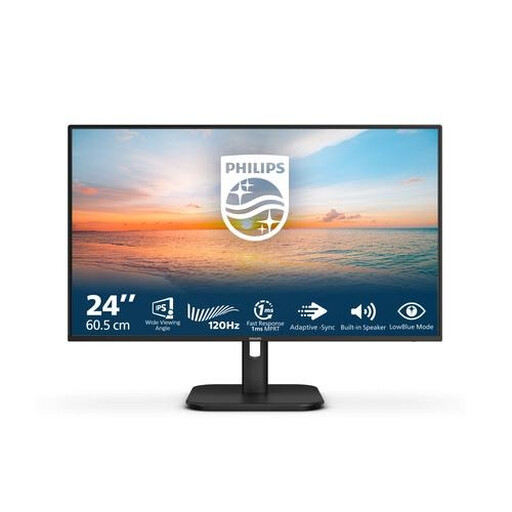 Image unavailable
Philips 1000 Series 24E1N1200A/00, 23.8-inch Full HD
This 23.8-inch Full HD model is worth considering for a compact study space. Check which connection your source device needs.
23.8 inches; 1920 × 1080 pixels; Full HD; LED.
Joybuy
 Image unavailable
MSI Modern MD272UPHG, 27-inch 4K Ultra HD
This 27-inch 4K model may suit you if you want to see more detail in your photos and have enough desk space.
27 inches; 3840 × 2160 pixels; 4K Ultra HD.
Joybuy
 Image unavailable
Dell Plus S2725QC, 27-inch 4K Ultra HD
The 27-inch screen and 4K resolution suit anyone who wants to see plenty of detail in their photos and has enough desk space.
Dell lists IPS, USB-C and height adjustment for the S2725QC. Check that your laptop supports the 4K output you want through the connection you plan to use.
Joybuy
Frequently asked questions
Can I play a slideshow of photos directly on any monitor?
Don’t assume so: a monitor isn’t necessarily a standalone media player. Decide which device will play the photos and check that its video output connects to the monitor. USB-C alone doesn’t mean the monitor can display photos independently.
What should I consider if the photo gallery will be on for a long time?
Compare the energy labels of the specific models. The European Commission explains the EU energy label scale for electronic displays, and you can find information about products’ energy use in EPREL. Actual energy consumption also depends on how you use the monitor.
Can I mount a monitor on the wall of my rented room?
According to the Dutch Government, you don’t need your landlord’s permission for a minor alteration that can be reversed without much expense, such as filling in small holes. Renovations do require permission. Consider your mounting method and rental agreement separately, and check that the wall and fixings are suitable.
What are my rights if a monitor I bought online isn’t suitable or breaks too soon?
For a standard online consumer purchase, you’ll usually have a 14-day cooling-off period from delivery, subject to applicable exceptions. Your statutory rights are separate from a manufacturer’s warranty: if a product is faulty despite being used normally, the retailer is responsible for providing an appropriate remedy at no cost. In the Netherlands, there is no fixed statutory guarantee period of exactly two years.


