Which buying decisions matter most?
Compact screen with an sRGB focus
Best for: limited desk space and mainly checking photos. ASUS lists an sRGB mode and height adjustment for the PA248QV.
Trade-off: a more compact screen offers less space than a 27-inch model; according to ASUS, the PA248QV does not support USB-C video.
Larger fixed screen for layouts
Best for: a fixed workstation where you want to view photos and page layouts side by side. BenQ lists a 27-inch QHD screen for the PD2705Q.
Trade-off: measure the space available on your table, including the stand. A larger screen or more pixels alone won’t prove that its colours will match your printed book better.
Workflow with hardware calibration
Best for: regular colour-critical work where you’ll keep the calibration up to date. EIZO lists hardware calibration for the ColorEdge CS2400S.
Trade-off: this feature calls for a managed workflow and consistent lighting; it’s not necessarily needed for occasional photo books.
Albelli asks for sRGB or RGB files for its editing software and says that images are converted to CMYK for printing. So compare both your screen setup and your photo book service’s instructions.
| What to consider |
What to look for |
Who it matters to |
| Checking colour |
Check the colour mode and monitor profile, and follow your photo book service’s file requirements. |
When I edit photos, I want to be able to assess colour without assuming that my screen and the book will look identical. Around 36% of consumers give checking colour their top priority. |
| Desk space |
Measure the available width and depth, including the monitor stand. |
When I use my table for studying too, I want to know whether the screen and stand will fit. Around 29% of consumers prioritise a setup that fits their desk. |
| Page overview |
Compare the screen size and resolution with the layout you want to use in your editor. |
When I select photos and create book pages, I want enough room for my layout. Around 21% of consumers prioritise that overview. |
| Connecting a laptop |
Check that the video connection and any power delivery are compatible with your laptop. |
When I want to connect my laptop without unnecessary cables, I check that the connection I want supports both video and power. Around 14% of consumers put this connection first. |
Joybuy monitors for this use case
This Joybuy selection includes compact screens for a small workspace, larger models for a fixed layout workstation and a portable second screen for a flexible laptop setup.
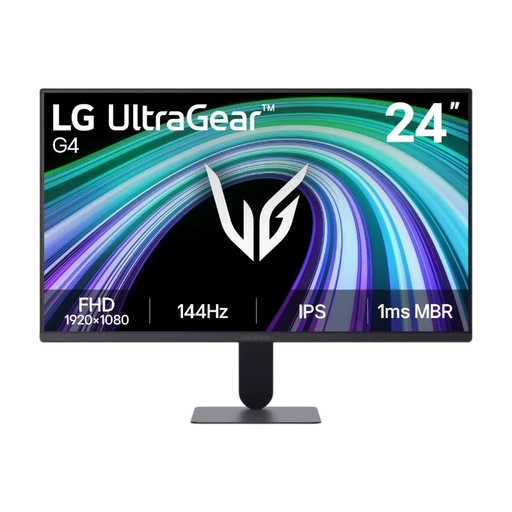 Image unavailable
LG UltraGear 24G411B-B, 23.8 inches
The 23.8-inch size and adjustable stand suit a compact desk setup.
The product description lists Full HD, 99% sRGB, an IPS panel, and height and tilt adjustment. These specifications don’t guarantee a match with the colours in a print.
View at Joybuy
 Image unavailable
TECLAST V16H, 16-inch portable monitor
A portable screen with a built-in stand is an option if you want to use a second screen with your laptop.
The product title lists Full HD, IPS, 16:10, 144 Hz, two USB-C ports and Mini HDMI. Check that the connections are compatible with your laptop.
View at Joybuy
 Image unavailable
Philips 27E1N1800AE/00, 27 inches
This larger screen is an option for a fixed workstation where you want more room for photos and pages.
The product title lists 4K UHD, 3840 × 2160, 60 Hz, 4 ms, HDMI and DisplayPort. The description mentions a height-adjustable stand. Resolution alone says nothing about how closely colours will match a print.
View at Joybuy
 Image unavailable
INNOCN CB27U1, 27 inches
The 27-inch size is an option for a fixed workstation where you want to view photos and page layouts on a larger screen.
The product information lists 4K UHD, IPS, USB-C with 90 W PD and a height-adjustable stand. It also lists 100% sRGB, 99% Adobe RGB and Delta E < 1; specifications like these don’t guarantee a particular print result.
View at Joybuy
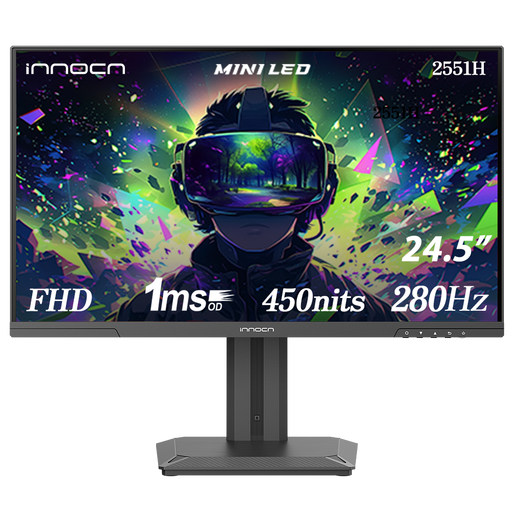 Image unavailable
INNOCN 2551H, 24.5 inches
This screen is a compact option to compare if you’re looking for a monitor with an adjustable setup.
The product information lists Full HD, IPS, Mini LED, 99% sRGB and height adjustment with pivot. These features alone don’t prove that screen colours will match print colours.
View at Joybuy
Frequently asked questions
Do I need 4K to make a photo book?
No, 4K isn’t a general requirement for making a photo book. Choose a size that fits your table and gives you enough room to work in the editor; resolution alone doesn’t prove colour accuracy or a match with the printed book.
How should I set up my monitor before checking colours?
Use a suitable colour mode and monitor profile, and keep the lighting as consistent as possible while you assess the colours. Adobe recommends calibrating your monitor for Lightroom Classic; also follow your photo book service’s instructions for your files.
Can I connect my laptop with a single USB-C cable?
Only if both the laptop and monitor support the required video function and the power supply is sufficient. Philips lists USB-C with power delivery for compatible devices on the 24E1N1300AE/00; ASUS says the PA248QV doesn’t support USB-C video.
What energy information can I check for a monitor?
According to the European Commission, electronic displays, including computer monitors, are given an energy label on a scale from A to G. Check the label for the exact model; on its own, it tells you nothing about its colour performance for photo books.
What if a monitor I bought online doesn’t suit me or is faulty?
In many cases, you have 14 days to change your mind when buying online from a business, subject to exceptions, according to the Dutch government. A faulty product is a different situation from a purchase you simply don’t like. The Dutch government says that the Netherlands has no fixed statutory warranty period; check which rights apply in your circumstances.


