What should you look for in a monitor for photo album spreads?
First decide whether you mainly want to assess print colours, a full spread or a practical home working setup. Each priority calls for different checks.
| Consideration |
What to look for when buying |
Who is this important for? |
| Colour and print preview |
Check the colour gamut and calibration support of the exact model. Ask whether the album provider supplies a profile for your chosen print combination. |
If I want to assess colours for a specific album print, I need to know whether my workflow is suitable. For around 36% of consumers, print colour is their top buying priority. |
| Room for a full spread |
Compare the diagonal and resolution, and check that the monitor, including its stand, will fit on your desk. |
I want to see both pages at once and inspect text and photos without the monitor taking up too much space. Around 29% of consumers prioritise seeing the whole spread. |
| Connections for home working |
Check that video can be transmitted through the port you plan to use, and that the power delivery suits your laptop. |
If I use one monitor for work and album design, its connections need to suit my laptop and workspace. For around 21% of consumers, home working connections are their top priority. |
| Additional equipment and usage |
Check whether the colour management workflow requires measuring equipment, and review the energy label for applicable models. |
I want to know in advance whether my workflow requires extra calibration equipment and what usage information is available. Around 14% of consumers put these practical considerations first. |
Joybuy monitors for photo album spreads
This Joybuy selection focuses on larger 4K monitors for viewing album spreads and details side by side. When choosing, also check the space on your desk and the connections your computer needs.
 Image unavailable
Philips 32E1N1800LA, 32 inch, VA, 4K UHD
The 32-inch screen gives you plenty of physical display space to view an album spread side by side.
Listed: 3840 × 2160 pixels, 60 Hz, 300 cd/m², HDR10, HDMI and DisplayPort.
View at Joybuy
 Image unavailable
Dell UltraSharp U3226Q, 32 inch, 4K UHD, QD-OLED
The 32-inch size gives you room to view two album pages side by side on screen.
Listed in the product name: 4K UHD, 120 Hz and QD-OLED.
View at Joybuy
 Image unavailable
ASUS ProArt OLED PA32UCDM, 31.5 inch, 4K UHD, QD-OLED
The screen size and 4K resolution give you a workspace for spreads and image details.
The product information warns that the QD-OLED panel may be susceptible to burn-in; use a screensaver and vary the content on screen.
View at Joybuy
 Image unavailable
BenQ PD3225U, 32 inch, 4K UHD
The 32-inch screen gives you room to view a full spread side by side.
Listed: 3840 × 2160 pixels and 4K Ultra HD. The product description mentions Thunderbolt 3, 85 W Power Delivery and a KVM switch.
View at Joybuy
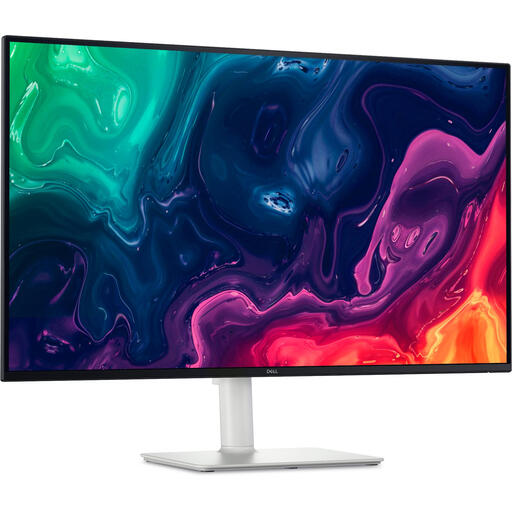 Image unavailable
Dell Plus S3225QS, 31.5 inch, 4K UHD, VA
The 31.5-inch screen gives you plenty of physical display space for laying out a spread.
Listed: 3840 × 2160 pixels and 4K UHD. The product description mentions HDMI and DisplayPort connections.
View at Joybuy
Frequently asked questions
Can a colour-accurate monitor show exactly how my photo album will look when printed?
No. The final result also depends on the paper, ink and printing process. If the provider makes a suitable profile available, use it to soft-proof your chosen print combination in compatible software.
What should I check when connecting a laptop?
Check that your laptop’s video connection can transmit a picture to the monitor, and that the stated USB-C power delivery suits your laptop. ASUS lists USB-C power delivery of up to 96 W for the PA279CRV; that doesn’t automatically make it compatible with every laptop.
Do I need to change any settings after buying a monitor for colour-critical work?
Calibration can be part of a colour management workflow. EIZO lists hardware calibration via ColorNavigator for the CS2740; BenQ lists hardware calibration with a calibrator for the SW321C. Check what equipment is needed for the model you choose.
What are my rights when buying a monitor online in the Netherlands?
According to the Dutch government, applicable online purchases from a business generally come with a 14-day cooling-off period. You’re also entitled to a product that is fit for purpose; the Dutch government states that there is no fixed period for the Netherlands’ statutory guarantee and that you should contact the seller if a fault develops.
Do computer monitors have an energy label in the Netherlands?
According to the European Commission, computer monitors generally fall under the energy labelling rules for electronic displays, subject to exceptions within those rules. The label uses a scale from A to G to compare applicable models.


