
Players of dark scenes
You mainly play stealth games in dim lighting and want to make out dark shadows and bright objects clearly.


If you mainly play in a dark room, compare OLED and VA for black levels and performance in dark motion; a high refresh rate alone won’t tell you whether VA smearing will be noticeable. If you also use the screen for long periods with fixed work windows on display, OLED requires extra consideration because of the risk of burn-in, while IPS and VA involve different trade-offs around black levels. For every model, also check that your PC or console supports your chosen resolution and refresh rate through the connection you plan to use.
You mainly play stealth games in dim lighting and want to make out dark shadows and bright objects clearly.
You use the same screen for work windows during the day and play on it later. Daylight and displaying fixed images for long periods are therefore also important considerations.
You want to follow details in motion, so you look beyond the stated refresh rate alone.
Best for: those who often game in a dark room, where black levels matter most.
Trade-off: displaying the same windows or taskbar for long periods carries a risk of burn-in; also consider light falling on the screen.
Best for: those who want to combine dark games with fixed work windows and are considering an LCD.
Trade-off: VA generally offers more contrast than IPS, but some models show smearing in dark moving images. RTINGS.com highlights this as a point to consider with VA.
Best for: those who work a lot in daylight or want to avoid the risk of OLED burn-in.
Trade-off: conventional IPS screens generally show less deep blacks than VA or OLED; check the black uniformity of the specific model.
| What to consider | What should you check? | Who should pay extra attention? |
|---|---|---|
| Dark scenes | Look at tests of the exact model for contrast, black uniformity and dark moving images; take the lighting in your room into account. | If I play in a dark room, I want to make out shadows without distracting bright patches. Around 33% of consumers put black levels and dark scenes at the top of their list. |
| One screen for work and gaming | Consider long periods with static windows on screen, daylight, screen reflections, and the model’s maintenance and warranty terms. | If my work windows stay open for long periods during the day and I game later, I consider both everyday use and panel risks. Around 27% of consumers prioritise this combination. |
| Motion clarity | Look for model-specific measurements or motion tests, especially for dark transitions in the modes you use. | If I want to keep following details during fast camera movements, I look beyond the hertz figure. Around 20% of consumers make motion clarity their top priority. |
| Connection and desk space | Check the dimensions including the stand, the available ports, and which resolution and refresh-rate combinations each input supports. | If my desk or PC connections impose limits, I want to know in advance whether the screen will physically fit and support the mode I need. Around 20% of consumers put practical connectivity and fit at the top of their list. |
A high stated refresh rate doesn’t rule out visible trails during dark transitions. RTINGS.com highlights dark motion smearing as a point to consider with some VA monitors.
Compare measurements for the exact model at the refresh rate and in the mode you plan to use.
Displaying the same windows or taskbar for long periods carries a risk of burn-in. This pattern of use differs from changing game images.
Compare OLED with LCD and read the maintenance instructions and any warranty terms for the exact model.
AOC lists the AG276QZD2 at 280 Hz, while a Joybuy listing for that model name states 240 Hz. Check the specifications for the exact version before you decide.
Compare the full model name and listed specifications, and check availability separately.
Dell describes the AW2725DF as a QHD QD-OLED monitor and the AW2725QF as an IPS monitor with two resolution and refresh-rate modes.
The Philips Evnia 27M2N3500NL/01 is a 27-inch QHD Fast VA model with a stated refresh rate of 180 Hz.
The AG276QZD2 is a 27-inch QHD QD-OLED model. AOC lists it at 280 Hz; Joybuy states 240 Hz for the same model name.
LG describes the 27GS95QE-B as a 27-inch QHD OLED model with a stated refresh rate of 240 Hz and an adjustable stand.
This selection includes IPS, VA and OLED monitors for gaming and use alongside work. Compare the panel trade-offs, stated modes and connections for each model; the product information alone doesn’t show how dark moving scenes will look.
 No image available
If you want to combine work and gaming on one screen, this model offers two stated resolution and refresh-rate modes.
Fast IPS, Mini-LED local dimming with 1152 zones, 4K at 160 Hz or FHD at 320 Hz, USB-C 65 W and KVM. These specifications alone don’t confirm measured black uniformity.
 No image available
If you’re considering VA for dark scenes, assess dark motion smearing separately; the stated hertz figure alone won’t tell you about it.
27-inch curved WQHD, Rapid VA, 240 Hz and a stated 0,5 ms GtG. Check the performance of this exact model during dark transitions.
 No image available
OLED is an option to compare for dark games; with this screen, bear in mind the risk of displaying the same work windows for long periods.
27-inch QHD OLED, stated 240 Hz and an adjustable stand. Follow the maintenance instructions and check any warranty terms for the exact model.
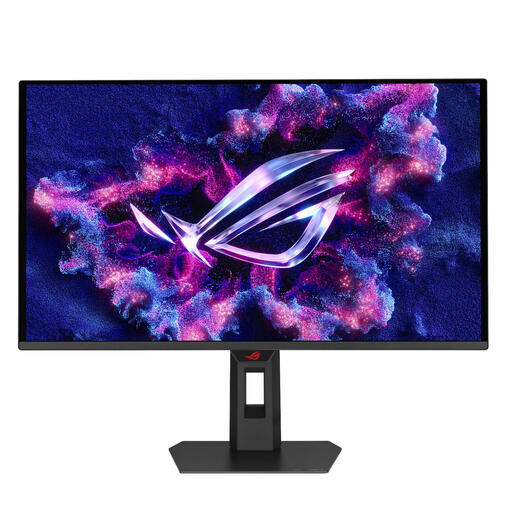 No image available
This QD-OLED model is one to consider when comparing monitors for dark games, but the panel type alone doesn’t predict the model’s motion performance.
26,5-inch QHD QD-OLED. The product description lists 500 Hz and 0,03 ms; compare these stated figures with measurements of dark transitions.
 No image available
If you’re considering a widescreen monitor for gaming and computer work, check that it will fit your desk.
34-inch QD-OLED, 3440 × 1440, 175 Hz, HDMI 2.1 and USB-C with 15 W Power Delivery. If you use static work windows for long periods, bear in mind the risk of OLED burn-in.
No, a higher hertz figure doesn’t rule out smearing during dark pixel transitions. Compare measurements for the exact model at the refresh rate you plan to use.
Check which resolution and refresh rate the exact model supports for each input, then match your device’s output mode accordingly. For example, Dell lists 4K at 180 Hz and FHD at 360 Hz as different modes for the AW2725QF.
Displaying the same windows or taskbar for long periods carries a risk of burn-in. Follow the model’s maintenance instructions and check any warranty terms; AOC links the stated cover for the AG276QZD2 to following the prescribed screen maintenance.
According to ACM ConsuWijzer, online product purchases generally come with a cooling-off period of up to 14 days after delivery, with some exceptions. The product must also be of satisfactory quality; if there is a fault covered by the statutory guarantee, the seller is responsible for putting it right. A manufacturer’s guarantee doesn’t replace this right.