
Newsletter creator with limited desk space
Measure your whole setup, including the monitor stand, keyboard and any notes. The screen size alone won’t tell you how much room the stand takes up.


First, measure the space for the stand, keyboard and any notes. Then consider the screen size and how far it will be from your eyes. A 23.8-inch QHD screen could suit detailed newsletter layout, while a 16:10 screen offers extra vertical space for documents. A Full HD monitor with USB-C is another option if connecting it to your laptop is your main priority. Check the stand dimensions, readability at your viewing distance and your laptop’s connections for the exact model.
Measure your whole setup, including the monitor stand, keyboard and any notes. The screen size alone won’t tell you how much room the stand takes up.
For long documents, readable text and useful vertical screen space are important considerations.
If you lay out newsletter pages or work with a laptop, compare the monitor’s level of detail, screen orientation and connections.
Measure your workspace first, then decide which screen ratio, resolution and connections suit your work. A QHD screen, a 16:10 screen and a Full HD model with USB-C each involve different trade-offs. Always check readability and compatibility with your laptop for the specific model.
| What to consider | What to look for | Who it matters to |
|---|---|---|
| Desk space | Measure the stand and the available space with your keyboard and paper in place. Also check that you can position the monitor at your usual viewing distance. | If I want to use the monitor, keyboard and notes on a small desk, the whole setup needs to fit. Around 31% of consumers rank desk fit as their top priority. |
| Text and layout | Compare resolution and screen ratio, and assess text scaling at your own viewing distance. The Dell P2425E reviewed here has a 16:10 ratio; Dell and AOC list QHD for the P2425D and Q24P2Q respectively. | Anyone writing long texts or laying out newsletter pages needs to be able to read the text and assess the details. Around 25% of consumers prioritise text space and layout. |
| Screen position | Check whether the exact model is height-adjustable or can rotate to portrait mode, and measure the stand too. AOC lists height adjustment and rotation for the Q24P2Q. | If I want to adjust the screen to suit my working position or view a newsletter page in portrait mode, I check the adjustment options for that version. Around 25% of consumers rank adjustability as their top priority. |
| Laptop connection | Check that USB-C on both your laptop and monitor supports video and the required power delivery. Dell lists up to 90 W for the P2425E; also check which cables are included with the version you choose. | If you work on a small desk with a laptop, a suitable connection can help keep your setup simple. Around 19% of consumers prioritise the laptop connection. |
The stand, viewing distance and space for your keyboard and paper also determine whether the setup will work on a small desk.
Measure the available width and depth with your other items in their usual places, then compare these measurements with the stand dimensions for the exact model.
Readability also depends on text scaling and viewing distance. Resolution alone won’t tell you whether the text will be comfortable to read.
Compare QHD, 16:10 and Full HD at a text size you can read comfortably, rather than just comparing the pixel counts.
Both your laptop and monitor need to support the required video and charging functions. The presence of a USB-C port alone doesn’t confirm that they do.
Check the functions and required charging power of both devices, as well as which cable is included with the version you choose.
If the required cable or connection isn’t included, you may need to buy a separate cable or adapter.
A manufacturer’s warranty is not the same as your statutory protection if a product is faulty. The Dutch government states that the Netherlands has no fixed statutory warranty period.
Keep your proof of purchase, and treat a query about a fault separately from the cancellation period for an online purchase.
The Dell Pro Plus models mentioned offer different options around 24 inches: QHD on the P2425D and 16:10 with a USB-C hub on the P2425E.
The Q24P2Q is a 23.8-inch model with features that could be useful for text work and newsletter layout.
According to Philips, the Philips 24E1N1300AE/00 combines a 23.8-inch Full HD screen with USB-C.
This selection includes 16-inch portable screens and monitors around 24 inches for newsletter work. Compare them by the desk space available, the text and layout view you want, and your laptop’s connections.
 Image unavailable
A 16-inch portable screen could be an option if you have less desk space than you would need for a monitor around 24 inches.
The title lists a 16:10 IPS screen with 2.5K and 144Hz, two USB-C ports, Mini HDMI and a built-in kickstand.
 Image unavailable
This portable model could suit a compact setup, but bear in mind that its screen is smaller than a monitor of around 24 inches.
The product information lists 2560 × 1600 pixels, a 16:10 IPS screen, USB-C, HDMI and a built-in stand.
 Image unavailable
A 23.8-inch QHD screen could suit anyone who wants to view newsletter details on a screen around 24 inches.
The product information lists 2560 × 1440 pixels, height adjustment and a pivot function for portrait viewing. Measure the stand too, and check the connections you need.
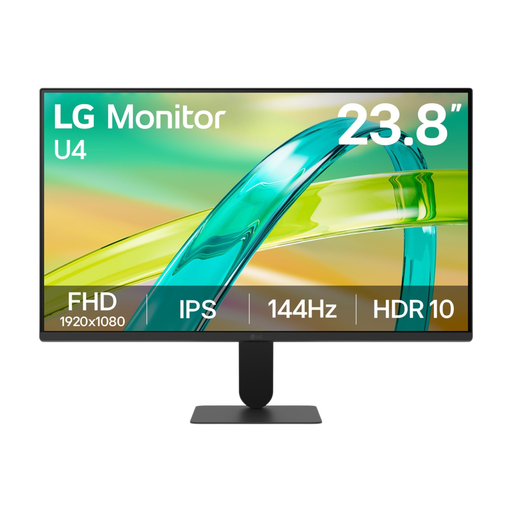 Image unavailable
This monitor, around 24 inches, is worth comparing if you’re looking for a standard screen for writing and newsletter work.
The product information lists Full HD (1920 × 1080), an IPS panel and HDMI and VGA connections. It has fewer pixels than the QHD options mentioned.
 Image unavailable
A 23.8-inch screen could suit anyone looking for a monitor around 24 inches for everyday writing.
The product information lists Full HD (1920 × 1080), a 16:9 ratio, an IPS panel and HDMI and VGA connections. This model has fewer pixels than the QHD options mentioned and less vertical space than a 16:10 screen.
Measure the available width and depth with your keyboard and any papers in place, then compare these measurements with the stand of the exact model. The US Occupational Safety and Health Administration generally recommends a viewing distance of 50 to 100 cm. This is guidance, not a Dutch statutory limit for purchases.
Adjust the text size so you can read it comfortably at your own viewing distance, and choose a screen orientation that suits your document. AOC lists rotation for the Q24P2Q, but don’t assume other models have this feature.
If a product is faulty, the seller is responsible for providing an appropriate solution under the statutory rules for consumer purchases. The Dutch government states that the Netherlands has no fixed statutory warranty period; a manufacturer’s warranty is not the same as your statutory rights.
For many purchases made online from a business, you have a 14-day cancellation period. The Dutch government describes this as a right with exceptions, so check the terms of your purchase. The cancellation period is separate from your rights if the product is faulty.
For employees who use a screen for more than two hours a day, the Dutch Working Conditions Portal states that the screen and keyboard must not be attached to each other. This requirement for employees doesn’t automatically apply to someone creating a newsletter for personal use.