Start by asking whether you can check a full worksheet page and small notation details at a readable size, and whether the screen is easy to adjust at a shared desk. A 27-inch 4K monitor offers a different balance from a USB-C hub monitor or a taller 3:2 screen. Extra connections are most useful if colleagues regularly connect compatible laptops, while a different aspect ratio is not automatically better for music notation.
Who is this choice relevant to?
Music worksheet creator
You switch between entering notes and checking the page, including its text, staves and margins. MuseScore Studio explains how to adjust page layout and display size, so choose a screen that lets you review your worksheet at a scale you find easy to read.
Shared-desk user
You share your screen setup with colleagues and want to be able to adjust its position as the workspace changes. Arboportaal highlights adjustability, lighting and avoiding glare as important considerations when working with screens.
Hot-desking laptop user
You regularly connect a laptop and want to know whether standard video connections are enough or whether USB-C and a hub would be useful. Features vary by model, so check that the screen is compatible with the laptop you actually use.
What should you look for when choosing?
Adjustable 27-inch 4K monitor
A good fit if: you mainly want to view music worksheets and can already connect your computer appropriately.
Keep in mind: check the connections on the exact model; don’t assume it can power a laptop through a single cable without confirmation.
27-inch 4K with USB-C
A good fit if: colleagues regularly connect a laptop or you want to view a worksheet in portrait orientation.
Keep in mind: check that the laptop, cable and monitor work together for video and the power delivery you need.
27-inch 4K USB-C hub monitor
A good fit if: several users connect laptops and having built-in connections at the desk matters.
Keep in mind: extra hub features aren’t essential for viewing music notation clearly.
Taller 3:2 screen
A good fit if: you want to see more of a portrait worksheet page at once at your usual zoom level.
Keep in mind: consider the aspect ratio and the space available on your desk; a programming mode doesn’t prove that it offers an advantage for music worksheets.
| What to consider |
What should you check? |
Who is this important for? |
| Readability of notes and the page |
View a representative worksheet in your notation software at your preferred viewing distance and zoom level. Consider screen size, resolution and aspect ratio. |
If I want to check the notes, text and full page layout, the display needs to be readable at my usual scale. Around 36% of consumers say page readability is their top priority. |
| Adjustability and reflections |
Check the height adjustment and assess glare and the screen’s position in relation to windows and lamps at the shared desk. |
When colleagues use the same workspace, I want to be able to adjust the screen and minimise distracting reflections. Around 29% of consumers say workspace flexibility is their top priority. |
| Connecting a laptop |
Compare each laptop’s video output and charging requirements with the monitor’s connections and the cable you’ll use. |
If I work with different laptops, I want to know in advance whether the selected connection will carry the picture and provide power if needed. Around 21% of consumers say laptop connectivity is their top priority. |
| Features you need |
List the ports and adjustment options you need; check the energy label for the exact model to find out about its power consumption. |
When I mainly use the monitor for worksheets, I don’t want to choose features that add nothing to my workspace. Around 14% of consumers say simplicity and cost are their top priorities. |
Buying points not to overlook
-
Choosing based on 4K alone
A high resolution doesn’t automatically determine how large notes and text appear on screen. Screen size, zoom and your notation software’s page settings also play a part.
Before buying, view a representative page at the scale you want to use and check the page settings in your software.
-
Assuming every USB-C monitor works with every laptop through one cable
The laptop and cable need to support the video and power features of the exact monitor model.
Check the video output, power requirements, ports and cable for the combination you’ll use at the shared desk.
Depending on the laptop and monitor, you may still need a separate charging or video connection.
-
Assuming an adjustable stand is all you need for a properly set-up workspace
Adjustability alone won’t solve problems with glare, poor lighting or awkward positioning on the desk.
Assess the monitor in the actual workspace and adjust its position if necessary. Arboportaal also highlights lighting and avoiding glare as important considerations.
Brands worth considering
Philips
The 27E1N1800AE/00 is a 27-inch 4K IPS model with height adjustment, for anyone who doesn’t need a hub as a key feature.
- Philips lists a height-adjustable stand for this model.
- Check the connections on the exact version; these features don’t automatically apply to other Philips monitors.
LG
The 27UP850K-W is a 27-inch 4K model with USB-C and a stand that LG says can be adjusted for height, tilted and turned to portrait orientation.
- These adjustment options may be useful if you want to change the position of a shared screen.
- Check the version, laptop compatibility and availability of the product you’re considering.
Dell
Dell describes the P2725QE as a 27-inch 4K USB-C hub monitor, an option to consider if shared connections are important.
- The hub features may be useful if laptops and peripherals need to connect at the desk.
- Whether the connections are useful depends on the laptops and peripherals you use; this isn’t an independent user test.
BenQ
BenQ says the RD280U has a 28.2-inch 3:2 screen with a resolution of 3840 × 2560 pixels.
- The unusual aspect ratio is an option to consider if you want to see more of a page vertically.
- The programming modes mentioned by BenQ don’t prove that the monitor offers an advantage for creating music worksheets.
Joybuy monitors for viewing worksheets
These Joybuy options are designed for viewing music worksheets at a desk, with 4K models and versions featuring USB-C or an adjustable stand.
 No image available
MSI Pro MAX 271UPX12G 27-inch 4K UHD 120Hz QD-OLED monitor
An option to consider if you want to view music worksheets on a 27-inch 4K screen and need USB-C.
The product information lists 4K UHD, 3840 × 2160 and USB-C.
Joybuy
 No image available
Philips 27E1N1800AE/00 27-inch 4K UHD IPS monitor
An option for viewing worksheets at a shared desk where you want to adjust the screen position.
The product information lists 4K UHD, 3840 × 2160, an anti-glare screen, height adjustment and HDMI and DisplayPort connections.
Joybuy
 No image available
INNOCN CB27U1 27-inch 4K UHD IPS monitor
An option to consider if you use a shared desk and need connections for different laptops.
The product information lists 3840 × 2160, USB-C with 90 W Power Delivery, HDMI and DisplayPort, plus height, tilt, swivel and pivot adjustment.
Joybuy
 No image available
KTC M27P6 27-inch 4K MiniLED monitor
An option to consider if you want to combine worksheet viewing with laptop connections at a shared desk.
The product information lists UHD 3840 × 2160, USB-C with 65 W Power Delivery, KVM and a stand with height, tilt and swivel adjustment.
Joybuy
 No image available
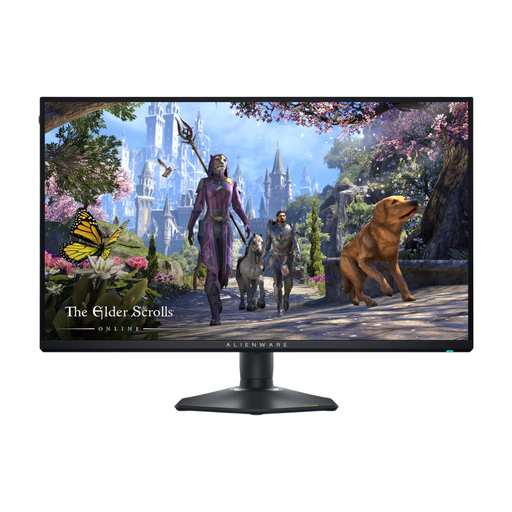
Alienware AW2725QF 27-inch 4K Ultra HD monitor
A 27-inch model to compare if you want to view music worksheets on a 4K screen and adjust its position.
The product information lists 3840 × 2160 pixels, an IPS screen, HDMI and DisplayPort, plus height, pivot, swivel and tilt adjustment.
Joybuy
Frequently asked questions
Does a screen in a shared office in the Netherlands need to be adjustable and non-reflective?
For screen work, Arboportaal highlights factors including height adjustment, screen quality, reflections and lighting. Arboportaal says that employees who work with screens for more than 2 hours a day are subject to additional requirements for screens and keyboards. This doesn’t mean every personal buyer needs to choose one specific type of monitor.
Will using a monitor in portrait orientation automatically make sure a worksheet prints correctly?
No, portrait orientation doesn’t replace checking your document settings. Also check the page size, orientation, margins and staff size in your notation software; MuseScore describes these settings separately from the monitor.
What should I check if colleagues connect different laptops to the same monitor?
Check the available video connection for each laptop and whether you need power from the monitor. Compare this with the connections on the exact monitor model and the cable; the label ‘USB-C hub monitor’ on its own doesn’t confirm compatibility with every laptop.
How do you compare power consumption, and what happens if a product is faulty?
For monitors covered by EU rules, compare the information on the energy label for the exact version; the European Commission describes an energy scale from A to G for electronic displays. For a consumer purchase in the Netherlands, the statutory guarantee applies if a product doesn’t perform as you could reasonably expect under normal use; according to ACM ConsuWijzer, the retailer is your point of contact. These consumer rules don’t necessarily apply to business purchases.


