
Vandaag of morgen in huis

Kwaliteit gegarandeerd

Welkomstaanbiedingen ontgrendelen: GRATIS bezorging | Tot 80% korting | Gratis 30 dagen JoyPlus-proefperiode
Download de app
A monitor mount can free up space, improve cable management and give you more flexibility when positioning your screen. Yet many people buy a model that does not fit properly once installed. The problem usually lies not in the appearance, but in failing to check the VESA size, weight capacity or mounting method.
This guide helps home and business users choose the right monitor mount for a desk, wall, ceiling, TV or meeting room.
A 27-inch monitor will not automatically fit every monitor arm. The mounting points on the back must match the mount. So always check the VESA size, such as 75 x 75 mm, 100 x 100 mm or a larger pattern for televisions.
A screen may also fall within the stated size range but still be too heavy for the chosen arm. Always check the weight of the screen without its original stand.
A weight capacity of 8 kg means that, according to the product specifications, the screen must not weigh more than 8 kg. Add the extra weight of accessories, adapters or a camera as well. This is particularly important with a videobar mount: the mount must be able to support both the videobar and any additional equipment.
Allow a safety margin if the installation will be under load for long periods or adjusted regularly. Under no circumstances should you exceed the stated limit.
A desk clamp requires a sturdy desktop. A wall-mounted monitor bracket must be securely attached to concrete, brickwork or a wooden stud, depending on the type of wall. Screwing into a thin plasterboard wall alone is not a safe solution for heavier screens.
For a ceiling TV mount, you must check the load-bearing capacity of the ceiling structure. Ask an installer for advice if you are unsure about cables, pipes or the construction itself.
VESA describes the horizontal and vertical distance between the mounting holes. Check:
A standard monitor arm is often suitable for 75 x 75 mm and 100 x 100 mm. For large TVs or professional displays, patterns such as 400 x 400 mm or 600 x 400 mm are more common.
Compare the weight of the screen with the maximum weight capacity of the monitor stand or monitor arm. Also pay attention to the number of screens. A dual monitor stand, for example, has a separate maximum weight per screen and sometimes an overall maximum too.
Models for screens from 10 to 30 or from 10 to 32 inches are available for smaller monitors. Large videobar kits may be designed for screens from 43 to 110 inches. The size range is therefore not a universal measure of quality, but a practical compatibility limit.
Choose the range of movement based on how you plan to use the mount:
For adjustable models, also check the maximum extension. An arm that can move a long way from the wall needs enough room for cables and equipment behind the screen.
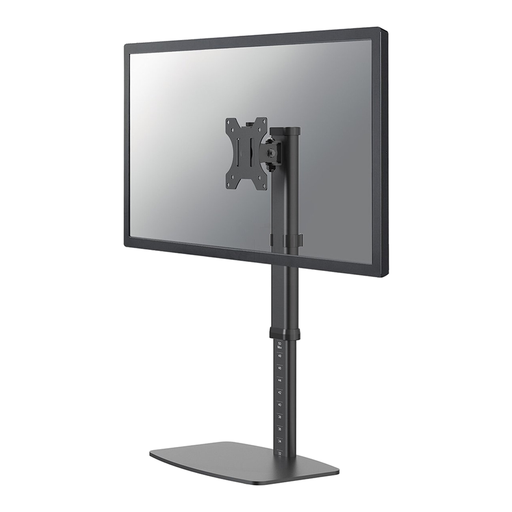
Why it suits this profile: This desk mount is designed for a single screen of up to 30 inches and can be placed on a desk without wall mounting. That makes it a practical choice for a simple home office.
The product specifications state a weight capacity of up to 6 kg and VESA 75 x 75 and 100 x 100 mm. Check beforehand that your screen falls within these limits.
Height-adjustable, tiltable, rotatable and suitable for one screen. The manufacturer states a 5-year warranty.
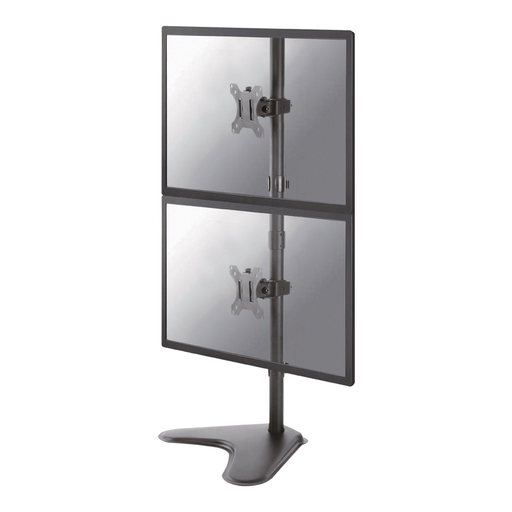
Why it suits this profile: This dual monitor stand is suitable for office work, financial dashboards and multitasking across two screens. The vertical arrangement saves desk space.
The arm supports two screens and uses VESA 75 x 75 or 100 x 100 mm. Check the weight of each screen and the available space above the desk.
Tilting, swivelling and rotating are all possible. The stated maximum load is 6 kg per screen; the product information also mentions a 5-year warranty.
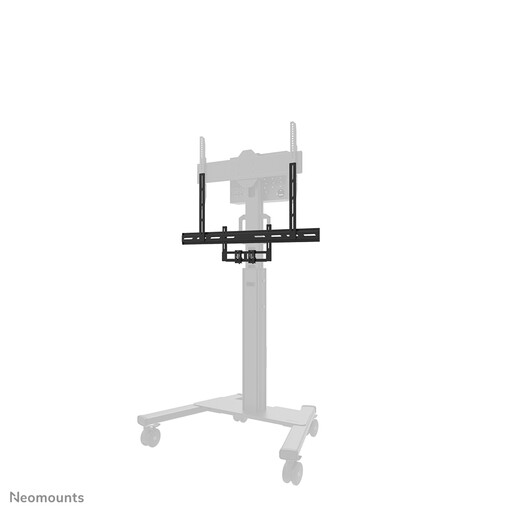
Why it suits this profile: Designed for meeting rooms and audiovisual installations where a videobar, PTZ camera or soundbar needs to be positioned alongside a large screen.
According to the product specifications, VESA compatibility ranges from 200 x 200 to 800 x 600 mm. The maximum weight capacity is 10 kg. This is a kit for connecting equipment to the screen, not for mounting the screen on the wall.
Can be positioned above or below the screen, with separate height adjustment for the videobar bracket and rear plate. Suitable for screens from 43 to 110 inches.
We have put together a complete, up-to-date list of products that fully meet these strict selection criteria and the applicable European safety regulations.
Read the instructions before drilling or mounting. Also check:
With a fixed wall-mounted monitor bracket, a level alignment is particularly important. With a monitor arm featuring multiple joints, you must also check that the arm will not hit a wall, cabinet or another screen.
First, check the VESA size and the weight of your monitor. Then compare the screen size and your preferred mounting method. A desk arm is useful when you need adjustability, while a fixed wall mount takes up very little space. If the hole pattern is different, a VESA adapter plate may provide a solution, provided that the weight capacity and mounting instructions allow it.
No. The wall and mounting hardware must be able to support the combined load of the screen and mount. Concrete, brickwork and wooden studs each require suitable wall plugs or screws. Do not mount a heavy screen solely into thin plasterboard. If you are unsure, it is sensible to have the installation carried out by a suitably qualified professional.
Its service life depends on the load, the quality of the installation and how often the arm is adjusted. Check the screws, clamps and joints regularly. Look out for play, sagging or connections coming loose. Replace any damaged parts and always remain within the stated weight capacity.
