
Vandaag of morgen in huis

Kwaliteit gegarandeerd

Welkomstaanbiedingen ontgrendelen: GRATIS bezorging | Tot 80% korting | Gratis 30 dagen JoyPlus-proefperiode
Download de app
A monitor mount can free up desk space, keep cables tidier and give you more flexibility when positioning your screen. But it’s easy to get the choice wrong. A mount that appears suitable for your monitor on the packaging might not have enough load capacity in practice, may not fit your desk or could use the wrong VESA fitting.
These points will help home and business users in the Netherlands distinguish marketing claims from product specifications they can check for themselves.
A 27-inch monitor isn’t automatically suitable for every monitor arm. The weight without the stand, the VESA size and the shape of the casing are just as important. An ultrawide screen, for example, might fall within the stated size range but still be too heavy for a standard monitor arm.
For a dual monitor arm or a triple monitor arm, the load capacity usually applies per screen. So an arm rated at 6 kg per screen isn’t designed to hold two screens with a combined weight of 12 kg on a single mounting point. Also check whether the stated load capacity includes accessories such as a laptop tray.
A desk-mounted monitor arm puts pressure on the desktop. A thin, damaged or uneven surface may therefore not be suitable for a clamp or grommet mount. With a wall-mounted monitor mount, the wall is the deciding factor: attaching it to plasterboard alone or to a hollow wall may be unsafe. Use suitable wall plugs and screws for concrete, brick or wooden studs.
The VESA size is the distance between the mounting holes on the back of the screen, for example 75 × 75 or 100 × 100 mm. Measure horizontally and vertically between the centres of the holes. A VESA monitor mount must support this size. If you can’t find the fitting details in the manual, check the monitor’s product specifications.
Some screens have an unusual or larger hole pattern. In that case, you may need a compatible VESA adapter plate. An adapter doesn’t automatically make a product suitable for a heavier screen; the maximum load capacity of the complete setup is still what matters.
Compare three details:
For a adjustable monitor arm with a gas spring, the minimum weight also matters. A screen that’s too light may cause the arm to rise, while one that’s too heavy may not stay stable. With an ultrawide monitor arm, you should also check whether the maximum weight applies to curved screens. The product specifications may list a separate maximum for these.
A fixed monitor stand or slim wall mount takes up little space but offers limited flexibility. A full-motion monitor arm can usually tilt, rotate and swivel. Check the stated angles and the clearance from the wall or desk.
A clamp is handy if you don’t want to drill. A grommet or through-desk mount may be more suitable if you have a sturdy desk with a cable-management hole. Similar points apply to a TV wall mount, but screen size, VESA size and weight are often greater.
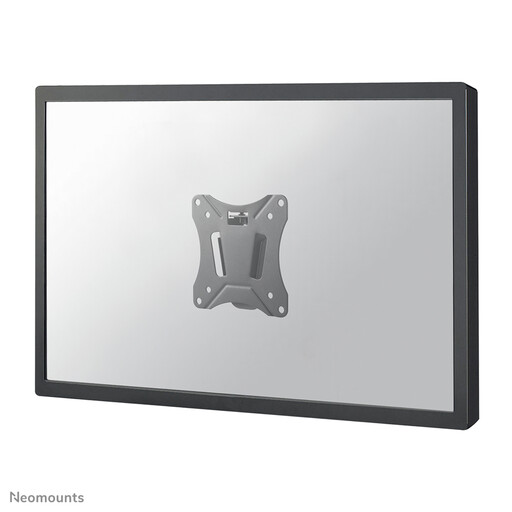
Why it suits this user: This fixed wall mount is suitable for screens from 10 to 30 inches and supports up to 25 kg. According to the product specifications, it sits 1.2 cm from the wall.
The maximum weight and supported VESA patterns of 75 × 75 and 100 × 100 mm are clearly specified. Check that your wall is suitable before you buy.
Fixed mounting, a shallow 1.2 cm profile and, according to the product description, included mounting hardware.

Why it suits this user: This gas-spring monitor arm is designed for large, curved and ultrawide screens from 17 to 49 inches. It’s rated for up to 18 kg with flat screens and 14 kg with curved screens.
The product lists separate load capacities for flat and curved screens. The 180° stop is designed to help prevent the arm from hitting a wall or partition.
Gas-spring height adjustment from 26.1 to 55.5 cm, depth adjustment and support for VESA 75 × 75 and 100 × 100 mm.

Why it suits this user: For a workstation, trading desk or production station with three screens, this arm supports three monitors from 10 to 27 inches, each weighing up to 6 kg.
The maximum weight is specified per screen. The 180° stop helps limit the arm’s movement when it’s close to a wall or partition.
Full-motion adjustment, cable management, clamp and grommet mounting, and a quick-release system.

Why it suits this user: This single adjustable monitor arm is suitable for flat and curved screens up to 35 inches and weighing up to 9 kg. The gas spring allows you to adjust the height and depth.
The stated maximum weight of 9 kg and support for VESA sizes from 75 × 75 to 100 × 100 mm make it easy to check compatibility before buying.
Height adjustment from 21.5 to 49.5 cm, depth adjustment and integrated cable management.
We’ve put together a complete, up-to-date list of products that meet these strict selection criteria and the applicable European safety regulations.
Before installation, read the manual and check that all the parts are included. Then bear these points in mind:
An ergonomic monitor mount can position a screen at a comfortable viewing height and distance, but it’s no substitute for good posture or taking breaks. Choose the level of movement to suit how you use it: a fixed mount for a fixed viewing position, or a monitor arm if you adjust your screen regularly.
No. Check the VESA size, weight and screen size. If your monitor doesn’t have VESA holes, you may need a specific adapter frame. Also check the maximum load capacity of the arm you choose.
That depends on the mounting method and the desk’s construction. A clamp can put pressure on the desktop. Check the minimum and maximum desk thickness in the product specifications, and don’t use a mount if the material isn’t strong enough or is damaged.
Its lifespan depends on the load, the quality of the installation and how often you adjust the arm. A product’s stated warranty period gives you a useful point of reference, but always check the current terms. Tightening the fittings periodically and not exceeding the arm’s maximum load capacity can help prevent unnecessary wear and instability.
