
Checking for duplicate entries
You want to compare catalogue entries, photos or two lists at once, without assuming that the screen will automatically recognise duplicate entries.


A 27-inch QHD monitor could be a good fit if you want to compare catalogue entries and photos side by side and have enough desk space. For long lists at a more compact workstation, an adjustable 24-inch 16:10 screen may suit you better. Also check readability, screen positioning and your laptop’s connections. A monitor won’t detect duplicate entries: check these in your catalogue software before deleting any data.
You want to compare catalogue entries, photos or two lists at once, without assuming that the screen will automatically recognise duplicate entries.
You want to keep consecutive catalogue entries easy to read at a more compact workstation.
You’re looking for an adjustable working position or a simple laptop connection. Which feature matters most depends on your setup.
A good fit if: you want to view two catalogue screens, or a list and a photo, at the same time and have room for a wider screen.
Trade-off: check your desk width and readability at your usual text size; extra pixels won’t check for duplicates.
A good fit if: you mainly browse catalogue fields and want a more compact screen.
Trade-off: there’s less horizontal space for two large windows than with the QHD option reviewed; check that the columns remain easy to read.
A good fit if: you want to see lots of catalogue fields at once and have a wide desk.
Trade-off: measure the available width and check that your software lets you arrange windows comfortably; you don’t need an ultrawide screen to find duplicates.
The percentages below relate to consumers choosing a monitor for this model train cataloguing task. Each row highlights a different top priority.
| Consideration | What should you check? | Who is this important for? |
|---|---|---|
| Viewing the catalogue and images at once | Measure the available desk width and test two windows at your usual text size. | If I want to compare catalogue entries and photos side by side, I look for enough space and good readability. Around 36% of consumers make side-by-side comparison their top priority. |
| Reading long lists | Check the vertical screen space, column widths and readability in your catalogue software. | If I mainly want to view consecutive entries at a smaller desk, vertical space matters. Around 29% of consumers give the most attention to reading long lists in a limited space. |
| Adjusting the screen position | Check the height and tilt adjustment, reflections and how lighting affects readability. Arboportaal highlights reflections and characters that are difficult to read as things to consider when working with screens. | For longer cataloguing sessions, I want to be able to adjust the screen to suit my workstation. Around 21% of consumers name screen-position adjustment as their top priority. |
| Connecting a laptop | Check whether your laptop supports USB-C video and whether the connection provides enough power. Dell Nederland distinguishes between a USB-C data port and docking on the P2425; Lenovo Nederland describes docking on the ThinkVision T27h-30. | If I use a laptop and want to connect peripherals, I check what the ports on both devices actually support. Around 14% of consumers prioritise a simple laptop connection. |
A monitor helps you compare data side by side, but it can’t tell you whether two entries describe the same physical train. Microsoft Support distinguishes between temporarily filtering duplicate values in Excel and permanently deleting them.
First decide which fields identify an individual item, check suspected duplicates and keep a copy before deleting any data.
Reviewing entries takes time; deleting an entry by mistake could also mean extra work to restore it.
According to Dell Nederland, the Dell P2425 has a downstream USB-C port for data, with a maximum output of 15 W. The Lenovo ThinkVision T27h-30 is described as offering USB-C docking. These features aren’t necessarily equivalent.
Check the port’s function and the charging capacity you need for the exact monitor and laptop models.
Depending on the connections, you may need a different cable, an adapter or a separate power supply.
According to the Rijksoverheid, statutory rights in the Netherlands don’t have a fixed two-year period; your rights depend, among other things, on what you can reasonably expect from the product.
Check what any additional cover includes. If a product is faulty, contact the seller, as advised by the Rijksoverheid.
The Pro Plus models reviewed include a 24-inch 16:10 model and a 27-inch QHD model, catering for different screen-layout preferences.
The Series 5 Pro 524pn reviewed is a 24-inch WUXGA option for a more compact cataloguing workstation.
The ThinkVision T27h-30 reviewed combines QHD with features for a laptop setup.
The 34E1C5600HE/00 reviewed is an ultrawide option for viewing lots of columns or windows at once.
This selection focuses on ultrawide monitors for using several catalogue windows or viewing more columns at once. Check each model’s features to see which suit your workstation and laptop.
 No image available
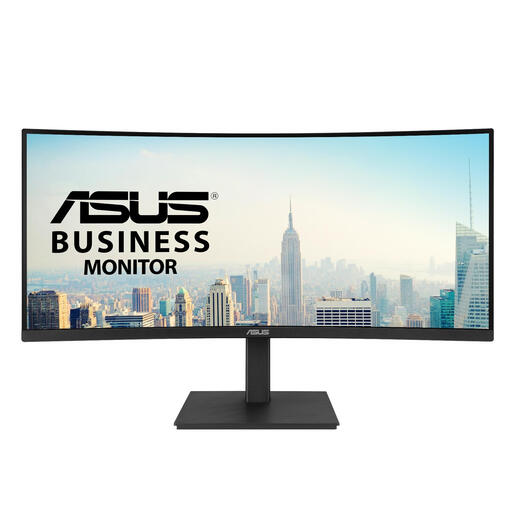
An option for viewing several catalogue windows side by side; the product name specifies a curved 34.1-inch WQHD IPS screen.
The product name also specifies a USB-C hub, webcam, 100 Hz and 90 W Power Delivery.
 No image available
An ultrawide option if you want to view several catalogue windows side by side.
The product information specifies a 34-inch, 21:9 screen with 3440 × 1440 pixels, plus a stand with height, tilt and swivel adjustment.
 No image available
A wide screen for viewing two catalogue screens side by side; the product information describes using it as two separate screens.
Listed features include a 49-inch screen with 5120 × 1440 pixels, a built-in KVM and USB-C with 90 W power delivery.
 No image available
An option if you want to view lots of catalogue columns at once.
The product information specifies a 21:9 screen with 3440 × 1440 pixels and a height-adjustable stand.
 No image available
An option if you want to use two wide catalogue screens side by side.
The product information specifies Dual QHD, a KVM switch, USB-C docking, RJ45 and a height-adjustable stand.
No. A screen makes it easier to compare entries, but duplicate checking happens in your catalogue software. Microsoft Support explains that filtering for duplicate values in Excel temporarily hides them, while deleting them removes them permanently. Two trains with the same model number aren’t automatically an incorrect entry.
Adjust the screen position to suit your workstation, and watch out for reflections and characters that are difficult to read. Arboportaal highlights these points when discussing screen work; this doesn’t prove that a particular monitor model prevents discomfort.
For applicable employee workstations, Arboportaal lists a height-adjustable screen among the requirements. The portal describes specific rules for employees who work with screens for more than two hours a day, and explains when employers may deviate from them. This isn’t necessarily a universal purchasing requirement for someone enjoying a hobby at home.
According to the Rijksoverheid, when you buy online from a business, you’ll often have a 14-day cancellation period, although exceptions apply. In the Netherlands, statutory rights don’t have a fixed two-year period: you’re entitled to a product that works as it should, and the seller is your point of contact if there’s a problem. Check any additional cover alongside your existing rights.