
Student with lots of debugging windows
Wants to use a mobile viewport, code and developer tools side by side, and has room for a fixed screen.


If you have enough desk space and want to see code, DevTools and a mobile preview at the same time, consider a fixed QHD monitor. A compact fixed screen may be a better fit for a small desk. If you want to clear your workspace regularly or take the screen with you, a portable monitor is an option. For every model, check that its video connection works with your laptop: a simulated mobile view is no substitute for testing on a real phone.
Wants to use a mobile viewport, code and developer tools side by side, and has room for a fixed screen.
Needs a fixed second screen, but has to choose a size and adjustability to suit a limited workspace.
Wants to store or take an extra screen with them after work, and needs to check whether their laptop supports the required connection.
Choose this option: if you have enough desk space and want to view a viewport, code and DevTools side by side. Dell lists a resolution of 2560 × 1440 pixels for the P2725DE; LG lists the same resolution for the 27BA65QB-B.
Bear in mind: a larger screen needs more space. Also check the video connection and whether your laptop needs USB-C power delivery.
Choose this option: if you want to keep a screen on your desk but have less room. Dell and Philips list a 23.8-inch diagonal for the models mentioned.
Bear in mind: Full HD has fewer pixels than QHD for windows displayed at the same time. According to Dell, the USB-C downstream port on the Dell P2425H is for data only; use the listed video connections.
Choose this option: if you regularly clear your desk or want to take the screen with you. ASUS describes the MB16ACV as a portable 15.6-inch Full HD model; Lenovo lists a 14-inch diagonal for the M14d.
Bear in mind: the smaller screen may be less comfortable for viewing lots of windows at once. Before buying, check the video mode, power supply and any software your laptop may need.
| What to consider | What should you check? | Who should prioritise this? |
|---|---|---|
| Room for windows | Compare resolution and display scaling; also measure whether a 27-inch screen with its stand will fit on your desk. | If I want to see a viewport, code and developer tools at the same time, the available workspace matters most. Around 36% of consumers prioritise space for debugging windows. |
| Desk size | Measure the available space and compare a compact fixed screen with a larger model; check how adjustable it is. | With a small desk, I want a fixed screen that fits my workspace without taking up too much room. Around 29% of consumers focus mainly on desk size. |
| Laptop connection | Check that the video output works and that USB-C supports the required display and power delivery. Dell lists HDMI and DisplayPort for the P2425H; its USB-C downstream port is for data only and supports up to 15 W. | If I want to connect my laptop to the monitor, I want to know in advance which cables and features will work with my specific device. Around 21% of consumers give laptop compatibility top priority. |
| Putting it away or taking it with you | Check the screen size and whether your laptop supports the specified video and power connection. ASUS lists a hybrid USB-C port for display and power on the MB16ACV. | If I want to clear my workspace after use or take the screen with me, a portable model is worth considering. Around 14% of consumers focus mainly on putting it away or taking it with them. |
A USB-C port on a monitor doesn’t guarantee that your laptop can send video and power through it using a single cable. According to Dell, the USB-C port on the Dell P2425H is for data only, while other models mentioned list USB-C features for video and power.
Compare your laptop’s video output and charging requirements with the port specifications of the exact monitor model you’re considering.
Depending on your equipment, you may need a different cable, an adapter or a separate laptop power supply.
A simulated viewport and remote debugging on an actual mobile device are two different ways to check a page. Chrome for Developers explains how to use remote debugging to inspect a page while it’s running on a mobile device.
Use the simulation to check dimensions, and test any behaviour that depends on a real device on that device too.
A 23.8-inch Full HD screen and a 27-inch QHD screen differ in both physical size and resolution. A larger diagonal alone doesn’t tell you how much desk space you’ll need or how many windows will be comfortable to read.
Measure your workspace and compare resolution, display scaling and adjustability before choosing a size.
The P2425H is a compact fixed Full HD model; the P2725DE is a larger QHD monitor with USB-C.
The 27BA65QB-B is a 27-inch QHD monitor with USB-C.
The 24E1N1100A/00 is a 23.8-inch Full HD option to compare for a compact fixed setup.
The ZenScreen MB16ACV is a portable monitor option.
The ThinkVision M14d is a portable option with a different screen size and resolution.
This selection includes portable monitors to put away or take with you, and fixed screens for compact or more spacious desks.
 No image available
A portable screen to consider if you want to put your monitor away or take it with you.
2560 × 1600 pixels, 16:10 aspect ratio, 144 Hz, two USB-C ports and Mini HDMI.
The 16-inch screen has less physical viewing area than a fixed 27-inch monitor.
 No image available
A portable monitor to consider if you want to clear your workspace after use.
Full HD resolution of 1920 × 1080 pixels and an IPS panel.
According to the product description, USB-C video and power depend on having a compatible device.
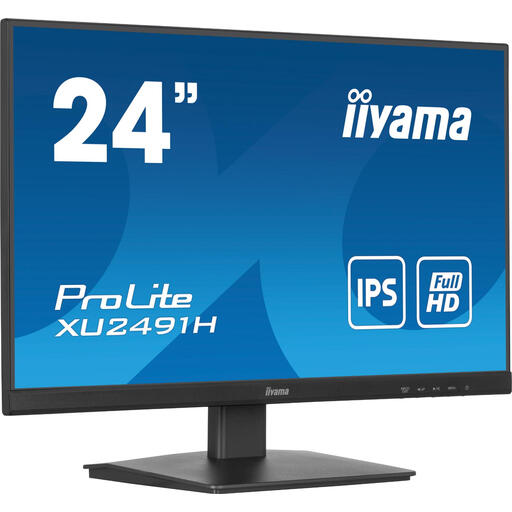 No image available
A compact fixed monitor to consider for a smaller workspace.
23.8 inches, Full HD, IPS panel and a 100 Hz refresh rate.
HDMI and DisplayPort are listed as video connections.
 No image available
A fixed QHD monitor to consider if you have enough desk space and want to view several windows side by side.
2560 × 1440 pixels, IPS panel, HDMI and DisplayPort.
The 27-inch size needs enough room on your desk.
Not completely: a mobile viewport on a monitor is a simulation. Chrome for Developers explains how to use remote debugging to inspect a page while it’s actually running on a mobile device. Use this when behaviour on a real phone matters.
Check the connections and video features of your exact laptop and monitor models. ASUS lists a hybrid USB-C connection for display and power on the ZenScreen MB16ACV; Lenovo lists USB-C with DisplayPort Alt Mode for the ThinkVision M14d. Don’t rely on the shape of the connector alone.
No. Use the simulation to check dimensions and layout, but also test issues that depend on a real mobile device on that device. Chrome for Developers explains how to use remote debugging for this real-world test.
For a standard online consumer purchase, you’ll generally have a statutory cooling-off period of up to 14 days after delivery, subject to applicable exceptions. This is separate from your statutory rights if a product, under normal use, doesn’t do what you could reasonably expect it to do. ACM ConsuWijzer explains that the seller must then resolve the issue free of charge.